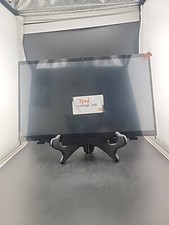
10" Laptop Screen Extender, Portable Triple Monitor for Laptop HD IPS Display Q2Product description
KEFEYA Laptop Screen Extender
Multitasks with triple screen, maximize your efficiency up to 300%.
Unlock your productivity potential with triple portable monitors create a more productive and colorful world for your work and life.
Carry it to start enjoy your travels ,remote work, video conference ,gaming etc
Specification:
Support:Extend/ mirror/Landscape/portrait
Applicable :11-17 IN Laptops,Plug and play, no driver required
Bracket base :Support monitor horizontal 360°vertical 360°rotation
Individually connected and adjust:Brightness, volume, font size, and other parameters and turn On/OFF.
Screen:High resolution / IPS 178°/ 300 nit brightness /72% NTSC color gamut /1:1000 contrast ratio
Compatible :Most Windows,Mac OS,Linux,Intel ,Chrome,Switch,PS4/5,Xbox One(Suit Mac M1 Pro/Max , M2 Pro/Max chip laptop,Not suit M1/ M2 chip laptop)
Advantage :
✅1.Improve Efficiency 300% & Convenient Work & Save Time
Our Triple Monitor for Laptop Screen with 2 extra monitor screens support you open multiple tasks at the same time and improve your work efficiency up to 300%!Laptop Screen Extender can extend or mirror laptop content help you no need switch workspace save lot time.Carry it with you to start enjoy your travels ,remote work, video conference ,gaming etc (Plug and play, no driver required,Applicable for 11-17.3 IN Laptops).
✅2.Widely applicable & Plug and Play
The Portable Triple Monitor for Laptop compatible most Windows,Mac OS,Linux,Intel ,Chrome,Switch,PS4/5,Xbox One (Suit Mac M1 Pro/Max , M2 Pro/Max chip laptop,Not suit M1/ M2 chip laptop) . Please make sure your laptop has 2 USB-C ports or 1 USB-C + 1 HDMI port or 2 HDMI port.The device( Laptop/Android Phone) USB-C port must both support power and video transmission.If only connect HDMI please plug 1 more USB-A to C cable offer power.
✅3.Multiple Use Mode Extend Mirror& 360°Rotation
The Portable Triple Monitor for Laptop Screen can be set as extend/ mirror/Landscape/portrait ,Each Laptop Monitor can be individually connect and adjust (brightness, volume, font size,etc),turn On/OFF. The unique bracket base design support monitor horizontal 360°vertical 360°rotation agree all angles Sharing.The Aluminum materials base not only can store screen but also help laptop heat dissipation.
✅4.Great IPS Quality Panel Screen
High resolution Portable Monitor Screen Extender offer IPS 178°clear images viewing angle,300 nit brightness, 72% NTSC color gamut, and 1:1000 contrast ratio provide a bright, vivid and immersive visual experience.With blue light filter, anti-glare technology can protect your eyes relieve eye fatigue . You also can simple adjust the Laptop Screen Extender Monitor's brightness, volume and more by the button on panel.
Our package with many cables USB-C to Cx2 / USB-A to Cx2 / HDMI to MINI HDMI x2 ,Enough for 2 monitor screen use, no matter what port in your laptop computer .
Method 1:
If your laptop has 2 USB-C ports (Full-Funtion port):
Just need connect USB-C to C cable to each monitor screen, Make sure USB-C cable can deliver 5V/2A power.
Method 2:
If your laptop has 1 USB-C ,1 HDMI & 1 USB-A port:
You can connect one monitor screen with USB-C to C cable, and the other monitor screen with HDMI cable(Offer video transmission )& USB-A to C cable (Offer power).
Method 3:
If your laptop has 1 HDMI Ports and many USB-A port:
You can connect one monitor screen with HDMI cables (Offer video transmission )& USB-A to C (Offer power).The other monitor screen need a extra 1 hud cable (USB-A to HDMI) & HDMI cable (Offer video transmission )and USB-A to C cable (Offer power)
1.The Triple Monitor screen can be used on most Windows,Mac OS,Linux,Intel ,Chrome,Switch,PS4/5,Xbox One(Suit Mac M1 Pro/Max , M2 Pro/Max chip laptop,Not suit M1/ M2 chip laptop).
2.The first time you connect it will be in Portrait mode , You can adjust to Landscape mode in laptop setting.
Q1: How to check Tpye-C port on computer is an all-function port or not ?
A: If your laptop have a USB-C port with one of the following symbols (or the Thunderbolt 3, Thunderbolt 4, DP 1.2), then it is the Full-function Type-C port, you can use the USB C to C cable to connect each screen. (You can check the manual or go online to check the computer port parameters.)
Q2: Monitor Screen display show "No Signal"
A: 1>If you use USB-C to C connect, it means your computer's C port only support power not support video transmission,You can connect a HDMI cable to the monitor provide video transmission.
2>If you use HDMI cable (Provide video transmission) & USB-A/C to C cable (Provide power). It means that your laptop can't provide 5V/2A power through the USB Type-C port, you need connect an external 5V/2A adapter to power the monitor screen.
Q3: Monitor Screen Flickers & Black Screen
A:It may be that your laptop is low battery or voltage is insufficient,use an extra USB-A to C cable to power laptop or monitor screen extender.
Q4: Monitor screen not light up after connecting?
A:It may be that your laptop does not have enough power. Please charge the monitor with an extra power supply that provide 5V/2A.
Please active your laptop screen to avoid extender screen into sleep mode.
Condition Note:
This item is in open-box condition. Most units are like new with no signs of use. A few units may have minor cosmetic imperfections from customer inspection, but this does not affect functionality in any way. Every item is fully tested for power, connectivity, and display performance before shipping, and we always do our best to send you the best unit available. It comes with all original accessories and cables as shown in the photos.
Why you can buy with confidence:
✅1.Every unit is fully tested for functionality (power, screen display, ports, and connections) before shipping.
✅ 2.Comes from a smoke-free, pet-free environment.
✅ 3.30-day return policy.
✅ If you have any questions, please feel free to contact us. We are always happy to help. ✅
PaymentDelivery detailsTerms of salesAbout usContact usPayment
We accept all payments.
Payment must be received within 7 business days of sale closing, or you will receive an unpaid item case by .
Delivery detailsWe will ship the item within 3 business day of receiving cleared payment.
We ship to your address, please make sure your address is correct before you pay.Terms of salesIf you didn't receive the item on the estimated time, or the parcel was broken/missing, please message us before you open case/return, we will try our best to solve it.
We offer a 30-day return policy from checkout winning date.
Defective items must be packed in their retail packaging as if new and return with a detailed description of the problem.About usWe strive for 100% Customer Satisfaction. If you have any questions or any problems on your purchase, please feel free to contact us via Message.Contact usIf you are not satisfied with the item for any reason, please do not quick to leave negative/neutral response even open request and case without any communication with us. We devote ourselves making EVERY CUSTOMER in 100% Satisfactory and resolve any problem.Country of OriginChinaScreen Size10 inBrightness300 cd/m²Refresh Rate60 HzColorSilverVideo InputsUSB-C, HDMI Mini, HDMI Standard, HDMI MicroMost Suitable ForGaming, Casual ComputingAspect Ratio16:9BrandKefeyaDisplay TypeLCDMaximum Resolution1920 x 1080Contrast Ratio1000:1Item Height15 x 10 x 3 inchesModelQ2FeaturesPortable