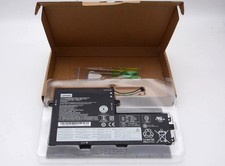
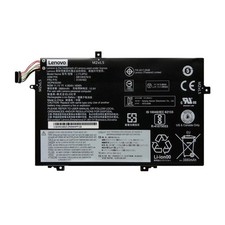
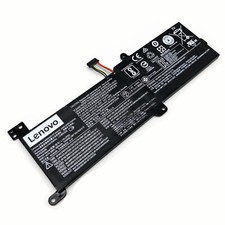
Battery Specifications:
· Battery model: L19L4PG2 Battery
· Voltage: 7.68 V
· Capacity: 6642 mAh
· Wattage: 51Wh
· Battery Type: LiPo
· Color:Black
Battery Maintenance:
1. For transport safety, our batteries are not fully charged before leave the factory.
2. If the tool stops during use, release the battery trigger to reset and resume operation. If still does not work, then recharge the battery.
3. When use or recharge the battery, please make sure battery cool down.
4. Please keep battery away from heat and metal accessories and don't store in the damp and direct-sun exposure.
What is in Box:
51Wh L19L4PG2battery replacement forLenovo7.68V battery
Replace Battery P/N:
>For Lenovo :
L19L4PG2 L19M4PG2 L19D4PG2
5B10X63136 SB10X63137
5B10X63141 5B10X63138
Compatible With:
>ForThinkPad
For Lenovo Flex 5-1470 seriesFor Lenovo Flex 5 1570 seriesFor Lenovo Flex 5 CB-13IML seriesIdeaPad FLEX 5 CB 13ITL6-82M7000WMXIdeaPad FLEX 5 CB 13ITL6-82M70037MHIdeaPad FLEX 5 CB-13IML05-82B80012CFIdeaPad FLEX 5 CB-13IML05-82B80032UKIdeaPad FLEX 5 CB-13IML05-82B80037SPThinkPad C13 YOGA GEN 1 Chromebook-20UX000DSCThinkPad C13 YOGA GEN 1 Chromebook-20UX000QRIThinkPad C13 YOGA GEN 1 Chromebook-20UX000QUSThinkPad C13 YOGA GEN 1 Chromebook-20UX000XUKThinkPad C13 YOGA GEN 1 Chromebook-20UX0019MTThinkPad C13 YOGA GEN 1 Chromebook-20UX001FVWThinkPad C13 YOGA GEN 1 Chromebook-20UX001GKFThinkPad C13 YOGA GEN 1 Chromebook-20UX001HFRThinkPad C13 YOGA GEN 1 Chromebook-20UX001HVWThinkPad C13 YOGA GEN 1 Chromebook-20UX001JMBThinkPad C13 YOGA GEN 1 Chromebook-20UX001SIXThinkPad C13 YOGA GEN 1 Chromebook-20UX001TMHThinkPad C13 YOGA GEN 1 Chromebook-20UX001VSPThinkPad C13 YOGA GEN 1 Chromebook-20UX0022MHThinkPad C13 YOGA GEN 1 Chromebook-20UX0022PG
FAQs
Q: How do I select the right replacement battery for my laptop?A: First of all, you need to assure the model of your laptop or the part number of your laptop battery. you'd better look at our battery from our picturesand check if it is the same as your original one,If you don't know how to find the right battery for your laptop, please press Windows+R,type"msinfo32"then click ok,then you can find "System Model" in the pop-up window. Moreover,you can click the icon "contact seller" on the right of this page to ask us.
Q: How to charge the LenovoL19L4PG2laptop battery properly?A: You should charge the replacement battery forLenovoL19L4PG2laptop before the battery exhaustively discharged, otherwise it will shorten its life. It is feasibleto charge the laptop battery before the power is less than 20%. Meanwhile, the battery should be charged in a dry place, and please pay attention to hightemperature, which is the biggest threat to battery life.
Q: How to deal with the replacement battery forLenovoL19L4PG2when you won't use for a long time?A: If you let yourLenovoL19L4PG2laptop battery lay idle for a long time, please charge the laptop battery or discharge to about 40%, and then put it in a dry andcool place to save. Indoor temperature is best maintained at 15 to 25 degrees Celsius because the temperature is easy to accelerate the battery aging eithertoo high or too low. You'd better fully charge and discharge the battery at least once a month. Finally please save it in accordance with the above method.
Q: How to replace yourLenovoL19L4PG2Laptop Battery?1: Turn off yourLenovoL19L4PG2laptop and disconnect the AC adapter.
2: Release the latch or other attachment devices that hold your battery in place.
3: Slide the old battery out of its compartment or storage bay
4: Take the replacement battery forLenovoL19L4PG2laptop out of the box.
5: Slide it into the notch or bay.
6: Close the safety latch to lock it into place.
7: Reconnect the AC adapter and give the new battery for yourLenovoL19L4PG2notebook a full charge.