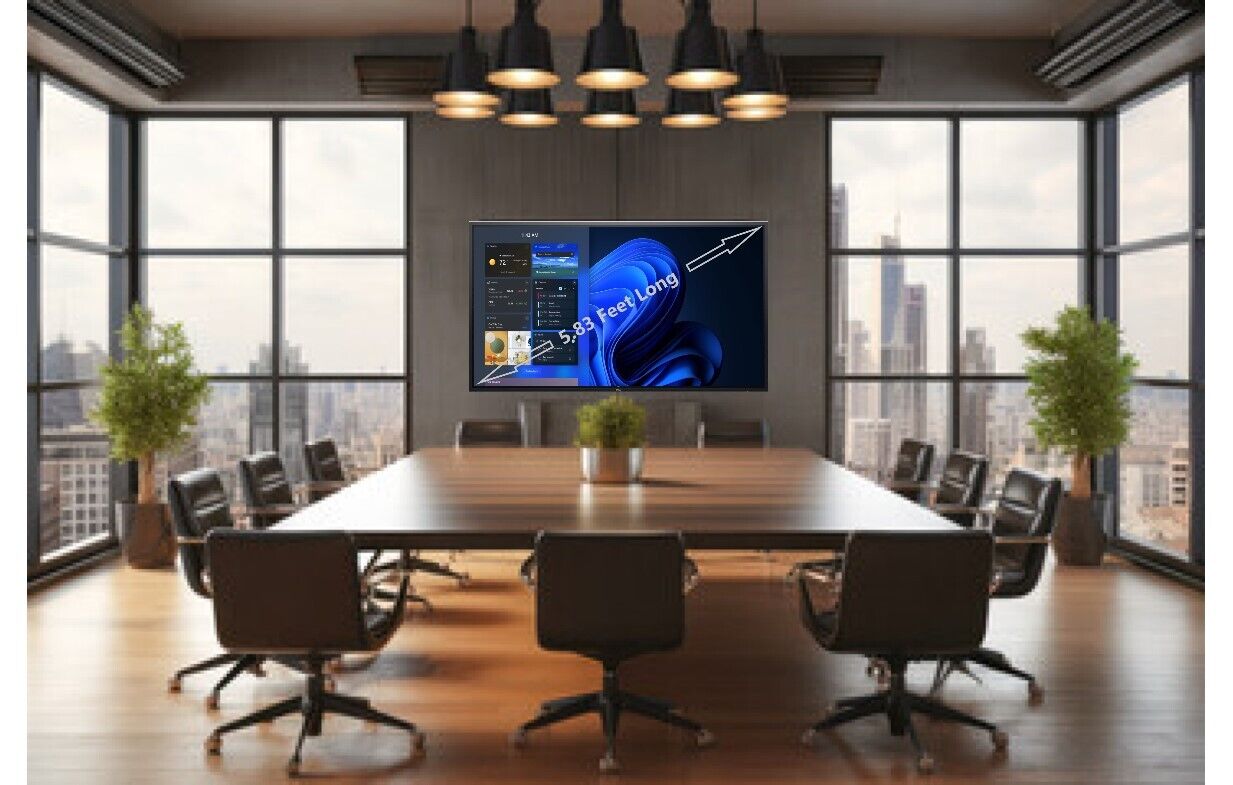
Equipped with a 1920x1080 resolution, the C7017T delivers stunning visuals withexceptional clarity and detail. From vibrant colors to sharp texts, every imagecomes to life on this display, providing an immersive and engaging visualexperience for all users.
Designed to enhance collaboration, the C7017T comes with multiple connectivityoptions, including HDMI, DisplayPort, and VGA, allowing you to connect variousdevices simultaneously. With its Picture-by-Picture (PBP) feature, you can viewcontent from different sources side by side, making it easier to compare andanalyze data.
The Dell C7017T also comes with a built-in soundbar, delivering crisp and clearaudio that complements the visuals. Whether you're hosting a conference call orwatching a video, the integrated speakers ensure an immersive audio experience.
In addition to its advanced features, the C7017T is also designed with usercomfort in mind. With its adjustable stand, you can easily position the monitorto find the perfect viewing angle. The anti-glare coating reduces reflectionsand minimizes eye strain, enabling you to work for longer periods withoutdiscomfort.
Experience the future of collaboration and productivity with the Dell C7017Tinteractive monitor. Its impressive display, intuitive touch capabilities, andversatile connectivity options make it an ideal choice for any professionalenvironment. Upgrade your workspace and unlock new levels of creativity withthe Dell C7017T.
·Readywhen you are:Connect withease via multiple connectivity ports including VGA, DP and HDMI.
§ Quick to setup and easy to manage, the DellC7017T Monitor brings seamless collaboration to your conference room.
·See work in a new light andinteract like never before with exceptional touch screen accuracy, crisp textand bright images, even in fully lit meeting rooms.
Touch-SensitiveSurface - Contact with the interactivewhiteboard is converted into mouse clicks or electronic ink. You can use yourfinger as a mouse or write notes on the durable, low-reflective surface.
·Enhanced VisualCommunication:Interactive whiteboards allow for dynamic and visually appealingpresentations, making it easier to convey complex information and ideas. Theinteractive features ofsmartboards enablepresenters to engage their audience and keep them focused.
·Multimedia Integration:Interactive whiteboards enablepresenters to seamlessly integrate multimedia elements such as videos, images,and audio into their presentations. This enhances the overall impact of thepresentation and helps in capturing the audience's attention.
·Flexibility andAdaptability:Interactive whiteboardsoffer flexibility and adaptability during business presentations. Presenterscan easily modify and update their content on the go, accommodating last-minutechanges or incorporating audience response.
·Interactive AudienceEngagement:Interactive whiteboardsencourage audience participation and engagement. Audience members can interactwith the board, respond to polls or quizzes, and ask questions, creating a moreinteractive and engaging presentation experience.
·Data Visualization:Interactive whiteboards providethe ability to visually represent data in a dynamic and interactive manner.Presenters can use graphs, charts, and other visual aids to convey data-driveninsights effectively, making presentations more impactful.
·Easy Annotation andNote-taking:Interactive whiteboardsallow presenters to annotate and take notes directly on the board during thepresentation. This enables them to highlight key points, emphasize importantinformation, and capture audience response in real-time.
·Seamless Integrationwith Other Devices:Interactive whiteboardscan seamlessly integrate with other devices such as laptops, tablets, andsmartphones. Presenters can easily share content from their devices onto theboard, making it convenient to showcase different types of content.
·Efficient Collaborationand Decision-making:Interactive whiteboardspromote efficient collaboration and decision-making during businesspresentations. The interactive features allow teams to work together, analyzeinformation, and make informed decisions in real-time.
·Professional and ModernImage: IncorporatingInteractive whiteboardsinto business presentations showcases a company's commitment to moderntechnology and innovation. It creates a professional image and enhances theoverall perception of the presenter and the organization.
·Interactive Learning:Interactive whiteboards allow forinteractive and dynamic learning experiences in the classroom. Students canactively engage with the content on the board, making learning more enjoyableand memorable.
·Visual Representation:Interactive whiteboards provide avisual representation of information, making it easier for students tounderstand complex concepts and ideas. Visual aids can enhance comprehensionand retention of knowledge.
·Collaboration and GroupWork:Interactive whiteboardsfacilitate collaboration and group work among students. Multiple students caninteract with the board simultaneously, allowing for collaborativeproblem-solving and brainstorming activities.
·Instant response:Interactive whiteboards enableteachers to provide instant response to students during class. This immediateresponse helps students understand their mistakes and make corrections inreal-time, promoting a deeper understanding of the subject matter.
·Access to OnlineResources: WithInteractive whiteboards,teachers can access a wide range of online resources and educational materialsto enhance their lessons. This allows for up-to-date and relevant content to beincorporated into the classroom.
·Organization and FileManagement:Interactive whiteboardsprovide a platform for teachers to organize and manage their lesson materialsand resources. This helps in streamlining the teaching process and ensures easyaccess to materials for future reference.
·Differentiation ofInstruction:Interactive whiteboardsallow for the differentiation of instruction based on individual student needs.Teachers can adapt their lessons and provide personalized learning experiencesby using the interactive features of the board.
·Increased Engagement: The interactive nature ofInteractive whiteboardsincreases engagement and participation. Members are more likely to be activelyinvolved in the process, leading to improved performance and collaboration.
·Alwaysin reach:Keep your accessories organized by magneticallyattaching the styluses and the remote to the side of the screen.
·Cleartext, graphics and images:Designed for business and educationalapplications, monitor components will enhance your presentation visuals forincredible readability in both small and medium-sized conference rooms.
·Product Type: LED-backlit LCD flat paneldisplay
·Energy Class: Class G
·Power Consumption Operational: 220 Watt
·Power Consumption (On mode): 117 W
·Power Consumption SDR (On mode): 117kWh/1000h
·Energy Consumption per Year: 206 kWh
·Diagonal Class: 70"
·Diagonal Size: 69.513"
·Commercial Use: Yes - interactive
·Convenience comes standard.
·Quick to setup and easy to manage, the DellC7017T Monitor brings seamless collaborationto your conference room.