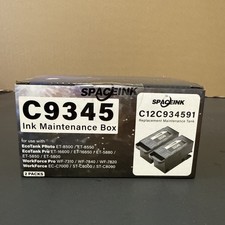
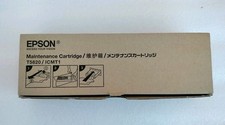
Attention: Please do not purchase this item if you can not find your printer number here.
Any wrong item purchased will charge a shipping fee if return. Please feel free to contact us before purchasing the order. We will more than happy to help you. Thank you.
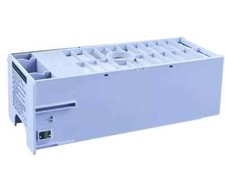
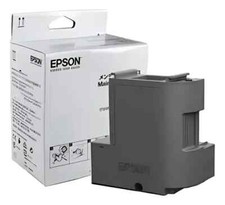
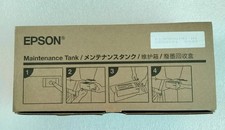
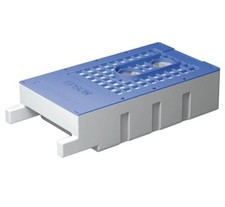
Epson Maintenance Tank Chip Resetter, EpsonStylus Pro 4900,4910,100% Guarantee,Free&Fast shippingNew Design, On Sale
EpsonStylus Pro 4900,4910
US SELLER, 100% QUALITY GUARANTEE !!
100% MONEY BACK GUARANTEE IF DOESN'T WORK ON YOUR PRINTER!
UNIVERSAL CHIP RESETTER is versatile.
Caution:
1:Reset EPSON genuine Maintenance Tank chip before the level down to "15%".2:TheMaintenance Tankcan be use again after reset with our chip resetter.
3. We recommendone resetter for one printer only, if you use one resetter on different model printers, it may cause the error of the resetter’s system, and you can’treset your chips anymore.
1)Easy to reset the chip
2)Save cost
3)Fast delivery
4)For Epson printer
1).Can reset OEM or compatible chip,
2).It is easy to use and can help the Maintenance Tankwork for a long time.
3).No harm to the original Maintenance Tank and reduce your cost.
4).Our chip resetter fundamentally decode circuit of the Maintenance Tank system, use chip to simulate the Maintenance Tank data, after decoded, every Maintenance Tank shows 100% volume.
Method of Application:
1. Fit the chip to the groove of chip resetter, and enable the probe of chip resetter contacts the contactor of the chips.
2. Press the 2 components together. If the red light gleams, it means the connections is fine.
3. 5 seconds later, the red light turns to green, and it means the chip data has been refreshed.
4. When the waste ink is full, take out the sponge from waste ink tank, and clean it, then put it back into waste ink tank and use.
The Voice from customer:
Dear jvh88,The package came in the time frame stated, it was packaged well for shipment; haven't given it to my customer to try yet but am quite confident it will work properly. It came at a better price than most other places I checked out. I would highly recommend doing business with jvh88.
Sincerely, Satisfied customer
- bankablespider
Fast service. Product works great!
Member id perryjv
Mar-01-13 13:00
thank you
Member id terrentran ( response Score Of 132)
Mar-01-13 12:46
Extremely fast transaction and shipping! Wow!
Member id buddhatripper ( response Score Of 42)
Feb-02-13 11:10
very good
Member id sjh007008 ( response Score Of 25)
Dec-20-12 21:57
A++ great service
Member id rbloomjr ( response Score Of 342)
Dec-18-12 06:35
Thanks
Member id artsdm70 ( response Score Of 148)
Nov-23-12 10:10
How to do if you ink or maintenance tank level lower than 15%?
You may try this:remove the maintainence tank or ink cartridgeand let it set overnight, the chip can be cleared and reset even when fully used up. We do not guarantee it works on all the printer, but it may work on yours.Good luck !
Shipping?Domestic?:All orders will be shipped out withinsamebusiness day after the payment is cleared. if ordered before 2:00 PM EST(Eastern Standard Time) during business days.Delivery:Free shipping: About 5-10 business Days (1-2 weeks ).Priority Mail:About3-5 Business Days.Express Mail:About1-3 Business Days.