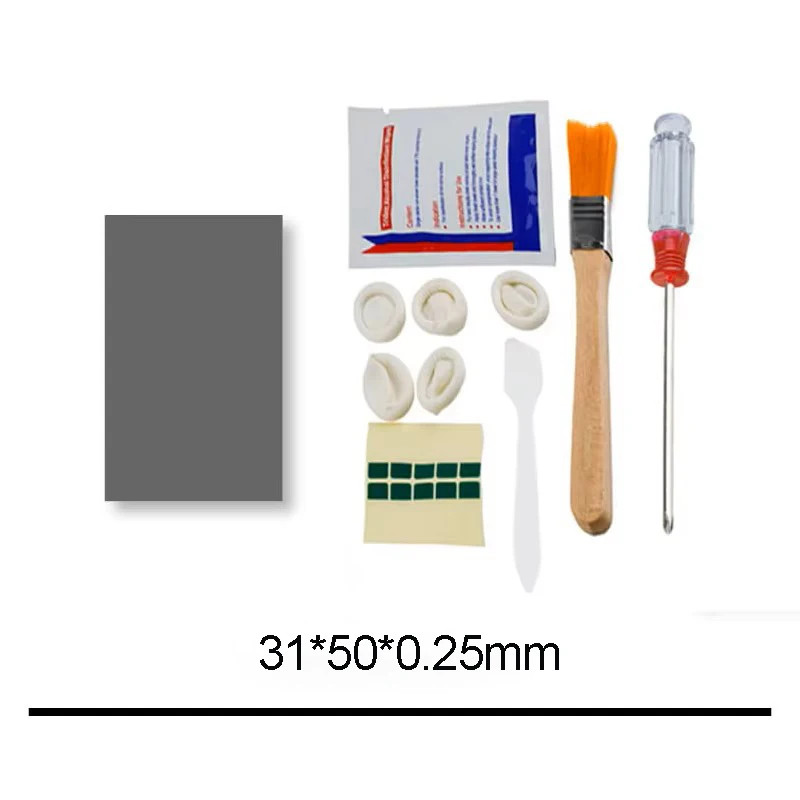
HONEYWELL PTM7950 PHASE CHANGE THERMAL PAD – 8.5 W/mK | 0.25 mm
Stop re-pasting every few months. PTM7950 is the phase change material PC builders, laptop repairers and console modders switch to when regular thermal paste dries out or pumps out. It's solid at room temperature, then softens at operating temperature to fill every microscopic gap between your chip and heatsink, giving lower temps that stay low for years.
WHY YOU'LL LOVE IT
✔ Ultra-low thermal impedance (0.04 °C·cm²/W) – keeps CPU and GPU temps down under heavy load
✔ High thermal conductivity – 8.5 W/mK
✔ Long-lasting – no pump-out and no dry-out like traditional paste
✔ Lab-proven reliability – passes 1,000 hours of 150 °C baking and 1,000 temperature cycles (-55 °C to +125 °C)
✔ Clean, easy application – no mess, no spreading, no guessing the right amount
✔ Cut to fit – trim the pad to the exact size of your chip
PERFECT FOR
Gaming laptops, desktop CPUs and GPUs, graphics card repasting, game consoles, handheld PCs and mini PCs, anywhere you want lower temps and less throttling.
SPECIFICATIONS
- Brand / Model: Honeywell PTM7950
- Type: Phase change thermal pad
- Thermal conductivity: 8.5 W/mK
- Thermal impedance: 0.04 °C·cm²/W
- Thickness: 0.25 mm
- Size: see options
- Condition: Brand new
HOW TO APPLY
1. Clean the chip and heatsink with isopropyl alcohol.
2. Cut the pad to the size of your chip.
3. Tip: place the pad in the freezer for a few minutes so the protective films peel off easily.
4. Remove one film, place the pad on the chip, then remove the second film.
5. Reinstall the heatsink with normal mounting pressure.
6. Run a demanding game or stress test for 10–20 minutes. The pad needs to reach its phase change temperature once to reach full performance.
PLEASE NOTE
- PTM7950 is heat-sensitive by nature. The edges may soften during shipping in warm weather. This is completely normal and does not affect performance.
- 0.25 mm thickness is designed for direct chip-to-heatsink contact. It is not a replacement for thicker VRAM/VRM thermal pads.