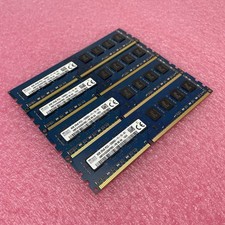
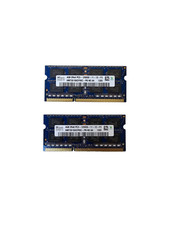
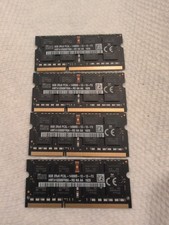
FeaturesType: 240-Pin DDR3 DIMMCapacity: 8GBSpeed: DDR3 1600 MHz (PC3-12800)Timings: CL11Voltage: 1.5VBuffering/Ecc: Non-ECC UnbufferedWarranty: LifetimeLOW DENSITYCompatible with both AMD and Intel cpu motherboardBuyers noteManufacture by Hynix,high quality item.Full tested by MemTest86+ Testing Programm before shipping,100% working.About the compatibility questions,please contact us freely for help.Packing List8GB PC3-12800 desktop memory ram x 1/2/4/8
Type: 240-Pin DDR3 DIMMCapacity: 8GBSpeed: DDR3 1600 MHz (PC3-12800)Voltage: 1.5V
Buffering/Ecc: Non-ECC UnbufferedWarranty: LifetimeLOW DENSITYCompatible with both AMD and Intel cpu motherboardBuyers note
- Manufacture by Hynix,high quality item.
- Full tested by MemTest86+ Testing Programm before shipping,100% working.
- About the compatibility questions,please contact us freely for help.
Packing List
8GB PC3-12800 desktop memory ram x 1/2/4/8
Ruturn PolicyTerms of salesShippingCustomer ServiceHandling timeRuturn Policy
Return is accepted within 30 days after the buyer's receiving the item.
If this item is defective upon receipt, customer has up to 30 days from date of receipt for exchange of a new one.
If you are not completely satisfied with your purchase, you may return it to us for a prompt exchange or we will refund your payment.
DOA ( Dead on Arrivall) can be returned for the exchange the new one.
Number of Pins240Number of Modules1/2/4Capacity per Module8 GBTypeDDR3 SDRAMUPCDoes Not ApplyMPNDoes Not ApplyBrandUnbranded/GenericBus SpeedPC3-12800 (DDR3-1600)Form FactorDIMM
Question: Who are DDR3 8GB 1600MHz memory sticks for?
Answer: DDR3 8GB 1600MHz memory sticks are suitable for users with high storage requirements, such as those who need to work with large files, run multitaskinor who need a larger memory capacity
to boost system performance.
Question: What are the advantages of using memory sticks in a computer?
Answer: Memory sticks have a larger capacity and a faster frequency, which provides the computer with more memory space and higher operating speeds. This improves the overall performance of your system,
making it smoother and more efficient.
Question: How do DDR3 8GB 1600MHz memory sticks compare to other frequencies?
Answer: DDR3 8GB 1600MHz memory sticks have a frequency of 1600MHz, which provides faster data transfer speeds compared to lower-frequency memory sticks, improving your computer's responsiveness
and processing power. Compared to higher frequency memory sticks, 1600MHz memory is usually more affordable.
Question: Do I need to change my computer settings to accommodate DDR3 8GB 1600MHz memory sticks?
Answer: Typically, no changes to your computer settings are required to install DDR3 8GB 1600MHz memory sticks. However, if your system is not booting properly, try checking your motherboard manual and
adjusting the memory settings to accommodate the new memory stick. As a reminder, make sure the memory is compatible with your motherboard and other components.