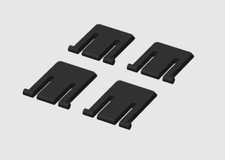
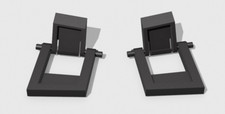
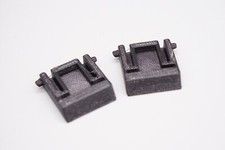
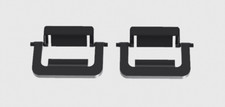
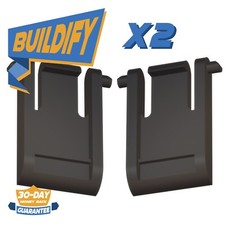
Keyboard Foot Replacement for ThinkPad TrackPoint II Keyboard KC 1957
- RESTORE TYPING ANGLE Bring your keyboard back to a raised desk position when original rear feet are missing, worn, loose, or cracked, helping the board sit and type like it should again.
- SNAP-ON REFRESH Each replacement foot uses a snap-on attachment style for a clean, direct install on the matching keyboard base, with no tools, screws, or adhesive needed for setup.
- CONFIDENT MODEL FIT Made for the matching keyboard foot location, helping replace the small tilt legs that support the rear edge and keep the board positioned for everyday typing.
- FOUR PIECES INCLUDED Comes with 4 replacement keyboard feet so you have the pieces needed to refresh support points, replace worn parts, or keep extras with your keyboard accessories.
- LOW-PROFILE DESK LOOK Compact foot design helps restore the finished underside of the keyboard without bulky add-ons, keeping your workspace neat for office, home, or travel use.
Refresh a keyboard that no longer sits the way it should. These SplashNColor replacement keyboard feet are made for the matching rear foot position and attach with a snap-on mechanism, helping restore the raised typing angle when the original legs are missing, cracked, worn, loose, or no longer staying in place. Instead of replacing the entire keyboard over small underside parts, this set helps bring the board back to a stable desk setup for everyday typing.
The compact profile is designed to support the rear edge without bulky add-ons, so the keyboard can keep a clean, familiar feel on a work desk, home office table, or travel setup. Installation is straightforward: align each foot with the matching base location and snap it into place. No adhesive, screws, or extra tools are required.
The included 4 pieces give you replacement options for worn support points and practical extras for small parts that are easy to misplace. Use them to refresh a keyboard that looks incomplete from underneath, restore the raised angle for more comfortable typing posture, or keep spare feet with your keyboard accessories for future repairs.