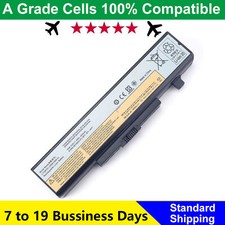
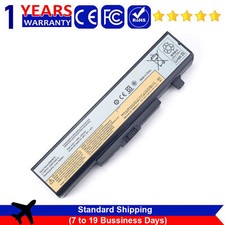
1. Choosing to purchase a battery not only depends on the laptop model, but also on your battery model.
It's best to compare your original battery with ours.
2.Before placing an order, please check your address. Be sure to fill in the correct and detailed address and phone number
3.Will usually ship within 48 hours of receiving cleared payment.The shipping time is about 10-20 business days.
(If you urgently use it, we do not recommend purchasing it)
4.If something goes wrong, please email me.Our customer service will reply to you within 48 hours
(there is a time difference between us, weekends are not business days)
Specification:
Battery Type: Li-ion
Voltage: 10.8V
Capacity: 48Wh
Cells: 6-Cell
Compatible With Part Numbers:
45N1048 45N1049 45N1043 45N1042L116Y01 L11S6F01 L11S6Y01 L11O6Y01 L11L6F01L11P6R01 L11L6R01 L11N6R01 L11L6Y01 L11M6Y01 L11N6Y01
Compatible With style="box-sizing: border-box; padding: 0px; margin-top: 0px; margin-bottom: 14px; color: rgb(15, 17, 17); font-family: "Amazon Ember", Arial, sans-serif; font-size: 14px; text-align: justify; white-space: normal; background-color: rgb(255, 255, 255);">For Lenovo IdeaPadG480 Series
For Lenovo IdeaPadG480 2184-22U, G480 2688-2LU, G480 2184-3NU, G480 2184-27U, G480 2688-2NU,G480 2688-2AU, G480 2814, G480 2184-3PU, G485
For Lenovo IdeaPadG580 Series
For Lenovo IdeaPadG580 2819, G580 2189-8CU,G580 2189-8AU,G580 2189-88U,G580 2189-82U, G580 2689-38U, G580 2689-3DU, G585
For Lenovo IdeaPadY480 Series
For Lenovo IdeaPadY480A-ISE, Y480M-IFI, Y480N Y480P Y485 Y485N Y485P
For Lenovo IdeaPadY580 Series
For Lenovo IdeaPadY580A, Y580M, Y580N, Y580P
For Lenovo IdeaPadV480 Series
For Lenovo IdeaPadV480C, V480S, V480U
For Lenovo IdeaPadV580 Series
For Lenovo IdeaPadV580C
For Lenovo IdeaPadZ380 Z480 Z580 Z585 Z485
Safety:
UL/CE-/FCC-/RoHS certified
Overload protection
Over-current protection
Over-voltage protection
High voltage protection
Short circuit protection
Over-temperature protection
How to check your laptop model?
Method 1: Use System Information to find your laptop model
1.Press Windows + R
2. Type "msinfo32", then click OK
3.Find "System Model" in the pop-up window
Method 2: Remove Battery from Laptop to find your laptop battery part number
What do we need to pay attention to using batteries for the first time?
1.Charge the battery for more than 8 hours before first use
2.You need to turn off your laptop and disconnect the power when you install a new battery
2.Do Discharge the new battery use to 5%/7%(not to 0%) and then charge to 95%, and cycle 3-4 times
How should I do if the battery is not recognised?
1. It is recommended to update the BIOS settings
2. Reinstall, please make sure that the connector of the battery has been inserted into the system board correctly and tightly
IF "the item doesn't work"?
Firstly, please send us an email to let us know
We can send you a replacement or refund
IF"Item is not received"
Firstly, please send us an email to let us know
Very few packages cannot be delivered on time due to bad weather conditions and uncontrollable factors.
(If your package delivery fails, we will refund or send you a replacement)
Tips
The battery is being used for the first time and the battery level display is inaccurate
Usually, after a few cycles of use, the battery level display will return to normal.