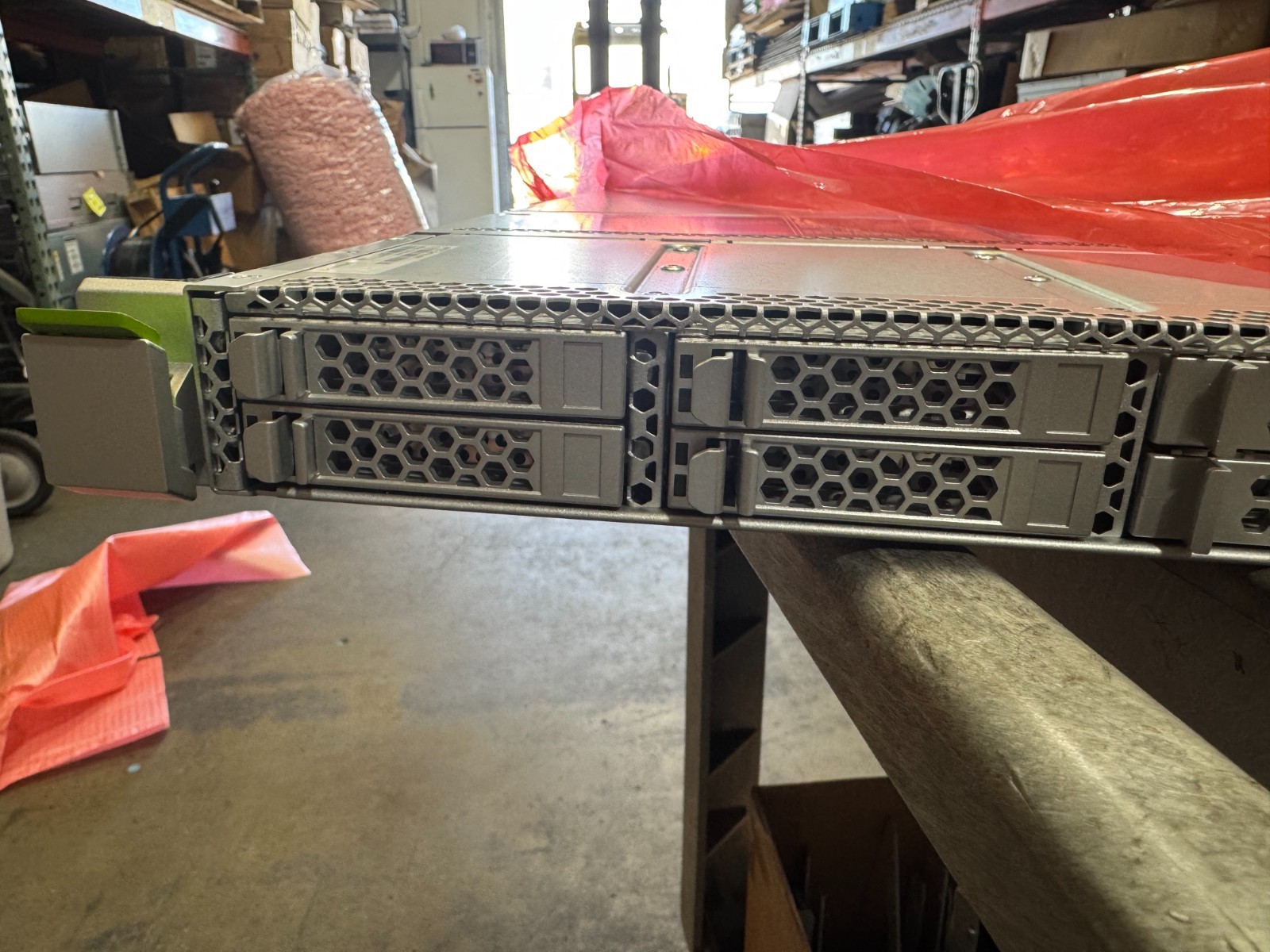
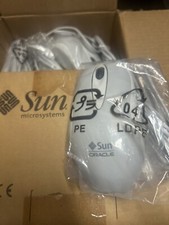
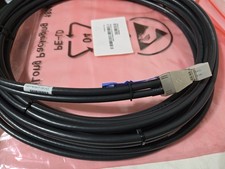
NEW Oracle Sun Fujitsu M10-1 16-Core (10c Active) 3.2GHz 64GB 4 x600 7088702RESPONSIVEWE BUY SURPLUS HARDWAREShips TodayNew Oracle Sun Fujitsu M10-1 ServerComplete in original box with accessories/railsWe opened it just to test for core activations7088702 3.2Ghz 16-core Motherboard10-cores activated8 x 8GB 70607484 x 600GB 7356355Welcome to System Control Facility Module Version XCP2350 Copyright (c) 2011-2012 FUJITSU LIMITED, All Rights Reserved.Diagnostics : 1.CPU Register Test >> OK 2.L2 Cache Test >> OK 3.RTC Low Battery Test >> OK 4.SDRAM Test >> OK 5.RTC Operation Test >> OK 6.SPI-FMEM Test >> OKBooting : [06/06]Loading file "/boot0/uImage" from mmc device 0:1 (xxa1)2618168 bytes readLoading file "/boot0/initramfs_image" from mmc device 0:1 (xxa1)3122382 bytes readLoading file "/boot0/p1011scf.dtb" from mmc device 0:1 (xxa1)8192 bytes read## Booting kernel from Legacy Image at 01000000 ... Image Name: Linux-2.6.36.2 Created: 2017-11-30 1:04:25 UTC Image Type: PowerPC Linux Kernel Image (gzip compressed) Data Size: 2618104 Bytes = 2.5 MiB Load Address: 00000000 Entry Point: 00000000 Verifying Checksum ... OK## Loading init Ramdisk from Legacy Image at 02000000 ... Image Name: Initial ramdisk for Service Proc Created: 2017-11-30 1:05:08 UTC Image Type: PowerPC Linux RAMDisk Image (gzip compressed) Data Size: 3122318 Bytes = 3 MiB Load Address: 00000000 Entry Point: 00000000 Verifying Checksum ... OK## Flattened Device Tree blob at 00c00000 Booting using the fdt blob at 0xc00000 Uncompressing Kernel Image ... OK Loading Ramdisk to 17b62000, end 17e5c48e ... OK Loading Device Tree to 00ffb000, end 00ffffff ... OKsetup_arch: bootmemmpc85xx_rdb_setup_arch()arch: exit[ 0.420735] ===== DEBUG =====[ 0.455290] FMEM bank/reset : 0080[ 0.501017] timeout control : 000f[ 0.546808] ================= 7.FMEM(NAND) Test >> OKBooting : [6/7]Starting udev: [ OK ]Setting hostname localhost: [ OK ]Checking filesystemsChecking all file systems.[ OK ]Mounting local filesystems: [ OK ]Enabling /etc/fstab swaps: [ OK ]Entering non-interactive startupSP-FIRM startmount_phram.sh -- completelog_write_reduce.sh -- completekexec_setting -- completetracerotate -- complete USB-SSD Test >> OKremount_usbssd.sh -- completeSSD DB set defaultssd_db_check -- completesetdefaults_boot -- completeDMA_WA.sh -- completespdb-backup -- completespdb-recovery -- completedbinit -- completesplog_sem_init -- completecli_db_create.sh -- completeprocdown_setting.sh -- completestart /sp/bin/spdual (pid=1866)start /sp/bin/multid (pid=1875)-- complete (ACTIVE)-- complete (MASTER)-- Boffer (0)brand_id_get.sh -- completesetup_defaultuser -- completeum_restore_accountfile.sh -- completeum_restore_configs -- completelogin_check -- completehub-ctl -- completesysctl -- completead_restore_configs -- completeldap_regen -- completensswitch_regen -- completexinetd -- completeservice iptables -- startiptables: Applying firewall rules: [ OK ]service network -- startBringing up loopback interface: [ OK ]service crond -- startStarting crond: [ OK ]init_script -- completecli_network_setting.sh -- completecli_ntp_setting.sh -- completeservice syslog-ng -- startStarting syslog-ng: [ OK ]init_script2 -- completesetting_remcs_conf.sh -- completesnmpproxy -- completestart /sp/bin/auditd (pid=2430)start /sp/bin/emaild (pid=2431)start /sp/bin/rsyncd (pid=2429)start /sp/bin/ipmid (pid=2478)start /sp/bin/firmupd (pid=2477)start /sp/bin/fuseqd (pid=2476)start /sp/bin/nrcid (pid=2529)start /sp/bin/ferd (pid=2528)start /sp/bin/rasd_slave (pid=2527)start /sp/bin/rasd_master (pid=2526)start /sp/bin/servicetag (pid=2530)start /sp/bin/fnld (pid=2540)start /sp/bin/hwcd (pid=2628)start /sp/bin/seqd (pid=2627)start /sp/bin/prid (pid=2934)start /sp/bin/ttyds (pid=2962)start /sp/bin/cmdds (pid=2961)start /sp/bin/cmdd (pid=2960)start /sp/bin/codd (pid=2981)start /sp/bin/ttydm (pid=2980)start /sp/bin/coremgrd (pid=3027)sleep_master.sh -- completecli_scf_ready_after_setting.sh -- completesettmpnetwork -- completesnmpd -- completesnmpwatch -- completecheckbrand -- completemulti_set_system_scf_ready.sh -- completeready_check.sh -- completeinitiate_patroldiag.sh -- completeinitiate_remotestorage_watch.sh -- complete-- initialize complete (SCF_READY)localhost login: eis-installerPassword:XSCF> showcodPROC Permits installed: 10 coresPROC Permits assigned for PPAR 0: 4XSCF> showcodusageResource In Use Installed CoD Permitted Status-------- ------ --------- ------------- ------PROC 0 16 10 OK: 10 cores availablePPAR-ID/Resource In Use Installed Assigned---------------- ------ --------- --------------0 - PROC 0 16 4 coresUnused - PROC 0 0 10 coresNote: Please confirm the value of the "In Use" by the ldm command of Oracle VM Server for SPARC. The XSCF may take up to 20 minutes to reflect the "In Use" of logical domains.XSCF> showcodactivationIndex Description Count------- ----------- ------ 0 PROC 2 1 PROC 2 2 PROC 2 3 PROC 2 4 PROC 2XSCF> showhardconfSPARC M10-1; + Serial:PZ31805003; Operator_Panel_Switch:Service; + System_Power:Off; System_Phase:Cabinet Power Off; Partition#0 PPAR_Status:Powered Off; MBU Status:Normal; Ver:2350h; Serial:TZ1801A003 ; + FRU-Part-Number:CA07363-D011 A4 /7088702 ; + Power_Supply_System: ; + Memory_Size:64 GB; Type: B ; CPU#0 Status:Normal; Ver:4142h; Serial:01201192; + Freq:3.200 GHz; Type:0x20; + Core:16; Strand:2; MEM#00A Status:Normal; + Code:2c800f18KSF1G72PZ-1G6P1 5031-1A50E122; + Type:04; Size:8 GB; MEM#01A Status:Normal; + Code:2c800f18KSF1G72PZ-1G6P1 5031-1A50E697; + Type:04; Size:8 GB; MEM#02A Status:Normal; + Code:2c800f18KSF1G72PZ-1G6P1 5031-1A50E264; + Type:04; Size:8 GB; MEM#03A Status:Normal; + Code:2c800f18KSF1G72PZ-1G6P1 5031-1A50E60D; + Type:04; Size:8 GB; MEM#10A Status:Normal; + Code:2c800f18KSF1G72PZ-1G6P1 5031-1A50E0B3; + Type:04; Size:8 GB; MEM#11A Status:Normal; + Code:2c800f18KSF1G72PZ-1G6P1 5031-1A50E164; + Type:04; Size:8 GB; MEM#12A Status:Normal; + Code:2c800f18KSF1G72PZ-1G6P1 5031-1A50E1ED; + Type:04; Size:8 GB; MEM#13A Status:Normal; + Code:2c800f18KSF1G72PZ-1G6P1 5031-1A50DFF3; + Type:04; Size:8 GB; OPNL Status:Normal; Ver:0101h; Serial:TZ1732F07C ; + FRU-Part-Number:CA07363-D101 A0 /7060786 ; PSUBP Status:Normal; Ver:0101h; Serial:TZ1748P05G ; + FRU-Part-Number:CA20366-B15X 005AB/7087517 ; PSU#0 Status:Normal; Ver:303342h; Serial:GWSD1733006692; + FRU-Part-Number:CA01022-0751-M/7343530 ; + Power_Status:OFF; AC:200 V; PSU#1 Status:Normal; Ver:303342h; Serial:GWSD1733006745; + FRU-Part-Number:CA01022-0751-M/7343530 ; + Power_Status:OFF; AC:200 V; FANU#0 Status:Normal; Type: A ; FANU#1 Status:Normal; Type: A ; FANU#2 Status:Normal; Type: A ; FANU#3 Status:Normal; Type: A ; FANU#4 Status:Normal; Type: A ; FANU#5 Status:Normal; Type: A ; FANU#6 Status:Normal; Type: A ;XSCF> poweron -p 0PPAR-IDs to power on :00Continue? [y|n] :y00 : Powering on*Note* This command only issues the instruction to power-on. The result of the instruction can be checked by the "showpparprogress".XSCF> showpparprogress -p 0PPAR Power On Preprocessing PPAR#0 [ 1/12]PPAR Power On PPAR#0 [ 2/12]XBBOX Reset PPAR#0 [ 3/12]PSU On PPAR#0 [ 4/12]CMU Reset Start PPAR#0 [ 5/12]XB Reset 1 PPAR#0 [ 6/12]XB Reset 2 PPAR#0 [ 7/12]XB Reset 3 PPAR#0 [ 8/12]CPU Reset 1 PPAR#0 [ 9/12]CPU Reset 2 PPAR#0 [10/12]Reset released PPAR#0 [11/12]CPU Start PPAR#0 [12/12]The sequence of power control is completed.XSCF> console -p 0Console contents may be logged.Connect to PPAR-ID 0?[y|n] :yPOST Sequence 12 TODPOST Sequence 13 MBC Check Before STICK DiagPOST Sequence 14 STICK StopPOST Sequence 15 STICK StartPOST Sequence 16 Barrier BladePOST Sequence 17 Single Barrier BankPOST Sequence 18 Sector CachePOST Sequence 19 SXPOST Sequence 1A RTPOST Sequence 1B RT/SX NCPOST Sequence 1C RT/SX InterruptPOST Sequence 1D RT/SX BarrierPOST Sequence 1E Error CPU CheckPOST Sequence 1F System ConfigurationPOST Sequence 20 System Status CheckPOST Sequence 21 Start HypervisorPOST Sequence Complete.Hypervisor version: @(#)Hypervisor 1.5.16 2017/10/17 16:27 1.5.15+5Configuring System Board.... .Completed.Starting Logical Domains....NOTICE: Entering OpenBoot.NOTICE: Fetching Guest MD from HV.NOTICE: Starting additional cpus.NOTICE: Initializing LDC services.NOTICE: Probing PCI devices.NOTICE: Finished PCI probing.SPARC M10-1, No KeyboardCopyright (c) 1998, 2017, Oracle and/or its affiliates. All rights reserved.OpenBoot 4.38.5, 62.2500 GB memory available, Serial #268912125.[ 2.23.0 ]Ethernet address b0:99:28:a0:9c:fd, Host ID: 900745fd.{0} ok power-off
Parallel Suntech is based in Torrance, CA and has been a worldwide supplier of high-end IT equipment for over 25 years. We have stringent quality control, we are responsive, and most importantly....we can be trusted to help you maximize your infrastructure - whether it's adding parts, upgrading, or offloading your old gear.
About style="text-align:justify"> Returns
Shipping
We have a 30-day return policy. To be eligible for a return, your item must have failed during the warranty period, but be returned in the same condition and packaging that you recieved it in. If we are unable to replace an item, your order will be refunded promptly upon return of the defective item.
If you wish to return an item because you changed your mind or ordered it incorrectly, the shipping cost is your responsibility.
We offer FREE GROUND SHIPPING within the continental US from our Torrance, CA warehouse. Typical delivery times are 2-4 business days. Feel free to reach out to us for expedited service upgrade costs, which can be paid via Paypal.
Orders over $500 will ship SIGNATURE REQUIRED, so please ensure someone will be at your shipping address to sign for it.
In the very unlikely event that your item is lost or damaged during post, then WE are responsible and will issue either a full refund or replacement.
New Oracle Sun Fujitsu M10-1 Server Complete in original box with accessories/rails We opened it just to test for core activations 7088702 3.2Ghz 16-core Motherboard 10-cores activated 8 x 8GB 7060748 4 x 600GB 7356355 Welcome to System Control Facility Module Version XCP2350 Copyright (c) 2011-2012 FUJITSU LIMITED, All Rights Reserved. Diagnostics : 1.CPU Register Test >> OK 2.L2 Cache Test >> OK 3.RTC Low Battery Test >> OK 4.SDRAM Test >> OK 5.RTC Operation Test >> OK 6.SPI-FMEM Test >> OK Booting : [06/06] Loading file "/boot0/uImage" from mmc device 0:1 (xxa1) 2618168 bytes read Loading file "/boot0/initramfs_image" from mmc device 0:1 (xxa1) 3122382 bytes read Loading file "/boot0/p1011scf.dtb" from mmc device 0:1 (xxa1) 8192 bytes read ## Booting kernel from Legacy Image at 01000000 ... Image Name: Linux-2.6.36.2 Created: 2017-11-30 1:04:25 UTC Image Type: PowerPC Linux Kernel Image (gzip compressed) Data Size: 2618104 Bytes = 2.5 MiB Load Address: 00000000 Entry Point: 00000000 Verifying Checksum ... OK ## Loading init Ramdisk from Legacy Image at 02000000 ... Image Name: Initial ramdisk for Service Proc Created: 2017-11-30 1:05:08 UTC Image Type: PowerPC Linux RAMDisk Image (gzip compressed) Data Size: 3122318 Bytes = 3 MiB Load Address: 00000000 Entry Point: 00000000 Verifying Checksum ... OK ## Flattened Device Tree blob at 00c00000 Booting using the fdt blob at 0xc00000 Uncompressing Kernel Image ... OK Loading Ramdisk to 17b62000, end 17e5c48e ... OK Loading Device Tree to 00ffb000, end 00ffffff ... OK setup_arch: bootmem mpc85xx_rdb_setup_arch() arch: exit [ 0.420735] ===== DEBUG ===== [ 0.455290] FMEM bank/reset : 0080 [ 0.501017] timeout control : 000f [ 0.546808] ================= 7.FMEM(NAND) Test >> OK Booting : [6/7] Starting udev: [ OK ] Setting hostname localhost: [ OK ] Checking filesystems Checking all file systems. [ OK ] Mounting local filesystems: [ OK ] Enabling /etc/fstab swaps: [ OK ] Entering non-interactive startup SP-FIRM start mount_phram.sh -- complete log_write_reduce.sh -- complete kexec_setting -- complete tracerotate -- complete USB-SSD Test >> OK remount_usbssd.sh -- complete SSD DB set default ssd_db_check -- complete setdefaults_boot -- complete DMA_WA.sh -- complete spdb-backup -- complete spdb-recovery -- complete dbinit -- complete splog_sem_init -- complete cli_db_create.sh -- complete procdown_setting.sh -- complete start /sp/bin/spdual (pid=1866) start /sp/bin/multid (pid=1875) -- complete (ACTIVE) -- complete (MASTER) -- Boffer (0) brand_id_get.sh -- complete setup_defaultuser -- complete um_restore_accountfile.sh -- complete um_restore_configs -- complete login_check -- complete hub-ctl -- complete sysctl -- complete ad_restore_configs -- complete ldap_regen -- complete nsswitch_regen -- complete xinetd -- complete service iptables -- start iptables: Applying firewall rules: [ OK ] service network -- start Bringing up loopback interface: [ OK ] service crond -- start Starting crond: [ OK ] init_script -- complete cli_network_setting.sh -- complete cli_ntp_setting.sh -- complete service syslog-ng -- start Starting syslog-ng: [ OK ] init_script2 -- complete setting_remcs_conf.sh -- complete snmpproxy -- complete start /sp/bin/auditd (pid=2430) start /sp/bin/emaild (pid=2431) start /sp/bin/rsyncd (pid=2429) start /sp/bin/ipmid (pid=2478) start /sp/bin/firmupd (pid=2477) start /sp/bin/fuseqd (pid=2476) start /sp/bin/nrcid (pid=2529) start /sp/bin/ferd (pid=2528) start /sp/bin/rasd_slave (pid=2527) start /sp/bin/rasd_master (pid=2526) start /sp/bin/servicetag (pid=2530) start /sp/bin/fnld (pid=2540) start /sp/bin/hwcd (pid=2628) start /sp/bin/seqd (pid=2627) start /sp/bin/prid (pid=2934) start /sp/bin/ttyds (pid=2962) start /sp/bin/cmdds (pid=2961) start /sp/bin/cmdd (pid=2960) start /sp/bin/codd (pid=2981) start /sp/bin/ttydm (pid=2980) start /sp/bin/coremgrd (pid=3027) sleep_master.sh -- complete cli_scf_ready_after_setting.sh -- complete settmpnetwork -- complete snmpd -- complete snmpwatch -- complete checkbrand -- complete multi_set_system_scf_ready.sh -- complete ready_check.sh -- complete initiate_patroldiag.sh -- complete initiate_remotestorage_watch.sh -- complete -- initialize complete (SCF_READY) localhost login: eis-installer Password: XSCF> showcod PROC Permits installed: 10 cores PROC Permits assigned for PPAR 0: 4 XSCF> showcodusage Resource In Use Installed CoD Permitted Status -------- ------ --------- ------------- ------ PROC 0 16 10 OK: 10 cores available PPAR-ID/Resource In Use Installed Assigned ---------------- ------ --------- -------------- 0 - PROC 0 16 4 cores Unused - PROC 0 0 10 cores Note: Please confirm the value of the "In Use" by the ldm command of Oracle VM Server for SPARC. The XSCF may take up to 20 minutes to reflect the "In Use" of logical domains. XSCF> showcodactivation Index Description Count ------- ----------- ------ 0 PROC 2 1 PROC 2 2 PROC 2 3 PROC 2 4 PROC 2 XSCF> showhardconf SPARC M10-1; + Serial:PZ31805003; Operator_Panel_Switch:Service; + System_Power:Off; System_Phase:Cabinet Power Off; Partition#0 PPAR_Status:Powered Off; MBU Status:Normal; Ver:2350h; Serial:TZ1801A003 ; + FRU-Part-Number:CA07363-D011 A4 /7088702 ; + Power_Supply_System: ; + Memory_Size:64 GB; Type: B ; CPU#0 Status:Normal; Ver:4142h; Serial:01201192; + Freq:3.200 GHz; Type:0x20; + Core:16; Strand:2; MEM#00A Status:Normal; + Code:2c800f18KSF1G72PZ-1G6P1 5031-1A50E122; + Type:04; Size:8 GB; MEM#01A Status:Normal; + Code:2c800f18KSF1G72PZ-1G6P1 5031-1A50E697; + Type:04; Size:8 GB; MEM#02A Status:Normal; + Code:2c800f18KSF1G72PZ-1G6P1 5031-1A50E264; + Type:04; Size:8 GB; MEM#03A Status:Normal; + Code:2c800f18KSF1G72PZ-1G6P1 5031-1A50E60D; + Type:04; Size:8 GB; MEM#10A Status:Normal; + Code:2c800f18KSF1G72PZ-1G6P1 5031-1A50E0B3; + Type:04; Size:8 GB; MEM#11A Status:Normal; + Code:2c800f18KSF1G72PZ-1G6P1 5031-1A50E164; + Type:04; Size:8 GB; MEM#12A Status:Normal; + Code:2c800f18KSF1G72PZ-1G6P1 5031-1A50E1ED; + Type:04; Size:8 GB; MEM#13A Status:Normal; + Code:2c800f18KSF1G72PZ-1G6P1 5031-1A50DFF3; + Type:04; Size:8 GB; OPNL Status:Normal; Ver:0101h; Serial:TZ1732F07C ; + FRU-Part-Number:CA07363-D101 A0 /7060786 ; PSUBP Status:Normal; Ver:0101h; Serial:TZ1748P05G ; + FRU-Part-Number:CA20366-B15X 005AB/7087517 ; PSU#0 Status:Normal; Ver:303342h; Serial:GWSD1733006692; + FRU-Part-Number:CA01022-0751-M/7343530 ; + Power_Status:OFF; AC:200 V; PSU#1 Status:Normal; Ver:303342h; Serial:GWSD1733006745; + FRU-Part-Number:CA01022-0751-M/7343530 ; + Power_Status:OFF; AC:200 V; FANU#0 Status:Normal; Type: A ; FANU#1 Status:Normal; Type: A ; FANU#2 Status:Normal; Type: A ; FANU#3 Status:Normal; Type: A ; FANU#4 Status:Normal; Type: A ; FANU#5 Status:Normal; Type: A ; FANU#6 Status:Normal; Type: A ; XSCF> poweron -p 0 PPAR-IDs to power on :00 Continue? [y|n] :y 00 : Powering on *Note* This command only issues the instruction to power-on. The result of the instruction can be checked by the "showpparprogress". XSCF> showpparprogress -p 0 PPAR Power On Preprocessing PPAR#0 [ 1/12] PPAR Power On PPAR#0 [ 2/12] XBBOX Reset PPAR#0 [ 3/12] PSU On PPAR#0 [ 4/12] CMU Reset Start PPAR#0 [ 5/12] XB Reset 1 PPAR#0 [ 6/12] XB Reset 2 PPAR#0 [ 7/12] XB Reset 3 PPAR#0 [ 8/12] CPU Reset 1 PPAR#0 [ 9/12] CPU Reset 2 PPAR#0 [10/12] Reset released PPAR#0 [11/12] CPU Start PPAR#0 [12/12] The sequence of power control is completed. XSCF> console -p 0 Console contents may be logged. Connect to PPAR-ID 0?[y|n] :y POST Sequence 12 TOD POST Sequence 13 MBC Check Before STICK Diag POST Sequence 14 STICK Stop POST Sequence 15 STICK Start POST Sequence 16 Barrier Blade POST Sequence 17 Single Barrier Bank POST Sequence 18 Sector Cache POST Sequence 19 SX POST Sequence 1A RT POST Sequence 1B RT/SX NC POST Sequence 1C RT/SX Interrupt POST Sequence 1D RT/SX Barrier POST Sequence 1E Error CPU Check POST Sequence 1F System Configuration POST Sequence 20 System Status Check POST Sequence 21 Start Hypervisor POST Sequence Complete. Hypervisor version: @(#)Hypervisor 1.5.16 2017/10/17 16:27 1.5.15+5 Configuring System Board.... .Completed. Starting Logical Domains.... NOTICE: Entering OpenBoot. NOTICE: Fetching Guest MD from HV. NOTICE: Starting additional cpus. NOTICE: Initializing LDC services. NOTICE: Probing PCI devices. NOTICE: Finished PCI probing. SPARC M10-1, No Keyboard Copyright (c) 1998, 2017, Oracle and/or its affiliates. All rights reserved. OpenBoot 4.38.5, 62.2500 GB memory available, Serial #268912125. [ 2.23.0 ] Ethernet address b0:99:28:a0:9c:fd, Host ID: 900745fd. {0} ok power-off NEW Oracle Sun Fujitsu M10-1 16-Core (10c Active) 3.2GHz 64GB 4 x600 7088702New Oracle Sun Fujitsu M10-1 ServerComplete in original box with accessories/railsWe opened it just to test for core activations7088702 3.2Ghz 16-core Motherboard10-cores activated8 x 8GB 70607484 x 600GB 7356355Welcome to System Control Facility Module Version XCP2350 Copyright (c) 2011-2012 FUJITSU LIMITED, All Rights Reserved.Diagnostics : 1.CPU Register Test >> OK 2.L2 Cache Test >> OK 3.RTC Low Battery Test >> OK 4.SDRAM Test >> OK 5.RTC Operation Test >> OK 6.SPI-FMEM Test >> OKBooting : [06/06]Loading file "/boot0/uImage" from mmc device 0:1 (xxa1)2618168 bytes readLoading file "/boot0/initramfs_image" from mmc device 0:1 (xxa1)3122382 bytes readLoading file "/boot0/p1011scf.dtb" from mmc device 0:1 (xxa1)8192 bytes read## Booting kernel from Legacy Image at 01000000 ... Image Name: Linux-2.6.36.2 Created: 2017-11-30 1:04:25 UTC Image Type: PowerPC Linux Kernel Image (gzip compressed) Data Size: 2618104 Bytes = 2.5 MiB Load Address: 00000000 Entry Point: 00000000 Verifying Checksum ... OK## Loading init Ramdisk from Legacy Image at 02000000 ... Image Name: Initial ramdisk for Service Proc Created: 2017-11-30 1:05:08 UTC Image Type: PowerPC Linux RAMDisk Image (gzip compressed) Data Size: 3122318 Bytes = 3 MiB Load Address: 00000000 Entry Point: 00000000 Verifying Checksum ... OK## Flattened Device Tree blob at 00c00000 Booting using the fdt blob at 0xc00000 Uncompressing Kernel Image ... OK Loading Ramdisk to 17b62000, end 17e5c48e ... OK Loading Device Tree to 00ffb000, end 00ffffff ... OKsetup_arch: bootmemmpc85xx_rdb_setup_arch()arch: exit[ 0.420735] ===== DEBUG =====[ 0.455290] FMEM bank/reset : 0080[ 0.501017] timeout control : 000f[ 0.546808] ================= 7.FMEM(NAND) Test >> OKBooting : [6/7]Starting udev: [ OK ]Setting hostname localhost: [ OK ]Checking filesystemsChecking all file systems.[ OK ]Mounting local filesystems: [ OK ]Enabling /etc/fstab swaps: [ OK ]Entering non-interactive startupSP-FIRM startmount_phram.sh -- completelog_write_reduce.sh -- completekexec_setting -- completetracerotate -- complete USB-SSD Test >> OKremount_usbssd.sh -- completeSSD DB set defaultssd_db_check -- completesetdefaults_boot -- completeDMA_WA.sh -- completespdb-backup -- completespdb-recovery -- completedbinit -- completesplog_sem_init -- completecli_db_create.sh -- completeprocdown_setting.sh -- completestart /sp/bin/spdual (pid=1866)start /sp/bin/multid (pid=1875)-- complete (ACTIVE)-- complete (MASTER)-- Boffer (0)brand_id_get.sh -- completesetup_defaultuser -- completeum_restore_accountfile.sh -- completeum_restore_configs -- completelogin_check -- completehub-ctl -- completesysctl -- completead_restore_configs -- completeldap_regen -- completensswitch_regen -- completexinetd -- completeservice iptables -- startiptables: Applying firewall rules: [ OK ]service network -- startBringing up loopback interface: [ OK ]service crond -- startStarting crond: [ OK ]init_script -- completecli_network_setting.sh -- completecli_ntp_setting.sh -- completeservice syslog-ng -- startStarting syslog-ng: [ OK ]init_script2 -- completesetting_remcs_conf.sh -- completesnmpproxy -- completestart /sp/bin/auditd (pid=2430)start /sp/bin/emaild (pid=2431)start /sp/bin/rsyncd (pid=2429)start /sp/bin/ipmid (pid=2478)start /sp/bin/firmupd (pid=2477)start /sp/bin/fuseqd (pid=2476)start /sp/bin/nrcid (pid=2529)start /sp/bin/ferd (pid=2528)start /sp/bin/rasd_slave (pid=2527)start /sp/bin/rasd_master (pid=2526)start /sp/bin/servicetag (pid=2530)start /sp/bin/fnld (pid=2540)start /sp/bin/hwcd (pid=2628)start /sp/bin/seqd (pid=2627)start /sp/bin/prid (pid=2934)start /sp/bin/ttyds (pid=2962)start /sp/bin/cmdds (pid=2961)start /sp/bin/cmdd (pid=2960)start /sp/bin/codd (pid=2981)start /sp/bin/ttydm (pid=2980)start /sp/bin/coremgrd (pid=3027)sleep_master.sh -- completecli_scf_ready_after_setting.sh -- completesettmpnetwork -- completesnmpd -- completesnmpwatch -- completecheckbrand -- completemulti_set_system_scf_ready.sh -- completeready_check.sh -- completeinitiate_patroldiag.sh -- completeinitiate_remotestorage_watch.sh -- complete-- initialize complete (SCF_READY)localhost login: eis-installerPassword:XSCF> showcodPROC Permits installed: 10 coresPROC Permits assigned for PPAR 0: 4XSCF> showcodusageResource In Use Installed CoD Permitted Status-------- ------ --------- ------------- ------PROC 0 16 10 OK: 10 cores availablePPAR-ID/Resource In Use Installed Assigned---------------- ------ --------- --------------0 - PROC 0 16 4 coresUnused - PROC 0 0 10 coresNote: Please confirm the value of the "In Use" by the ldm command of Oracle VM Server for SPARC. The XSCF may take up to 20 minutes to reflect the "In Use" of logical domains.XSCF> showcodactivationIndex Description Count------- ----------- ------ 0 PROC 2 1 PROC 2 2 PROC 2 3 PROC 2 4 PROC 2XSCF> showhardconfSPARC M10-1; + Serial:PZ31805003; Operator_Panel_Switch:Service; + System_Power:Off; System_Phase:Cabinet Power Off; Partition#0 PPAR_Status:Powered Off; MBU Status:Normal; Ver:2350h; Serial:TZ1801A003 ; + FRU-Part-Number:CA07363-D011 A4 /7088702 ; + Power_Supply_System: ; + Memory_Size:64 GB; Type: B ; CPU#0 Status:Normal; Ver:4142h; Serial:01201192; + Freq:3.200 GHz; Type:0x20; + Core:16; Strand:2; MEM#00A Status:Normal; + Code:2c800f18KSF1G72PZ-1G6P1 5031-1A50E122; + Type:04; Size:8 GB; MEM#01A Status:Normal; + Code:2c800f18KSF1G72PZ-1G6P1 5031-1A50E697; + Type:04; Size:8 GB; MEM#02A Status:Normal; + Code:2c800f18KSF1G72PZ-1G6P1 5031-1A50E264; + Type:04; Size:8 GB; MEM#03A Status:Normal; + Code:2c800f18KSF1G72PZ-1G6P1 5031-1A50E60D; + Type:04; Size:8 GB; MEM#10A Status:Normal; + Code:2c800f18KSF1G72PZ-1G6P1 5031-1A50E0B3; + Type:04; Size:8 GB; MEM#11A Status:Normal; + Code:2c800f18KSF1G72PZ-1G6P1 5031-1A50E164; + Type:04; Size:8 GB; MEM#12A Status:Normal; + Code:2c800f18KSF1G72PZ-1G6P1 5031-1A50E1ED; + Type:04; Size:8 GB; MEM#13A Status:Normal; + Code:2c800f18KSF1G72PZ-1G6P1 5031-1A50DFF3; + Type:04; Size:8 GB; OPNL Status:Normal; Ver:0101h; Serial:TZ1732F07C ; + FRU-Part-Number:CA07363-D101 A0 /7060786 ; PSUBP Status:Normal; Ver:0101h; Serial:TZ1748P05G ; + FRU-Part-Number:CA20366-B15X 005AB/7087517 ; PSU#0 Status:Normal; Ver:303342h; Serial:GWSD1733006692; + FRU-Part-Number:CA01022-0751-M/7343530 ; + Power_Status:OFF; AC:200 V; PSU#1 Status:Normal; Ver:303342h; Serial:GWSD1733006745; + FRU-Part-Number:CA01022-0751-M/7343530 ; + Power_Status:OFF; AC:200 V; FANU#0 Status:Normal; Type: A ; FANU#1 Status:Normal; Type: A ; FANU#2 Status:Normal; Type: A ; FANU#3 Status:Normal; Type: A ; FANU#4 Status:Normal; Type: A ; FANU#5 Status:Normal; Type: A ; FANU#6 Status:Normal; Type: A ;XSCF> poweron -p 0PPAR-IDs to power on :00Continue? [y|n] :y00 : Powering on*Note* This command only issues the instruction to power-on. The result of the instruction can be checked by the "showpparprogress".XSCF> showpparprogress -p 0PPAR Power On Preprocessing PPAR#0 [ 1/12]PPAR Power On PPAR#0 [ 2/12]XBBOX Reset PPAR#0 [ 3/12]PSU On PPAR#0 [ 4/12]CMU Reset Start PPAR#0 [ 5/12]XB Reset 1 PPAR#0 [ 6/12]XB Reset 2 PPAR#0 [ 7/12]XB Reset 3 PPAR#0 [ 8/12]CPU Reset 1 PPAR#0 [ 9/12]CPU Reset 2 PPAR#0 [10/12]Reset released PPAR#0 [11/12]CPU Start PPAR#0 [12/12]The sequence of power control is completed.XSCF> console -p 0Console contents may be logged.Connect to PPAR-ID 0?[y|n] :yPOST Sequence 12 TODPOST Sequence 13 MBC Check Before STICK DiagPOST Sequence 14 STICK StopPOST Sequence 15 STICK StartPOST Sequence 16 Barrier BladePOST Sequence 17 Single Barrier BankPOST Sequence 18 Sector CachePOST Sequence 19 SXPOST Sequence 1A RTPOST Sequence 1B RT/SX NCPOST Sequence 1C RT/SX InterruptPOST Sequence 1D RT/SX BarrierPOST Sequence 1E Error CPU CheckPOST Sequence 1F System ConfigurationPOST Sequence 20 System Status CheckPOST Sequence 21 Start HypervisorPOST Sequence Complete.Hypervisor version: @(#)Hypervisor 1.5.16 2017/10/17 16:27 1.5.15+5Configuring System Board.... .Completed.Starting Logical Domains....NOTICE: Entering OpenBoot.NOTICE: Fetching Guest MD from HV.NOTICE: Starting additional cpus.NOTICE: Initializing LDC services.NOTICE: Probing PCI devices.NOTICE: Finished PCI probing.SPARC M10-1, No KeyboardCopyright (c) 1998, 2017, Oracle and/or its affiliates. All rights reserved.OpenBoot 4.38.5, 62.2500 GB memory available, Serial #268912125.[ 2.23.0 ]Ethernet address b0:99:28:a0:9c:fd, Host ID: 900745fd.{0} ok power-off
About Suntech is based in Torrance, CA and has been a worldwide supplier of high-end IT equipment for over 25 years. We have stringent quality control, we are responsive, and most importantly....we can be trusted to help you maximize your infrastructure - whether it's adding parts, upgrading, or offloading your old gear.
Returns
We have a 30-day return policy. To be eligible for a return, your item must have failed during the warranty period, but be returned in the same condition and packaging that you recieved it in. If we are unable to replace an item, your order will be refunded promptly upon return of the defective item.
If you wish to return an item because you changed your mind or ordered it incorrectly, the shipping cost is your responsibility.
Shipping
We offer FREE GROUND SHIPPING within the continental US from our Torrance, CA warehouse. Typical delivery times are 2-4 business days. Feel free to reach out to us for expedited service upgrade costs, which can be paid via Paypal.
Orders over $500 will ship SIGNATURE REQUIRED, so please ensure someone will be at your shipping address to sign for it.
In the very unlikely event that your item is lost or damaged during post, then WE are responsible and will issue either a full refund or replacement.
New Oracle Sun Fujitsu M10-1 ServerComplete in original box with accessories/railsWe opened it just to test for core activations7088702 3.2Ghz 16-core Motherboard10-cores activated8 x 8GB 70607484 x 600GB 7356355Welcome to System Control Facility Module Version XCP2350 Copyright (c) 2011-2012 FUJITSU LIMITED, All Rights Reserved.Diagnostics : 1.CPU Register Test >> OK 2.L2 Cache Test >> OK 3.RTC Low Battery Test >> OK 4.SDRAM Test >> OK 5.RTC Operation Test >> OK 6.SPI-FMEM Test >> OKBooting : [06/06]Loading file "/boot0/uImage" from mmc device 0:1 (xxa1)2618168 bytes readLoading file "/boot0/initramfs_image" from mmc device 0:1 (xxa1)3122382 bytes readLoading file "/boot0/p1011scf.dtb" from mmc device 0:1 (xxa1)8192 bytes read## Booting kernel from Legacy Image at 01000000 ... Image Name: Linux-2.6.36.2 Created: 2017-11-30 1:04:25 UTC Image Type: PowerPC Linux Kernel Image (gzip compressed) Data Size: 2618104 Bytes = 2.5 MiB Load Address: 00000000 Entry Point: 00000000 Verifying Checksum ... OK## Loading init Ramdisk from Legacy Image at 02000000 ... Image Name: Initial ramdisk for Service Proc Created: 2017-11-30 1:05:08 UTC Image Type: PowerPC Linux RAMDisk Image (gzip compressed) Data Size: 3122318 Bytes = 3 MiB Load Address: 00000000 Entry Point: 00000000 Verifying Checksum ... OK## Flattened Device Tree blob at 00c00000 Booting using the fdt blob at 0xc00000 Uncompressing Kernel Image ... OK Loading Ramdisk to 17b62000, end 17e5c48e ... OK Loading Device Tree to 00ffb000, end 00ffffff ... OKsetup_arch: bootmemmpc85xx_rdb_setup_arch()arch: exit[ 0.420735] ===== DEBUG =====[ 0.455290] FMEM bank/reset : 0080[ 0.501017] timeout control : 000f[ 0.546808] ================= 7.FMEM(NAND) Test >> OKBooting : [6/7]Starting udev: [ OK ]Setting hostname localhost: [ OK ]Checking filesystemsChecking all file systems.[ OK ]Mounting local filesystems: [ OK ]Enabling /etc/fstab swaps: [ OK ]Entering non-interactive startupSP-FIRM startmount_phram.sh -- completelog_write_reduce.sh -- completekexec_setting -- completetracerotate -- complete USB-SSD Test >> OKremount_usbssd.sh -- completeSSD DB set defaultssd_db_check -- completesetdefaults_boot -- completeDMA_WA.sh -- completespdb-backup -- completespdb-recovery -- completedbinit -- completesplog_sem_init -- completecli_db_create.sh -- completeprocdown_setting.sh -- completestart /sp/bin/spdual (pid=1866)start /sp/bin/multid (pid=1875)-- complete (ACTIVE)-- complete (MASTER)-- Boffer (0)brand_id_get.sh -- completesetup_defaultuser -- completeum_restore_accountfile.sh -- completeum_restore_configs -- completelogin_check -- completehub-ctl -- completesysctl -- completead_restore_configs -- completeldap_regen -- completensswitch_regen -- completexinetd -- completeservice iptables -- startiptables: Applying firewall rules: [ OK ]service network -- startBringing up loopback interface: [ OK ]service crond -- startStarting crond: [ OK ]init_script -- completecli_network_setting.sh -- completecli_ntp_setting.sh -- completeservice syslog-ng -- startStarting syslog-ng: [ OK ]init_script2 -- completesetting_remcs_conf.sh -- completesnmpproxy -- completestart /sp/bin/auditd (pid=2430)start /sp/bin/emaild (pid=2431)start /sp/bin/rsyncd (pid=2429)start /sp/bin/ipmid (pid=2478)start /sp/bin/firmupd (pid=2477)start /sp/bin/fuseqd (pid=2476)start /sp/bin/nrcid (pid=2529)start /sp/bin/ferd (pid=2528)start /sp/bin/rasd_slave (pid=2527)start /sp/bin/rasd_master (pid=2526)start /sp/bin/servicetag (pid=2530)start /sp/bin/fnld (pid=2540)start /sp/bin/hwcd (pid=2628)start /sp/bin/seqd (pid=2627)start /sp/bin/prid (pid=2934)start /sp/bin/ttyds (pid=2962)start /sp/bin/cmdds (pid=2961)start /sp/bin/cmdd (pid=2960)start /sp/bin/codd (pid=2981)start /sp/bin/ttydm (pid=2980)start /sp/bin/coremgrd (pid=3027)sleep_master.sh -- completecli_scf_ready_after_setting.sh -- completesettmpnetwork -- completesnmpd -- completesnmpwatch -- completecheckbrand -- completemulti_set_system_scf_ready.sh -- completeready_check.sh -- completeinitiate_patroldiag.sh -- completeinitiate_remotestorage_watch.sh -- complete-- initialize complete (SCF_READY)localhost login: eis-installerPassword:XSCF> showcodPROC Permits installed: 10 coresPROC Permits assigned for PPAR 0: 4XSCF> showcodusageResource In Use Installed CoD Permitted Status-------- ------ --------- ------------- ------PROC 0 16 10 OK: 10 cores availablePPAR-ID/Resource In Use Installed Assigned---------------- ------ --------- --------------0 - PROC 0 16 4 coresUnused - PROC 0 0 10 coresNote: Please confirm the value of the "In Use" by the ldm command of Oracle VM Server for SPARC. The XSCF may take up to 20 minutes to reflect the "In Use" of logical domains.XSCF> showcodactivationIndex Description Count------- ----------- ------ 0 PROC 2 1 PROC 2 2 PROC 2 3 PROC 2 4 PROC 2XSCF> showhardconfSPARC M10-1; + Serial:PZ31805003; Operator_Panel_Switch:Service; + System_Power:Off; System_Phase:Cabinet Power Off; Partition#0 PPAR_Status:Powered Off; MBU Status:Normal; Ver:2350h; Serial:TZ1801A003 ; + FRU-Part-Number:CA07363-D011 A4 /7088702 ; + Power_Supply_System: ; + Memory_Size:64 GB; Type: B ; CPU#0 Status:Normal; Ver:4142h; Serial:01201192; + Freq:3.200 GHz; Type:0x20; + Core:16; Strand:2; MEM#00A Status:Normal; + Code:2c800f18KSF1G72PZ-1G6P1 5031-1A50E122; + Type:04; Size:8 GB; MEM#01A Status:Normal; + Code:2c800f18KSF1G72PZ-1G6P1 5031-1A50E697; + Type:04; Size:8 GB; MEM#02A Status:Normal; + Code:2c800f18KSF1G72PZ-1G6P1 5031-1A50E264; + Type:04; Size:8 GB; MEM#03A Status:Normal; + Code:2c800f18KSF1G72PZ-1G6P1 5031-1A50E60D; + Type:04; Size:8 GB; MEM#10A Status:Normal; + Code:2c800f18KSF1G72PZ-1G6P1 5031-1A50E0B3; + Type:04; Size:8 GB; MEM#11A Status:Normal; + Code:2c800f18KSF1G72PZ-1G6P1 5031-1A50E164; + Type:04; Size:8 GB; MEM#12A Status:Normal; + Code:2c800f18KSF1G72PZ-1G6P1 5031-1A50E1ED; + Type:04; Size:8 GB; MEM#13A Status:Normal; + Code:2c800f18KSF1G72PZ-1G6P1 5031-1A50DFF3; + Type:04; Size:8 GB; OPNL Status:Normal; Ver:0101h; Serial:TZ1732F07C ; + FRU-Part-Number:CA07363-D101 A0 /7060786 ; PSUBP Status:Normal; Ver:0101h; Serial:TZ1748P05G ; + FRU-Part-Number:CA20366-B15X 005AB/7087517 ; PSU#0 Status:Normal; Ver:303342h; Serial:GWSD1733006692; + FRU-Part-Number:CA01022-0751-M/7343530 ; + Power_Status:OFF; AC:200 V; PSU#1 Status:Normal; Ver:303342h; Serial:GWSD1733006745; + FRU-Part-Number:CA01022-0751-M/7343530 ; + Power_Status:OFF; AC:200 V; FANU#0 Status:Normal; Type: A ; FANU#1 Status:Normal; Type: A ; FANU#2 Status:Normal; Type: A ; FANU#3 Status:Normal; Type: A ; FANU#4 Status:Normal; Type: A ; FANU#5 Status:Normal; Type: A ; FANU#6 Status:Normal; Type: A ;XSCF> poweron -p 0PPAR-IDs to power on :00Continue? [y|n] :y00 : Powering on*Note* This command only issues the instruction to power-on. The result of the instruction can be checked by the "showpparprogress".XSCF> showpparprogress -p 0PPAR Power On Preprocessing PPAR#0 [ 1/12]PPAR Power On PPAR#0 [ 2/12]XBBOX Reset PPAR#0 [ 3/12]PSU On PPAR#0 [ 4/12]CMU Reset Start PPAR#0 [ 5/12]XB Reset 1 PPAR#0 [ 6/12]XB Reset 2 PPAR#0 [ 7/12]XB Reset 3 PPAR#0 [ 8/12]CPU Reset 1 PPAR#0 [ 9/12]CPU Reset 2 PPAR#0 [10/12]Reset released PPAR#0 [11/12]CPU Start PPAR#0 [12/12]The sequence of power control is completed.XSCF> console -p 0Console contents may be logged.Connect to PPAR-ID 0?[y|n] :yPOST Sequence 12 TODPOST Sequence 13 MBC Check Before STICK DiagPOST Sequence 14 STICK StopPOST Sequence 15 STICK StartPOST Sequence 16 Barrier BladePOST Sequence 17 Single Barrier BankPOST Sequence 18 Sector CachePOST Sequence 19 SXPOST Sequence 1A RTPOST Sequence 1B RT/SX NCPOST Sequence 1C RT/SX InterruptPOST Sequence 1D RT/SX BarrierPOST Sequence 1E Error CPU CheckPOST Sequence 1F System ConfigurationPOST Sequence 20 System Status CheckPOST Sequence 21 Start HypervisorPOST Sequence Complete.Hypervisor version: @(#)Hypervisor 1.5.16 2017/10/17 16:27 1.5.15+5Configuring System Board.... .Completed.Starting Logical Domains....NOTICE: Entering OpenBoot.NOTICE: Fetching Guest MD from HV.NOTICE: Starting additional cpus.NOTICE: Initializing LDC services.NOTICE: Probing PCI devices.NOTICE: Finished PCI probing.SPARC M10-1, No KeyboardCopyright (c) 1998, 2017, Oracle and/or its affiliates. All rights reserved.OpenBoot 4.38.5, 62.2500 GB memory available, Serial #268912125.[ 2.23.0 ]Ethernet address b0:99:28:a0:9c:fd, Host ID: 900745fd.{0} ok power-off