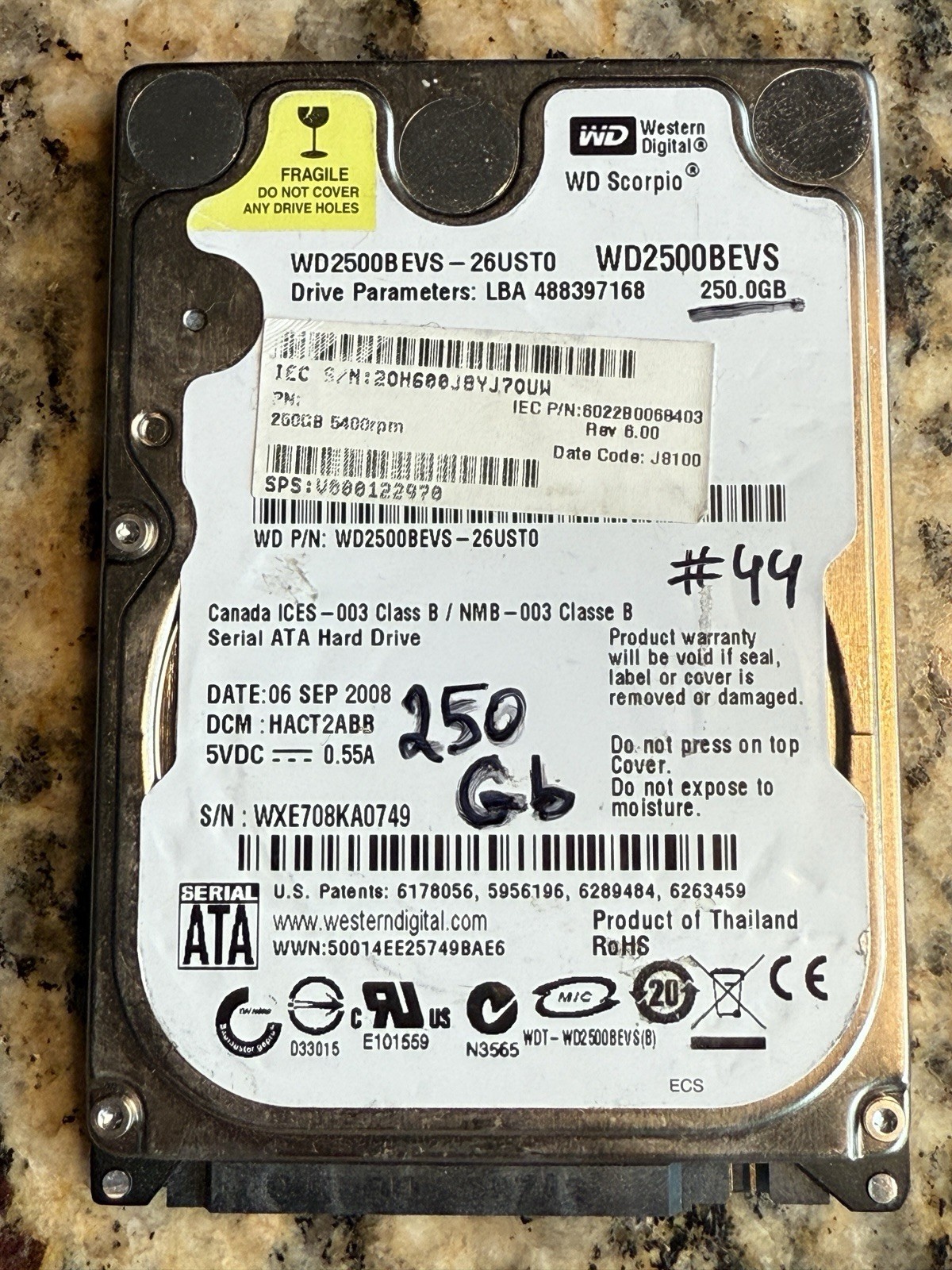
TESTED Western Digital Scorpio WD2500BEVS internal hard drive, a 2.5-inch SATA drive typically found in older laptops. It has a storage capacity of 250
GB and operates at a rotational speed of 5400
RPM.
Technical Specifications
• Model Number: WD2500BEVS-26USTO.
• Interface: SATA 1.5 Gb/s (Generation 1).
• Form Factor: 2.5-inch (standard laptop size, approx. 9.5mm height).
• Cache: 8 MB.
• Manufacturing Date: This specific unit was manufactured on September 6, 2008.
How to Access Data via USB
To retrieve files from this drive using a modern computer, you will need a way to convert its internal SATA connection to a USB connection.
1. USB to SATA Adapter Cable: The simplest and most portable option. One end plugs into the drive's SATA pins, and the other into your computer's USB port.
2. 2.5-inch External Hard Drive Enclosure: This protects the bare drive in a plastic or metal case, effectively turning it into a permanent external portable hard drive.
3. Hard Drive Docking Station: Best if you have multiple old drives to check. You simply slide the drive into the dock, which stays connected to your PC via USB.
Because this is a 2.5-inch laptop-style drive, it can usually be powered directly through the USB port without an additional wall outlet adapter.
Let us know if you have any questions as we don’t accept returns. Thank you