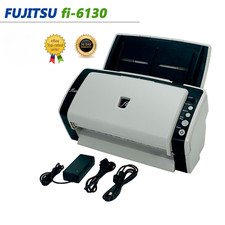
Tested and working condition pre owned have some scratches on a side . Come with usb cable and power supply.
How to Install Driver :
1. Search online for the official Ricoh ScanSnap Home download.
2. Download and install ScanSnap Home for Windows.
3. Select ScanSnap S1300i during setup.
4. Connect the scanner to your computer using the USB cable and ensure it has sufficient power.
5. Follow the instructions to complete setup.
If Windows Cannot Detect the Scanner:
Sometimes Windows does not automatically recognize the installed driver. This can usually be resolved with these steps:
1. Open Device Manager.
2. Find ScanSnap S1300i and right-click it.
3. Select Update Driver.
4. Choose Browse my computer for drivers.
5. Enter the following location:
6. Check Include subfolders and click Next.
7.Windows should locate and install the driver if it is present in that folder
If you have any questions about set up just let me know.