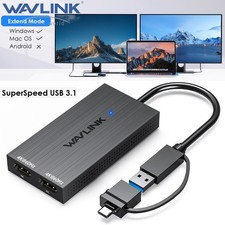
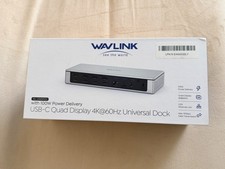
Compare & ChooseWAVLINK Multi-Display Adapters — Which One Fits Your Setup?
Two powerful ways to expand your workspace. Compare the key specs side by side, then pick the one that matches the way you work.
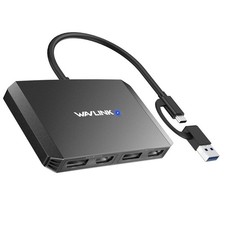
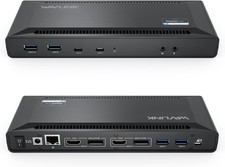
Display & Video CapabilityFeature7-IN-1 USB-C Quad Display Docking StationModel: WL-UMD304Quad 4K / Dual DP 8K Universal Display AdapterModel: WL-UG7501DHChipsetUSB-C multiport adapter platformDisplayLink DL7400 — global debutVideo Ports7-IN-1
2 × HDMI + 1 × DisplayPort + 1 × VGA4 Video Outputs
2 × DisplayPort + 2 × HDMISingle Display
Max ResolutionHDMI1: 4K@30Hz · HDMI2: 4K@60Hz
DP: 4K@60Hz · VGA: 1080P@60HzDP1 (DSC): 8K@60Hz / 4K@144Hz
DP2: 8K@60Hz / 4K@120Hz
HDMI 1 / 2: 4K@60HzDual Display
Max ResolutionHDMI1+DP / HDMI2: 4K@30Hz + 4K@60Hz (DP1.4)
HDMI2+DP: 4K@60Hz + 4K@60Hz (DP1.4)
HDMI1+VGA: 4K@30Hz + 1080P@60HzDP1+DP2: 8K@60Hz + 8K@60Hz
DP1+HDMI: 8K@60Hz / 4K@144Hz + 4K@60Hz
DP2+HDMI: 8K@60Hz / 4K@120Hz + 4K@60Hz
HDMI1+HDMI2: 2 × 4K@60HzTriple Display
Max ResolutionUp to triple 4K — e.g. 4K@30Hz + 4K@60Hz + 4K@30Hz (DP1.4)8K@60Hz / 4K@144Hz + 4K@120Hz + 4K@60Hz (DP1.4 source)Quad Display
Max Resolution4 × 1080P@60Hz (DP1.4 source)4K@144Hz + 4K@120Hz + 2 × 4K@60HzDisplay ModesMirror · Extend · Rotation · Clamshell
HDCP supportedMirror · Extend · Rotation · Clamshell
(Rotation & Clamshell on Windows and macOS 12.x and above)Ideal UseEveryday productivity, presentations, legacy VGA displays, multi-window office workUltra-high-resolution workstations, 4-monitor desktops, high-refresh productivity setupsConnectivity, Power & CompatibilityFeature7-IN-1 USB-C Quad Display Docking StationModel: WL-UMD304Quad 4K / Dual DP 8K Universal Display AdapterModel: WL-UG7501DHHost ConnectionUSB-C upstreamUSB-C / USB-A 2-in-1 cableUSB Peripheral Ports3 × USB-A 2.0 (up to 480Mbps) — keyboard, mouse, U disk, hard disk, printer and moreDisplay-focused design — 4 video outputs plus a dedicated charging portPower DeliveryHost-powered through the USB-C connection100W USB-C PD input · up to 85W upstream chargingDriver SetupPlug and Play — no driver requiredQuick driver installation from the DisplayLink websiteCompatible SystemsWindows 11/10/8.1/8/7 · Mac OS 10.8 or later · Chrome OS · Linux · iPad OS · Harmony OS · AndroidWindows 11/10 · Mac OS 11.x–13.x or later · Chrome OS · Ubuntu · Android · Harmony OSHost RequirementUSB-C port that supports video outputUSB-C port that supports charging to enable the charging functionHousingAluminum · Silver frosted finish (fingerprint resistant)Aluminum alloy — durable, heat dissipating, premium lookDimensions11.0 × 5.8 × 1.9cm / 4.3 × 2.3 × 0.7in11.3 × 9.9 × 1.5cm / 4.5 × 3.9 × 0.6inWeight85g / 3.0oz — ultra portable206g / 7.3ozCable Length25cm / 9.8in (durable nylon-braided cable)23cm / 9.1inWhich One Should You Buy?
Match your daily workflow to the adapter built for it.
Choose This If…7-IN-1 USB-C Quad Display Docking StationWL-UMD304
- You want true plug and play — no driver download, no setup, just connect.
- You still need a VGA port for projectors, meeting-room screens or legacy monitors.
- You want your keyboard, mouse, U disk, hard disk or printer connected through 3 USB-A 2.0 ports.
- You are on the move — only 85g with a 25cm nylon-braided cable that fits any laptop bag.
- You want up to triple 4K output and quad-display support from a compact 7-in-1 hub.
- You switch between Windows, macOS, Chrome OS, Linux, Android, Harmony OS or iPad OS.
Choose This If…Quad 4K / Dual DP 8K Universal Display AdapterWL-UG7501DH
- You demand maximum resolution and refresh rate — up to 8K@60Hz and 4K@144Hz.
- You want a four-monitor desktop running 4K@144Hz + 4K@120Hz + 2 × 4K@60Hz.
- You want one cable to charge your laptop — up to 85W upstream charging via the 100W USB-C PD port.
- You need broad cross-platform support, including Intel / M1 / M2 / M3 / M4 Mac and Windows laptops.
- Your setup is desk-based and you want the DisplayLink DL7400 chipset for reliable multi-display performance.
- Your host device uses USB-A or USB-C — the 2-in-1 cable handles both.
Both adapters support mirror and extend display modes and are built for productive, multi-monitor workspaces. Please confirm your host device's USB-C port supports video output before purchase — full compatibility details are listed in the product description below.