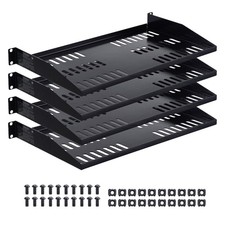
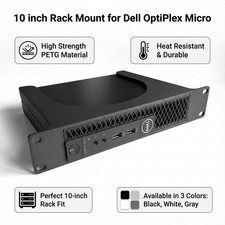
10 Inch Rack Mount for Small Electronics – One-Piece 1U Server Rack Bracket
- A PLACE INSIDE — Bring your small electronics into your server rack alongside your other equipment. This mount gives a suitably sized electronics box without its own rack-mounting brackets a designated home.
- MAKE EVERY UNIT COUNT — Organize your server rack one level at a time. The 1U format holds a suitably sized electronics box within one rack unit, keeping its allocated space defined in your compact setup.
- ONE-PIECE SIMPLICITY — Start with a single mounting body, with no separate body sections to assemble. The one-piece mount gives your electronics a place in your server rack as you organize your home lab.
- MATCH YOUR EQUIPMENT — Give your electronics a space matched to their dimensions. Compare your box's height, width and depth with the mount's configured space, and confirm the box fits within the 1U space.
- DIRECT RACK ATTACHMENT — Position your electronics in your 10-inch server rack with a 254 mm faceplate that matches this compact rack format. Fasten the mount with rack-compatible mounting screws, sold separately.
Your small electronics belong with the rest of your setup, even when they have no rack-mounting brackets of their own. The SplashNColor 10 inch rack mount gives a suitably sized electronics box a designated position in your server rack, bringing it alongside the equipment you already use.
The one-piece body occupies a 1U rack space, making it a practical mounting option for your home lab or compact networking installation. Its 254 mm faceplate matches the stated 10-inch rack format, and the body features hexagonal cutouts. You start with a single mounting body, not separate body sections to put together.
Device fit depends on the mount's configured space. Compare your electronics box's height, width and depth with that space and confirm it fits within one rack unit. Those dimensions are fixed in the finished mount; it does not adjust to different boxes. Fasten the faceplate to your server rack using rack-compatible mounting screws, then place your matching electronics box in the mount. Give that small box its own place in the setup you use every day.
Hardware needed (not included): 4 x Rack mounting screw compatible with the rack (quantity inferred). Screws, bolts, nuts, anchors, adhesive, adapters, cables and any other hardware are also not included, so buy what you need separately.