BANKASI [creations]120mm PCI Fan Mount: Single Slot GPU Exhaust Bracket for Gaming PC, Also in a 2-Pack
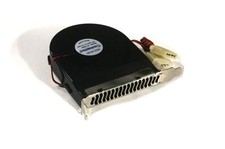
Add a full-size 120mm fan right behind your graphics card using just one PCI slot. Set it to exhaust and pull hot air away from the GPU, or to give hot-running cards and cramped cases the extra airflow they need. No drilling or case modifications: it installs with your case's existing PCI slot thumbscrew in under 60 seconds.
2-PACK: choose 2-Pack at checkout for two mounts in the same color, and save 25%.
Ships next day with free U.S. shipping. Designed and made in New York.
WHAT'S INCLUDED
- 1 x 120mm single-slot PCI fan mount
- Fan and screws are not included. Use the screws that came with your fan.
COMPATIBLE FANS
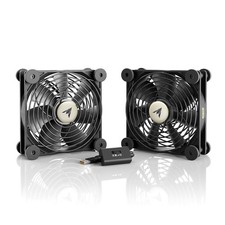
Any standard 120 x 120 x 25mm fan, including:
- Noctua NF-F12, NF-A12x25
- Arctic P12, F12
- Corsair ML120, QL120
- be quiet! Silent Wings 4
- Cooler Master MasterFan
DETAILS
- Takes up only 1 PCI slot, so you keep your other expansion slots free
- Fits ATX, Micro-ATX and Mini-ITX cases with standard PCI slot spacing
- Built-in channels keep the fan cable tidy
- Premium PETG-HF construction: heat resistant and durable inside a warm case
- Black shown, other colors available
GREAT FOR
- High-end graphics cards that run hot
- Cases with limited airflow
- Small form factor builds that need efficient exhaust
- Workstations and systems with several PCIe cards
INSTALLATION
1. Remove one PCI slot cover from your case.
2. Attach your 120mm fan to the mount with the fan's screws.
3. Insert the mount into the PCI slot and secure it with the case thumbscrew.
4. Connect the fan to your motherboard or power supply.
Tip: for best results, set it up as exhaust directly behind your GPU.