When you click on links to various merchants on this site and make a purchase, this can result in this site earning a commission. Affiliate programs and affiliations include, but are not limited to, the eBay Partner Network. When you click on links to various merchants on this site and make a purchase, this can result in this site earning a commission. Affiliate programs and affiliations include, but are not limited to, the eBay Partner Network.
- Store
- New Arrivals
- Add to Favorite
- View response
- Contact
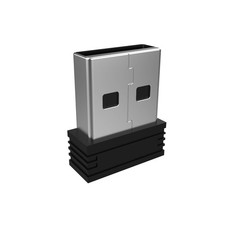
2.4G Nano USB Receiver Wireless Keyboard or Mouse (Brand Only, Not for HW197, HD197, MD167 or Bluetooth Version)Description Item model number AUSB1 Color Black Compatible Devices Keyboard, Mouse Connector Type USB Type A Item Weight 0.317 ounces Specific Uses For Product Laptop, PC Package Dimensions 3.15 x 2.48 x 0.75 inches - Pairing Process: 1) Keyboard: Switch the keyboard to be on and press Esc+k, the indicator of the keyboard is blinking. Move the Keyboard close to the USB port and insert the USB receiver to the USB port. 2) Mouse: Switch the mouse to be off, press and hold the right button and the wheel, turn on the mouse wait 2 seconds to release the holding, the indicator of the mouse is blinking. Move the mouse close to the USB port and insert the USB receiver to the USB port.
- Arteck Only: This nano USB receiver is for Arteck 2.4G wireless products like keyboard or mouse, it's not suitable for other brands keyboard or mouse. It's not suitable for Arteck K730, HW197, HD197, MD167 or Bluetooth keyboard or mouse.
- Manually Setup: If you have problem to connect the USB to the Arteck keyboard or mouse, please contact the seller before returning the product as there's the way to pair the USB to the keyboard and the mouse manually if it fails to connect automatically.
Pairing Process:
(1) Keyboard: Switch the keyboard to be on and press Esc+k, the indicator of the keyboard is blinking. Move the Keyboard close to the USB port and insert the USB receiver to the USB port.
(2) Mouse: Switch the mouse to be off, press and hold the right button and the wheel, turn on the mouse wait 2 seconds to release the holding, the indicator of the mouse is blinking. Move the mouse close to the USB port and insert the USB receiver to the USB port.
The USB receiver is not suitable for other brands keyboard or mouse. It's not suitable for Arteck K730, HW197, HD197, MD167 or Bluetooth keyboard or mouse.  |
|