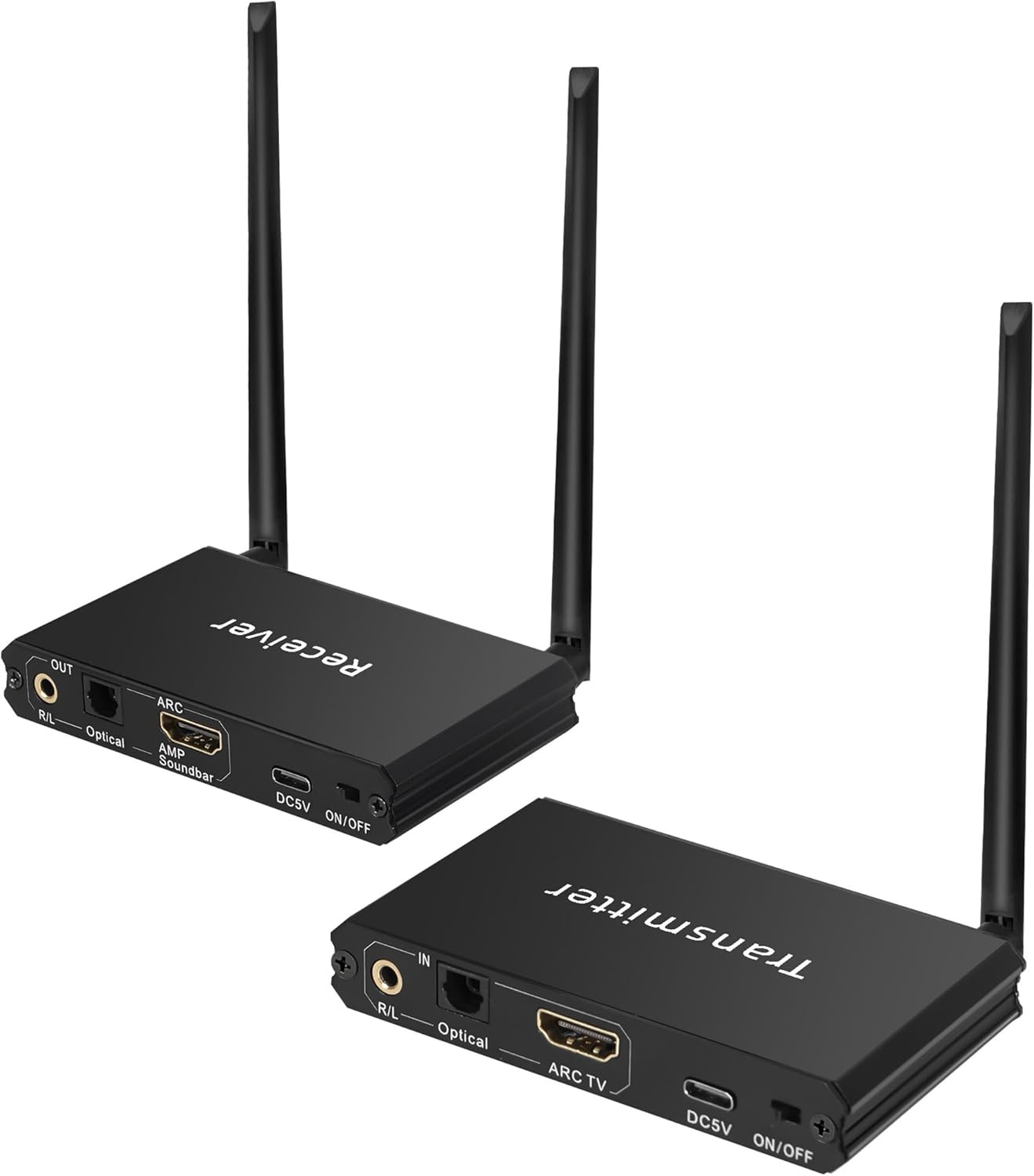
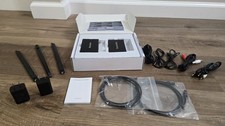
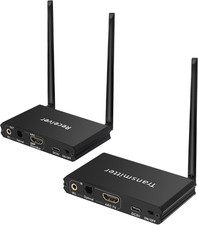
- ARC TV Setup Before Use:1. Enable the TV's CEC function 2. Set the TV's audio output to the ARC device 3. Set the audio format to PCM.Transmitter connected to TV, receiver connected to Amp/Soundbar (both have interfaces with ARC )
- 18ms Latency: Wireless audio transceiver operates at 2.4GHz frequency with just 18ms latency. This ensures clear, stable, and noise-free audio transmission, achieving true audio sync
- 164Ft: Both the wireless audio transmitter and receiver are equipped with antennas and use anti-interference technology Indoor transmission distance can reach 164ft (Barrier-Free)
- Optical & AUX In/Out: Transmitter and receiver are equipped with Optical AUX interfaces, transmitter to connect to TV /DVD/MP4,Receiver connected to active speakers, amplifiers, soundbars,Realize true wireless audio transmission
- Plug and Play, Auto-Pairing: Simple setup, plug it in and use it—already pre-paired.Wireless Audio Adapter Used for TV PC Pojector to Activer Speaker Soundbar AMP (Please use the included power adapter)
- Please Note: Wireless audio Transmitter Receiver are not compatible with passive subwoofers/passive speakers. Transmission range may affected by obstacles such as routers, walls, or metal.
Product description Bluetooth Setup Diagram
1.Connect the receiver's DC 5V port to power adapter.
2.Pair with the Bluetooth device named "AYW09" on your phone.
3.Connect the receiver to an audio system using HD, optical, or 3.5mm cables.
2.4 GHz Wireless Audio Transmitter and Receiver Set Connection Diagram How to Turn on CEC
1. General
2. External Devices
3. HDMI Settings
4. SIMPLINK(HDMI-CEC)
Set Audio Output Device (ARC)
1.Sound
2.Sound Out
3.Use Wired Speaker
4.HDMI(ARC) evice
Set Audio Output Device (eARC)
1.Sound
2.Advanced Settings
3.Set eARC to "On"
Set Audio Format
1.Sound
2.Advanced Settings
3.Digital Sound Output
4.Select PCM
ARC Use Setup Diagram
Audio Transmitter Settings
1.Connect the transmitter's ARC TV port to the TV's ARC-compatible HDport using an HD cable.
Note: Ensure the TV's HD port is labeled "ARC" and set
(the TV audio output set to ARC. Incorrect connection or settings will result in no audio!)
2.Set the TV audio output to PCM.
3.Set the input selector switch to "ARC."
4. Turn on CEC
5..Connect the transmitter's DC 5V port to power adapter.
Audio Receiver Settings
1. Connect the Receiver's ARC AMP port to a soundbar or amplifier with an ARC-compatible HD input.
2.Connect the Receiver's DC 5V port to a power adapter.
Note: Disconnect Bluetooth when using ARC input.
Pairing Method
Manual pairing steps:
1. Power on the transmitter → Press and hold the button for 2 seconds → The Link indicator flashes rapidly, entering pairing mode.
2. Power on the receiver → Press and hold the button for 2 seconds → The Link indicator flashes, entering pairing mode.
3. Wait until the Link indicators on both devices turn solid, indicating successful pairing.
Pairing tip: Keep the transmitter and receiver within 1 meter during pairing.
Note: The product is pre-paired at the factory. It will automatically connect when powered on within the the effective range (164Ft unobstructed)