 When you click on links to various merchants on this site and make a purchase, this can result in this site earning a commission. Affiliate programs and affiliations include, but are not limited to, the eBay Partner Network. When you click on links to various merchants on this site and make a purchase, this can result in this site earning a commission. Affiliate programs and affiliations include, but are not limited to, the eBay Partner Network.
- ultimatesavvyshop
- New Arrivals
- Add to Favorite
- View response
- Contact
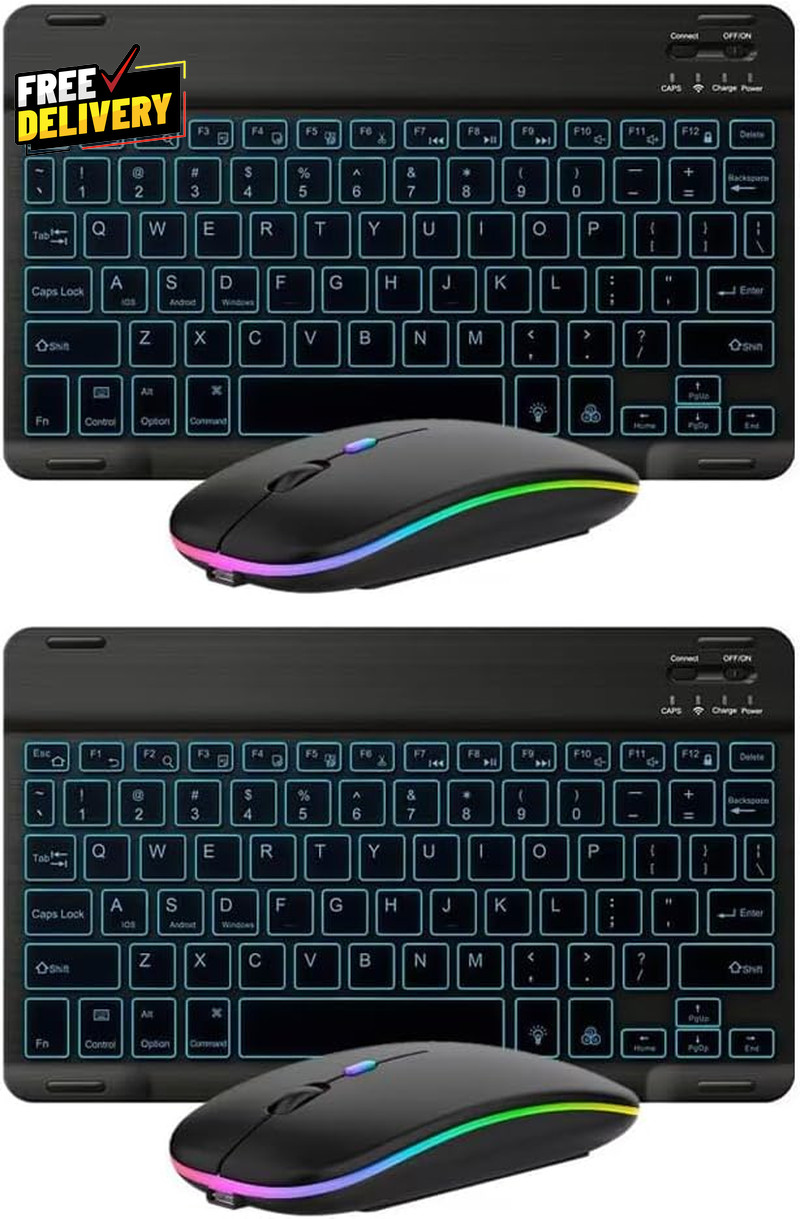
2-Pack Ultra-Slim Bluetooth Keyboard Mouse Set Backlit Rechargeable Universal? PLEASE CONTACT US FIRST BEFORE TAKING ANY ACTION ?If you face any kind of issue, please reach out to us directly. Especially before leaving Negative response, opening an “Item Not Received” case, or starting a Return. ? We are always happy to assist and resolve any problem quickly and professionally! If you have any questions or require assistance, please don’t hesitate to reach out.Description Color 2 Pack black Compatible Devices Laptop Item Weight 1.21 pounds Connectivity Technology Bluetooth Special Feature Backlit, Ergonomic Package Dimensions 10.31 x 6.26 x 1.73 inches - 7-Color LED Backlit - This wiressless 7-color led backlit bluetooth keyboard and mouse adopts bluetooth wireless connection and scissor key structure,which bring you a perfect input experience,it has built in rechargeable polymeric lithium better and charging indicator,the keyboard will enter into sleeping mode if there is no action in 10 minutes,therefor it has a small comsumption and long battery life.
- The keyboard and mouse compatible with iOS, including Computer, Desktop, PC, Laptop, Android Tablets Windows, Apple iPhone, iPad, Android Samsung Windows Surface tablet cell phone,etc.
- Pairing instruction:before use this keyboard,it must be connected with your tablet or other device,when it pairs successfully,you do not need to reconnect it in future,please connnect the keybaord with your tablet according to the right graphic instruction as below:1.Turn on the keyboard;2.Press the "Connect" button to 3 seconds,the blue light blinks;3.open the bluetooth from settings in your IPAD and find the bluetooth keyboard,then click and connect(password free connection).
- Hot keys and Indicator:you can press the FN+function keys,power LED:when the keyboard turns on,it flashes 1-2 seconds and then goes out automatically;charging LED:it flashes while charging and goes out once the battery is full; BT LED:it flashed when the keyboard is connecting and goes out after connected;
 |
|