DocumentWhat is this?Computer case fan water-cooling radiator long screws are suitable for installing and fixing the water-cooling radiator and its associated fan in the case.What will I get?Nail Length: 30mm/1.18 inch; Thread Length: 6mm/0.24 inchHead Diameter: 7mm/0.28 inch; Thread Diameter: 3.5mm/0.14 inchColor: BlackMaterial: Carbon SteelStyle: Round Nail HeadIn the package of: 30PCS x Case Fan ScrewsAre there any advantages of the product?The PC fan screws are made of metal material, durable and practical, not easy to rust. The pc case fan screws have sufficient strength and durability to withstand high pressure and high temperature. By providing efficient cooling, the screw can effectively reduce the temperature of the computer, thereby prolonging its life.How to use it?Turn off the computer and power-plug. Insert the long screw into the mounting hole at the bottom of the fan and pass it through the hole or interface of the water-cooling radiator. Use a screwdriver or nuts to tighten the screws to ensure that the water-cooling radiator and fan are securely attached to the chassis.What should I notice?Please allow slight errors due to manual measurement. Choose long screws of the appropriate size. When tightening screws, avoid over-tightening which may cause damage to the screws or parts. Before installing the fan and water-cooling radiator, fixing the water-cooling radiator on the chassis and then installing the fan on the water-cooling radiator is recommended.
30PCS Computer Case Fan Screws 1.18"L PC Reducing Vibration Screws Round What is this?
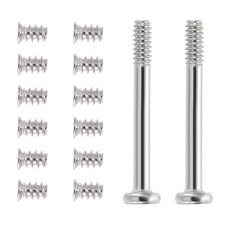
Computer case fan water-cooling radiator long screws are suitable for installing and fixing the water-cooling radiator and its associated fan in the case.What will I get?
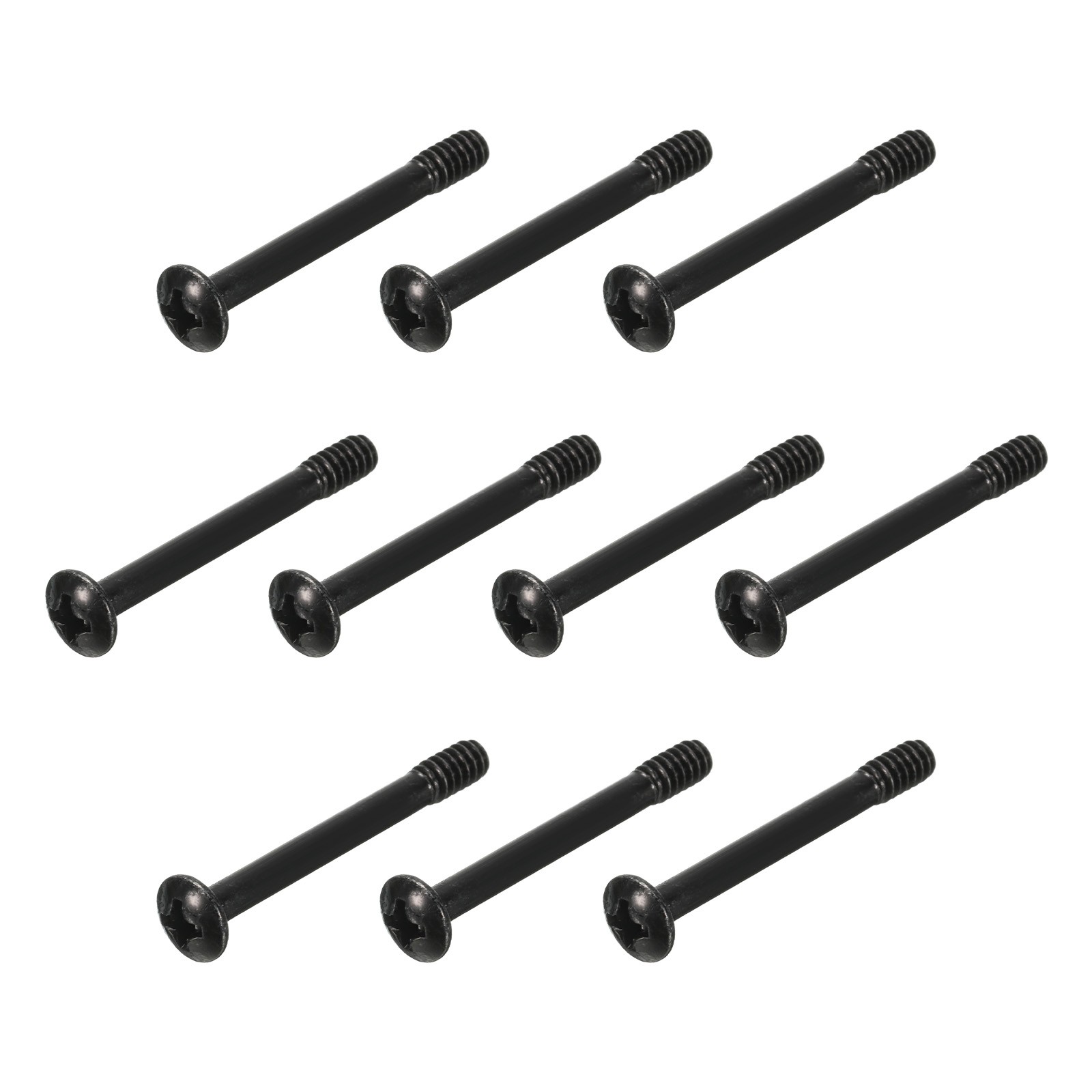
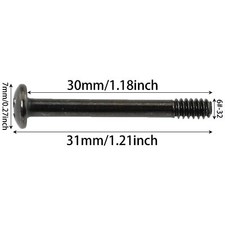
Nail Length: 30mm/1.18 inch; Thread Length: 6mm/0.24 inch
Head Diameter: 7mm/0.28 inch; Thread Diameter: 3.5mm/0.14 inch
Color: Black
Material: Carbon Steel
Style: Round Nail Head
In the package of: 30PCS x Case Fan ScrewsAre there any advantages of the product?
The PC fan screws are made of metal material, durable and practical, not easy to rust. The pc case fan screws have sufficient strength and durability to withstand high pressure and high temperature. By providing efficient cooling, the screw can effectively reduce the temperature of the computer, thereby prolonging its life.How to use it?
Turn off the computer and power-plug. Insert the long screw into the mounting hole at the bottom of the fan and pass it through the hole or interface of the water-cooling radiator. Use a screwdriver or nuts to tighten the screws to ensure that the water-cooling radiator and fan are securely attached to the chassis.What should I notice?
Please allow slight errors due to manual measurement. Choose long screws of the appropriate size. When tightening screws, avoid over-tightening which may cause damage to the screws or parts. Before installing the fan and water-cooling radiator, fixing the water-cooling radiator on the chassis and then installing the fan on the water-cooling radiator is recommended.Hot Item
Payment
- 1.We accept payment .
- 2.Payment must be received within 7 business days of sale closing.
Shipping
- 1.We ship to your or Paypal address. Please make sure your and Paypal address is correct before you pay.
- 2.Items will be shipped within 1-3 business day when we received payment.
- 3.Delivery time depends on destination and other Computer Case Fan Screws 1.18"L PC Reducing Vibration Screws Round What is this?
Computer case fan water-cooling radiator long screws are suitable for installing and fixing the water-cooling radiator and its associated fan in the case.What will I get?
Nail Length: 30mm/1.18 inch; Thread Length: 6mm/0.24 inch
Head Diameter: 7mm/0.28 inch; Thread Diameter: 3.5mm/0.14 inch
Color: Black
Material: Carbon Steel
Style: Round Nail Head
In the package of: 30PCS x Case Fan ScrewsAre there any advantages of the product?
The PC fan screws are made of metal material, durable and practical, not easy to rust. The pc case fan screws have sufficient strength and durability to withstand high pressure and high temperature. By providing efficient cooling, the screw can effectively reduce the temperature of the computer, thereby prolonging its life.How to use it?
Turn off the computer and power-plug. Insert the long screw into the mounting hole at the bottom of the fan and pass it through the hole or interface of the water-cooling radiator. Use a screwdriver or nuts to tighten the screws to ensure that the water-cooling radiator and fan are securely attached to the chassis.What should I notice?
Please allow slight errors due to manual measurement. Choose long screws of the appropriate size. When tightening screws, avoid over-tightening which may cause damage to the screws or parts. Before installing the fan and water-cooling radiator, fixing the water-cooling radiator on the chassis and then installing the fan on the water-cooling radiator is recommended.Hot ItemPayment- 1.We accept payment .
- 2.Payment must be received within 7 business days of sale closing.
Shipping- 1.We ship to your or Paypal address. Please make sure your and Paypal address is correct before you pay.
- 2.Items will be shipped within 1-3 business day when we received payment.
- 3.Delivery time depends on destination and other factors.