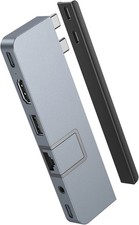
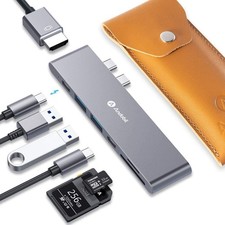
- Andobil is the world's leading Apple Certified dual-port USB C HUB brands specifically designed for MacBook Pro/MacBook Air. Accept Apple-style design to create the USB C HUB that best matches the color style of Apple MacBook. The hub looks like it will be integrated with your MacBook. PLUG and PLAY, Perfect for your work.
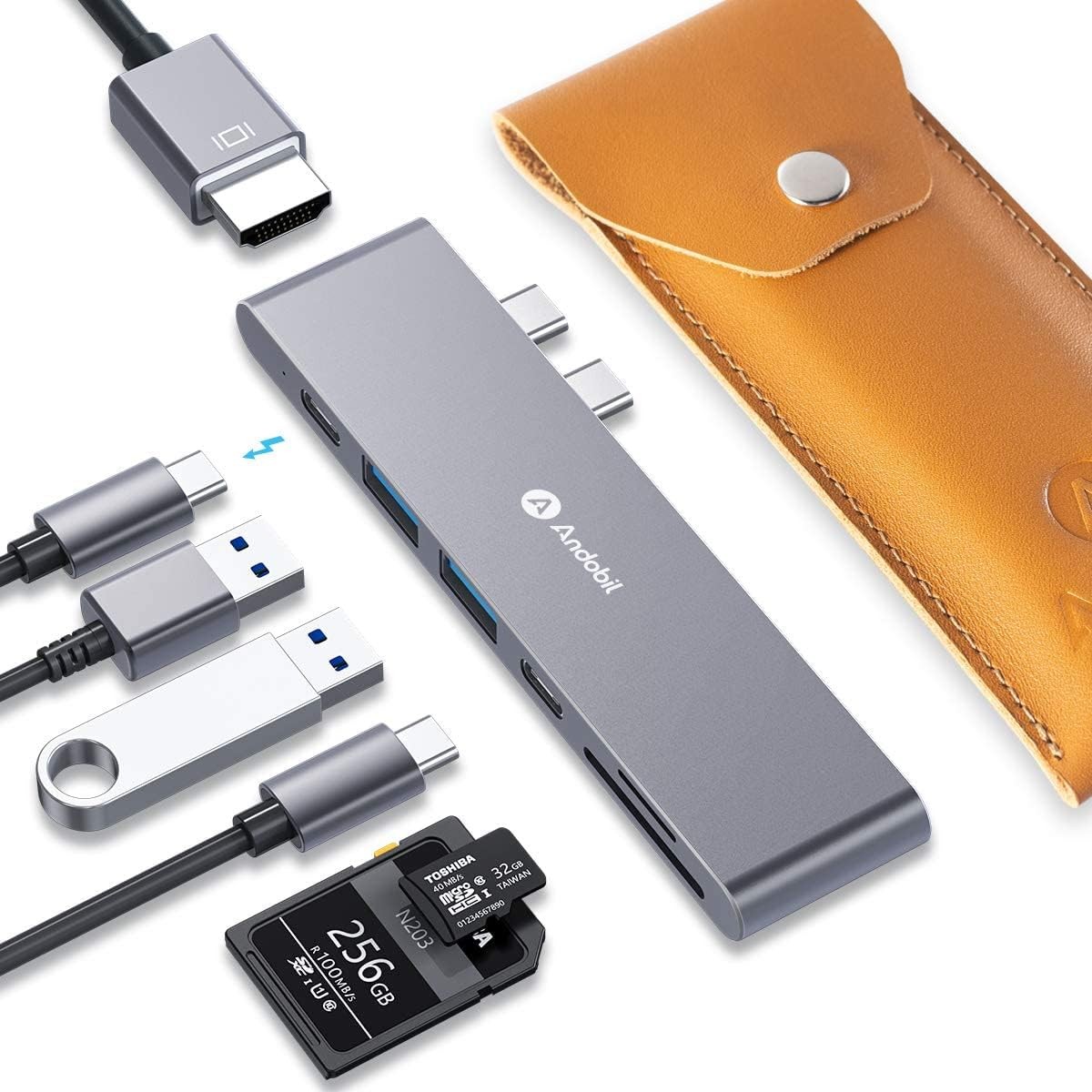
- [ Perfect Business Adapter Style & Handheld Size ]: Andobil is the Best MacBook Pro/Air USB c hub. Expand your MacBook’s 2 USB-C ports into 1 Thunderbolt 3 (100W Power Delivery), 1 USB-C data port, 2 USB-A ports, 1 HDMI port, 1 SD card slot, and 1 microSD card slot.
- [ World's Most Compact and Fastest ]: Stream 4K@30Hz video via HDMI port, up to 5K or 2x4K@60Hz via Thunderbolt 3 port. Access 5Gb/s data transfer speeds via USB-A or Type-C ports, up to 40Gb/s via Thunderbolt 3 port. Micro SD and SD card readers up to 104MB/s.
- [ Best Faster-Transfer & Higher-Speed Charging ]: Thunderbolt 3 port support up to 100W power delivery to charge both 13” (61W) and 15” (87W) MacBook Pro - including the latest MacBook Pro 16”(96W),2020 MacBook Pro at full speed while having all data ports in use and delivering up to 1.5A of power per USB 3.1 port. (NOTE: Thunderbolt 3 is near HDMI port).
andobil Multi-functional MacBook USB-C HubThe Ultra-Compact Media, Data, and Charging Hub for MacBookPremium Ultra-Compact 7-2 USB C Hub
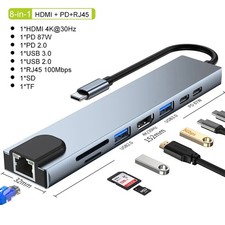
The andobil Aluminum Ultra-Compact USB C Hub is specifically designed for MacBook Air 2020/2019/2018, MacBook Pro 2020/2019-2016. Sleek and slim, features 1 4K HDMI Video Output, 1 TB 3 port, 1 USB C port (Data Only), 2 USB 3.0 ports and SD/Micro SD card readers. Simply plug and play to expand your MacBook's capabilities.
- 1 X HDMI Port: tMonitor or projector in up to 4K UHD (3840 x 2160 @ 60Hz) resolution, Backward support 2K/ 1080p/ 720p/ 480p/ 360p resolutions.
- 1 X Thunderbolt 3 Port: Power delivery up to 100W, Data transfer 40Gbp/s, Video output up to 5K or 2x4K(3840x2160 @ 60Hz)
- 2 X USB 3.0 Port:Transfer data at up to 5Gbp/s
- 1 X USB-C Port – 5Gb/s data speed (Data Only)
- 1 X SD Card Slot:Support nearly all SD card formats for quick and easy access to photos and other media.Capacity up to 2T, up to 104MB/s.The SD card slot and the TF card slot can be used on the hub simultaneously.
- 1 X TF Card Slot:Support nearly all SD card formats for quick and easy access to photos and other media.Capacity up to 2T, up to 104MB/s.The SD card slot and the TF card slot can be used on the hub simultaneously.
Note: Does not support Apple USB SuperDrive.
Not fit to MacBook Air/Pro with Case.
Compatible Devices:
MacBook Pro 13" 2020/2019/2018/2017/2016
MacBook Pro 15" 2019/2018/2017/2016
MacBook Pro 16" 2019
MacBook Air 2020/2019/2018
Notes:
MacBook Air/Pro 2020 with an M1 chip can only support one monitor.
A 100W Power Delivery charger and cable are required to support 100W charging.
Advanced Chip with Stable Performance
Built with advance chip, keep your hub safty & stable during operation.
Tamperature control and provide more stable performance.
Frequently Asked Questions:
- 1. Can I use this hub with MacBook cases?
No, this hub is not compatible with MacBook cases.
- 2. Is this hub compatible with Dell XPS 13?
No, this hub is designed specifically to fit MacBook. It is not compatible with any other devices.
- 3. What's the difference between the multi-function port and the USB-C data port?
The multi-function USB-C port supports Power Delivery charging, media display, and data transfer, while the USB-C data port only supports data transfer.
- 4. How can the hub's multi-function port support charging, media display, and data transfer at the same time?
To use the multi-function USB-C port to simultaneously charge, display media, and transfer data, you must have a monitor with a Thunderbolt 3 port plus a USB or USB-C port. Use a Thunderbolt cable to connect the hub to your monitor, and another cable to connect your monitor’s USB-A or USB-C port to your SSD (or other storage device).
- 5. Do the USB-A ports support charging or media display?
No, the USB-A ports do not support charging or media display.
- 6. Does this hub get hot?
When the hub is fully loaded, it may reach a surface temperature of around 113℉. However, this is normal for products of this kind.