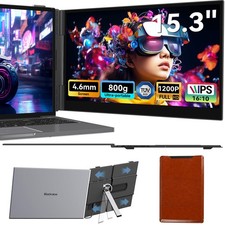
Blackview SCM8 Laptop Screen Extender 15.3"FHD 1200P Portable Monitor For Laptop For Sale
When you click on links to various merchants on this site and make a purchase, this can result in this site earning a commission. Affiliate programs and affiliations include, but are not limited to, the eBay Partner Network.
Mattress TopperP15 Digital CalendarTable 10 PortableP10 Digital Calendar
✅US stock – Fast delivery ✅Important compatibility note:This screen extender is designed for laptops14″–17.3″. Please note:14‑inch laptops must have a 16:9 aspect ratiofor proper fit. Check your laptop’s dimensions before purchasing. Thank you!
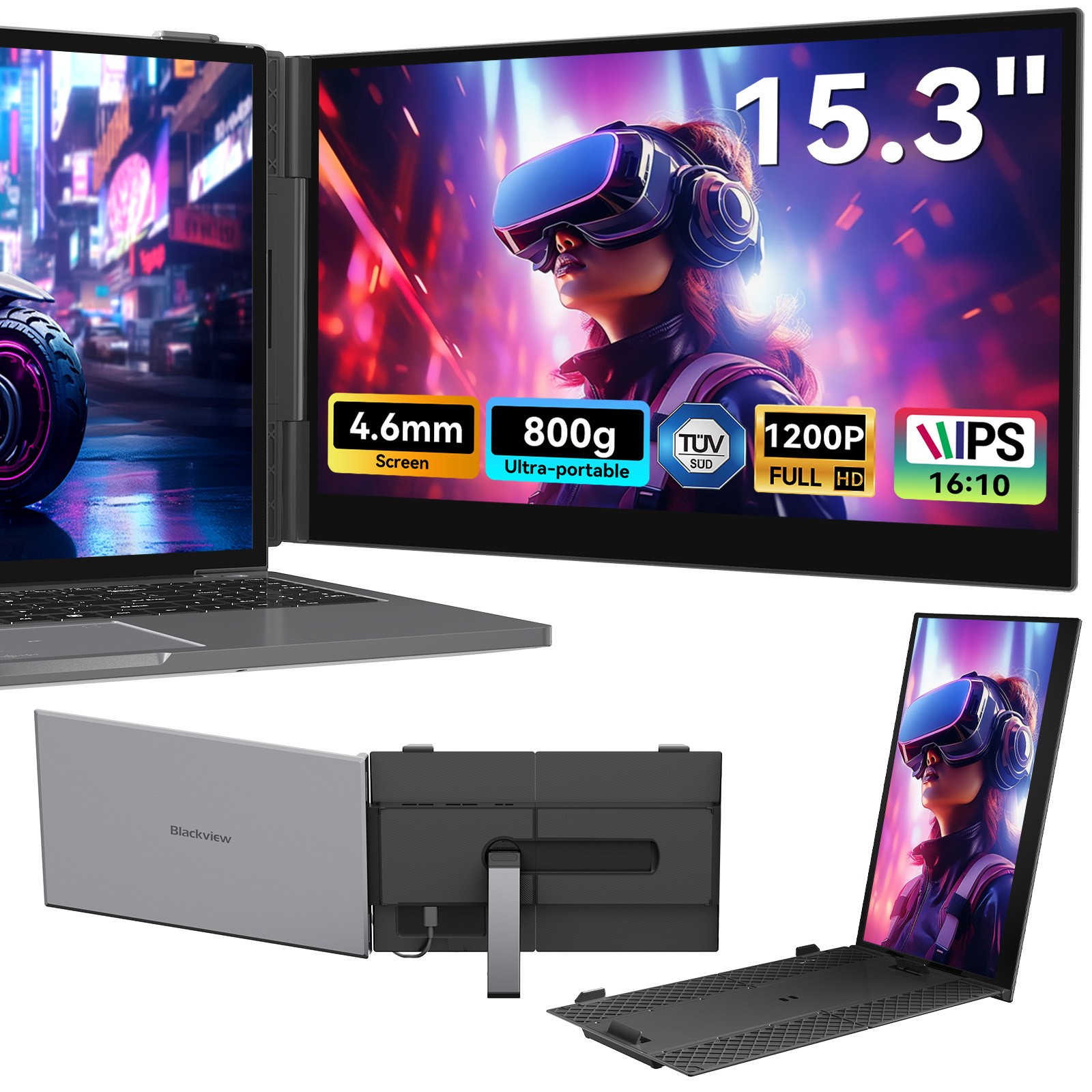
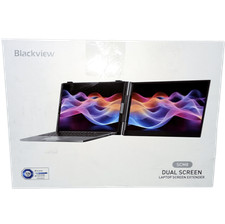
🟢 Blackview SCM 8 – 15.3″ FHD IPS Laptop Screen Extender | 1920×1200 (16:10) | 100% sRGB | USB‑C Plug‑&‑Play | TÜV Low Blue Light | Only 0.8kg 🇺🇸For 14‑17.3″ Laptops (Mac/Windows/Android/Linux/Chrome)| 180° Adjustable | Bag & Cables Included
🇺🇸 Why US Buyers Choose the SCM 8
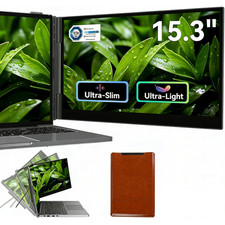
Large 15.3″ IPS display (16:10)– 1920×1200 resolution, 300 nits, 100% sRGB, 178° viewing angle – more vertical space for documents, code, and spreadsheets
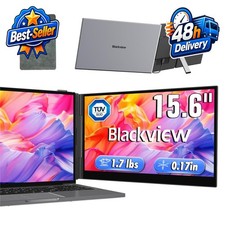
Ultra‑thin & lightweight– only 15.9 mm thick, 0.8 kg – fits easily into any laptop bag or backpack
TÜV Low Blue Light certified– hardware‑level blue light filter – reduces eye strain during long work or study sessions
Single‑cable USB‑C connection– one cable for video, data and power (DP Alt Mode required). Also supports HDMI with external power
Universal compatibility– works with laptops (14‑17.3″), Mac (M1/M2/M3), Windows, Android, Linux, Chrome OS, Nintendo Switch, PS4/PS5
Quick‑fit laptop mount– reinforced springs & anti‑slip pads securely hold your laptop. 0‑180° adjustable angle + portrait mode
100% sRGB colour accuracy– ideal for photographers, video editors and designers
Plug & play– zero drivers, instant setup – no complicated installation
Complete package– includes carrying bag, USB‑C to USB‑C, USB‑A to USB‑C, HDMI to USB‑C cables, and user manual
Night Light:Settings → System → Display → Night light (timed or always on)
Package includes:
1 × SCM8 monitor
1 × USB‑A to USB‑C cable
1 × USB‑C to USB‑C cable
1 × HDMI to USB‑C cable
1 × Carrying bag
1 × User manual
🔌 Connection Guide (simple steps)
USB‑C connection (recommended)– Use the USB‑C to USB‑C cable if your laptop has a full‑featured USB‑C port (DP Alt Mode). One cable handles video, data and power (reverse charging up to 100W).
HDMI + USB‑A connection– For laptops without full‑featured USB‑C: use the HDMI to USB‑C cable (video) + USB‑A to USB‑C cable (power). Connect HDMI to the monitor’s third port (video), and USB‑A to USB‑C to the first or second port for power.
No signal or unstable?Connect an external 5V/2A power adapter (not included) to one of the monitor’s USB‑C ports.
Full illustrated guide in the user manual. Contact us if you need help – we reply quickly.
💡 Perfect For Every US User
Mobile office professionals– set up an efficient dual‑screen workstation in hotels, cafes, or client meetings.
Creative professionals & content creators– 100% sRGB and 16:10 ratio for precise color calibration and extended editing timelines.
IT & development professionals– display code, documents and diagrams side‑by‑side for efficient debugging and analysis.
Students & researchers– watch lectures, read literature and take notes simultaneously – double your learning productivity.
Gaming & entertainment fans– expand your Nintendo Switch, PS5 or laptop display for immersive gaming and movies.
Q&AAre M1/M2/M3 chips compatible?Compatible with all common laptop models on the market, including those with M1/M2/M3 chips.How heavy is this laptop extension screen? ls it suitable for business travel?With a weight of only 800g, it is the lightest product of its kind currently available on the market. Easy to carry around.Can prolonged use cause eye strain?This product has passed blue light certification, making it a leader among similar products for protecting your eyes.ls the connection process complicated?We recruited participants of various ages to follow the setup instructions. The success rate was 100%, and the installation instructions proved to be simple and easy to understand.Product Description The SCM8 is compatible with laptops (14-17.3 inches), Windows, macOS, Android, and Linux. It also connects to smartphones, tablets, Nintendo Switch, and PS4/PS5. From single to dual screen – 180° tiltable with portrait mode. Perfect for documents, video editing, data comparison, or streaming. Double your productivity. 15.3-inch IPS Full HD display with 1920x1200 resolution, 100% sRGB, 178° viewing angle, and eye protection through effective blue light filtering. Lightweight at only 800 grams and ultra-thin at 4.6 millimeters. Fits easily into a briefcase or travel bag and is the ideal companion for business trips, cafes, or on the go.1. SCM8: Who is it suitable for?Mobile Office ProfessionalsIdeal for business travelers, consultants, and freelancers who are often on the go, visiting clients, or working in cafes. With a reliable secondary screen, you can set up an efficient mobile office anywhere and significantly increase your laptop's productivity.Creative Professionals & Content CreatorsThe professional choice for photographers, video editors, and graphic designers. 100% sRGB color space and 16:10 aspect ratio support precise color calibration, extended editing timelines, and real-time previews – for a true professional color workflow.IT & Development ProfessionalsThe efficiency tool for programmers, engineers, and data analysts. Simultaneously display code, documents, CAD drawings, or diagrams – for efficient comparison, debugging, and visual analysis.Students & ResearchersIdeal for multitasking learning and research. Watch online lectures, read literature, and take notes simultaneously – with a screen that can do more. Double your learning productivity. Multitasking ExpertsThe efficient partner for financial experts, lawyers, and project managers. Effortlessly display multiple windows, documents, or spreadsheets side-by-side – for quick data comparison, contract review, and project management.Gaming & Entertainment FansExpand your Nintendo Switch, PS5, or laptop with a high-resolution large screen. Immerse yourself in captivating game worlds and enjoy high-quality movies with vibrant colors and razor-sharp images.2. SCM8: In which scenarios is it suitable for use?Mobile Office on the GoLocation: Hotel, airport lounge, client meeting roomUse: Plug in, switch on, and immediately work in dual-screen mode. Hold video conferences and simultaneously edit documents or conduct research – uninterrupted and efficiently. Weighing only 800 g and ultra-slim, it fits comfortably in a briefcase or travel bag.Mobile Creative StudioLocation: Café, co-working space, wherever inspiration strikesUse: Photographers can edit on one screen and view the preview on the other. Video editors can separate the timeline and media library – for significantly increased creativity and freedom of work.Efficient Learning & Research StationLocation: Library, study room, learning spaceUse: Students can watch lectures and take notes simultaneously. Researchers can open and compare multiple PDFs side-by-side – ideal conditions for academic work.Professional Presentation & Collaboration PlatformLocation: Client presentation, teamwork, project meetingUse: Display high-quality designs, product visualizations, or data charts directly on the mobile screen. Keep notes and controls on your main screen – for more compelling and professional presentations.Home Entertainment & Gaming AreaLocation: Living room, bedroom, at a friend's houseUse: Connect your game console for an immersive large-screen experience. Or use the screen as a secondary display for your laptop – stream series and stay active on social media at the same time.Flexible multi-screen workspaceLocation: Home office, fixed workstationUse: Portrait mode is perfect for websites, long documents, or programming code. It reduces scrolling and improves viewing comfort and work efficiency.3. Connect SCM8 to the laptopType-C port:If your laptop has a fully functional Type-C port, you can use a USB-C to USB-C cable to connect the product to your laptop. Connect the cable from the first or second port of the screen expander to a fully functional Type-C port on your laptop.USB and HDMI port connection:If your laptop has a USB-A or USB-C port and an HDMI port, please use two cables (one HDMI to USB-C cable + one USB-A to USB-C or USB-C to USB-C cable) to connect the display.Note: The HDMI to USB-C cable must be connected to the third port of the expander for video transmission, and the USB-A or USB-C to USB-C cable must be connected to the first or second port for power.Note: If the screen shows no signal after connection or the signal is unstable, please connect an external 5V/2A power adapter to power the laptop.4. Questions & AnswersQ1: How do I know if the USB-C port on my computer is fully functional?A1: You can check the connection parameters in the manual or on the manufacturer's website.Q2: Why does the monitor show "No Signal"?A2: There may be a connection problem or the computer port does not support video output. Please contact us for troubleshooting. We will offer you a solution as soon as possible!Q3: The screen doesn't light up after connecting - what to do?A3: Your computer may not have enough power. Please charge the portable monitor with an external power supply of 5V/2A or higher. You can also contact us for further suggested solutions. Blackview Laptop Screen Extender is compatible with the following computer models(If your computer model is not included below, you can consult us before Pro 2017LenovoLenovo YOGA Book 9i (13.3")MacBook Pro 2018Lenovo Legion R7000 (15.6")MacBook Pro 2019Lenovo Legion Y7000P (15.6")MacBook Pro M1 PROLenovo ThinkPad T14p 2025 (14")MacBook Pro M1 MAXLenovo ThinkPad T14p 2025 (14")MacBook Pro M2 PROLenovo ThinkPad P15v (15.6")MacBook Pro M2 MAXLenovo ThinkPad X1 Nano Gen 9MacBook Pro M3 PROLenovo Xiaoxin Pro 14 (14")MacBook Pro M3 MAXLenovo YOGA Pro14s Carbon (14")MacBook Pro M4 PROLenovo Legion Y9000P (15.6")MacBook Pro M4 MAXLenovo IdeaPad Gaming 3 (15.6")Mac Book Ari 2019Lenovo ThinkBook 14+ (14")Mac Book Ari M4Lenovo YOGA Air 14s (14")MAC MINI M4Lenovo ThinkBook 16+ (16")HPHP Omen 11HuaweiHuawei MateBook X Pro 2024 HP Zhan 66 7th Gen Ryzen Edition 16" MateBook X Pro 2023 HP Pavilion gaming 15-dk 1037 la MateBook B7-420 HP Star Book Pro 14 Huawei MateBook E Go Performance Edition HP EliteBook x360 1040 G10 Huawei MateBook D 14 2024 13th Gen HP ProBook 4 G1i 16 Huawei MateBook D 15 Ryzen Edition HP Spectre x360 14 MateBook 14s HP Pavilion gaming 15-dk 1037 la Huawei MateBook D 16 2023 HP Omen 15 MateBook 16s HP ZBook Fury 17 G8 MateBook D 14 2023 ASUS ASUS ExpertBook P5650CVA Dell Dell XPS 13 9315 ASUS Zenbook X Duo Pro Dell XPS 15 9510 ASUS Zenbook 13 (UX5304) Dell XPS 15 9520 ASUS VivoBook 360 (TP3402ZA) Dell XPS 17 9710 ASUS VivoBook 14 2024 (X1405) Dell Latitude 7320 ASUS VivoBook 360 (TP3402ZA) Dell Latitude 9430 ASUS VivoBook 16 (X1605) Dell Precision 7760 ASUS Zenbook Pro 14 (N7401ZE) Dell Alienware x17 R2 ASUS VivoBook 15 (Q5507QA) Dell Vostro 15 7520 ASUS Omen 15 Dell Inspiron 14 ProBlackviewAceBook 8HuidunHibook 6 AceBook 6 AceBook 12GamiBook 8
Payment Policy
Shipping Policy
Terms of sales
About us
Contact us
Payment Policy
1.We accept all payment methods.
2.Payment should be sent within 4 (Four) days of sale closing. Or unpaid case will be open automatic. Please contact us if you have any questions of payment procedures.
3.We ship to 's address only. Please make sure your address in is matched with your shipping address before you pay.
4.TOTAL AMOUNT DUE includes the final sale price plus S&H (Shipping andHandling).
5.S&H will be determined based upon the ship to address.
PLEASE NOTE:S&H DOES NOT INCLUDE DUTIES, LOCATL TAXES OR ANY OTHER IMPORTATION FEES.
Shipping Policy
1.Your order will be shipped within1business day once we receive your payment. If you pay by e-check, we will ship your order once your payment is cleared.
2.We are not responsible for any customs duty incurred at foreign customs.
3.The shipping time is around1-4 business days depending on your location.
Terms of salesOur items come with one-year warranty.Our warranty does not extended to any products that are physically damaged or that are not under normal operating conditions as a result of misuse or improper installation on the buyer/user's part.This product comes with 30-Day Money Back Guarantee.We stand behind every product we sell. If you're not pleased with your purchase, we'll be happy to make an exchange or refund.For all returned products, please contact us for the returning address.We are the blackview office seller,all products have quality assurance.About us
BLACKVIEW is a flagship brand from DOKE Communication (HK) Limited. It was registered in Hong Kong, China in 2013, specializing in rugged phones, modern mainstream smartphones, tablets, earphones, and smartwatches. Over the years, Blackview has become a mature technology brand that integrates production, R&D, and sales.
Echoing the mission of letting more people Enjoy Smart Life, with the consistent effort put in product R&D based on user demands, Blackview has achieved great worldwide popularity, well known as the second Nokia. Featured flagship products include the world's first 5G game-dedicated rugged phone, the world's first thermal rugged phone, the world's first fastest budget mainstream smartphone for taking pictures, and the first Blackview night vision rugged phone.
By now, Blackview has 10000 square-meter workshops in China, covering 11 production lines, each of which can produce about 1,750 mobile phones, 2,000 smartwatches, 3,000 earphones, or 1,500 tablets per day. Blackview products are sold on both leading online platforms, as well as offline distribution stores. The former include Amazon, , AliExpress, Cdiscount, Lazada as well as the official Blackview website. The latter include 300 authorized agents in over 80 countries and regions. Blackview's annual sales volume has reached a steady growth of 20-30% for 8 consecutive years.
Contact usOur office hours are 9:00 a.m to 6:00 p.m (GMT +8) of Monday to Friday.We appreciate your understandingif we reply you later during the holiday