 When you click on links to various merchants on this site and make a purchase, this can result in this site earning a commission. Affiliate programs and affiliations include, but are not limited to, the eBay Partner Network. When you click on links to various merchants on this site and make a purchase, this can result in this site earning a commission. Affiliate programs and affiliations include, but are not limited to, the eBay Partner Network.
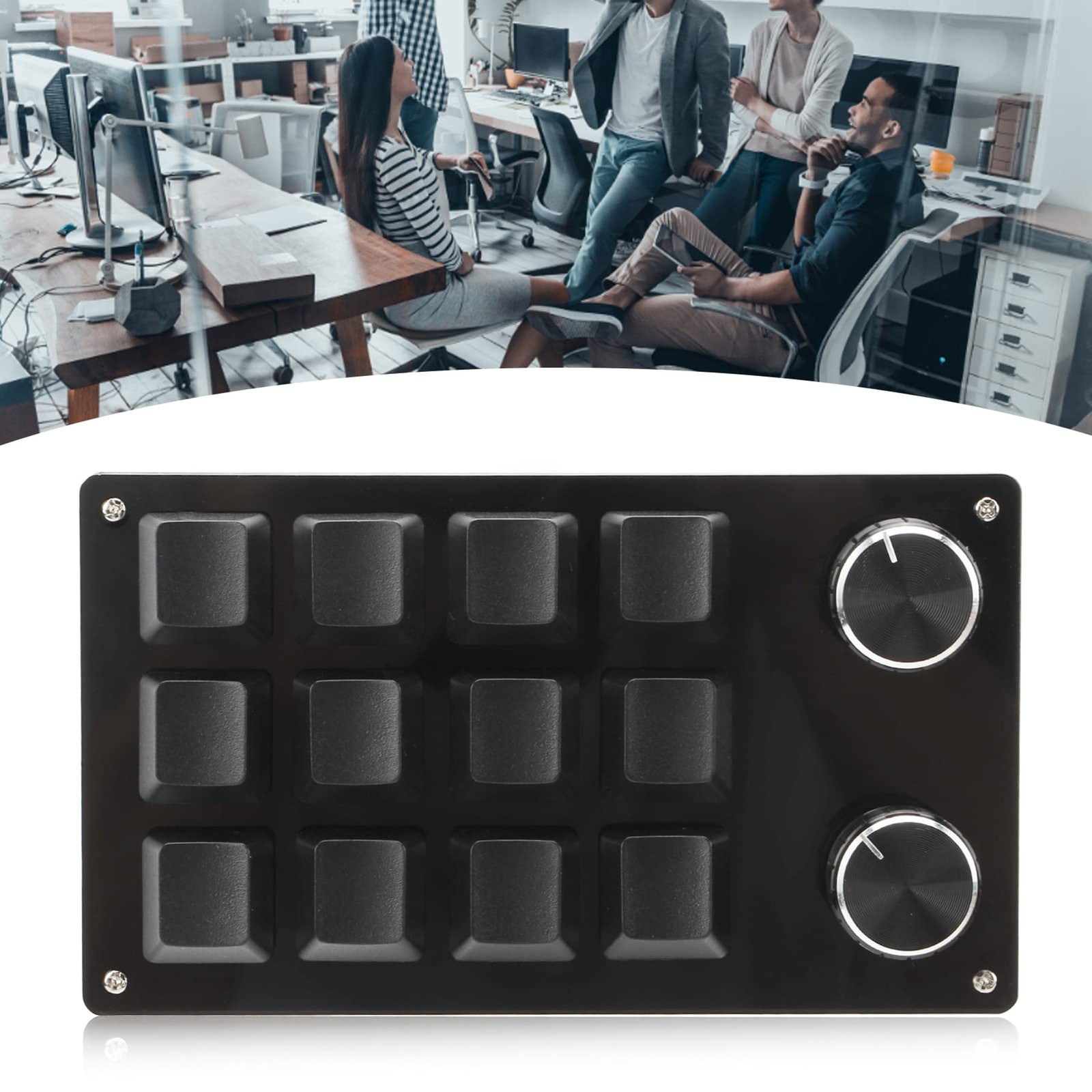
EIMSOAH 6 Key Mini Keyboard RGB Adjustable Macro Mechanical Gaming Keypad with Knob, Programmable 12 Key Portable Office Lab Use, All Black - Bring You Convenience : This is a 12 key programmable keyboard with adjustment knob , you can set the shortcut keys to reduce the cumbersome process .
- Multifunction : The mini keyboard with multi functions , you can set all the key functions on the for keyboard , and realize complicated and complex shortcut keys with one key .
- Memory Function : The keyboard has a storage function , which can be used on systems that support usb protocol such as for Linux , for OS X , etc . after setting it up on the for system .
- Settable Knob : The knob can also be set , with functions such as , play the previous song , the next song , volume up , volume down , pause , play and other functions .
- Portable and Easy to Use : Type C to USB interface , no need for drivers , plug and play , no conflict between the computer and multiple keyboards , convenient and easy to carry .
-
-
-
-
-
How to Use:
1. Small keyboard, open the custom software on the computer.
2. On the custom software, click the key setting area or Knob setting area (yellow area) and then click the key key1‑key12 or any key of knob 1 or knob 2 (green area) to be set; If selected, it will appear red.
3. Click the function key corresponding to the simulated keyboard on the custom software, click download, prompting download success, the custom keypad can be used. For example, if you want to set small keyboard key 1 as the shortcut key of copy (Ctrl+C), click Key Setting area on the software, click KEY1, then click Ctrl and C on the software simulation keyboard, click Download, and the message download successful is displayed.
PackageList:
1 x Keyboard
1 x USB Cable
Notice:
This software can only be run on for system temporarily, try to download it on the PC side of the computer, the setting software does not need to be installed, it can be run directly after opening it, and it will be automatically stored on the chain disk after setting, and then plug it into the USB protocol that supports the USB protocol. Use on for Linux, for OS X and other systems (the first time you run it, pay attention to the release of antivirus software and set it as a trusted file)!
Shipping - We offer FREE shipping on all orders!
- We ship within Three business days of payment, usually sooner.
- We use a selection of shipping services such as UPS, FedEx, USPS etc.
- We only ship to the lower 48 states, no APO/FPO addresses or PO Boxes allowed.
- Local pickups and combined shipping options are not provided at this time.
Return - You can return a product for up to 30 days from the date you purchased it.
- Any product you return must be in the same condition you received it and in the original packaging. Please keep the receipt.
Payment We accept payment by any of the following methods:
PayPal
Please pay as soon as possible after winning an sale, as that will allow us to post your item to you sooner! response Customer satisfaction is very important to us.
If you have any problem with your order, please contact us and we will do our best to make you satisfied. Contact Us If you have any queries, please contact us via . We usually respond within 24 hours on weekdays. Please visit our store to check out other items for sale! Thank you for shopping at our store.  |
|