USB 2.0 Video Capture Card
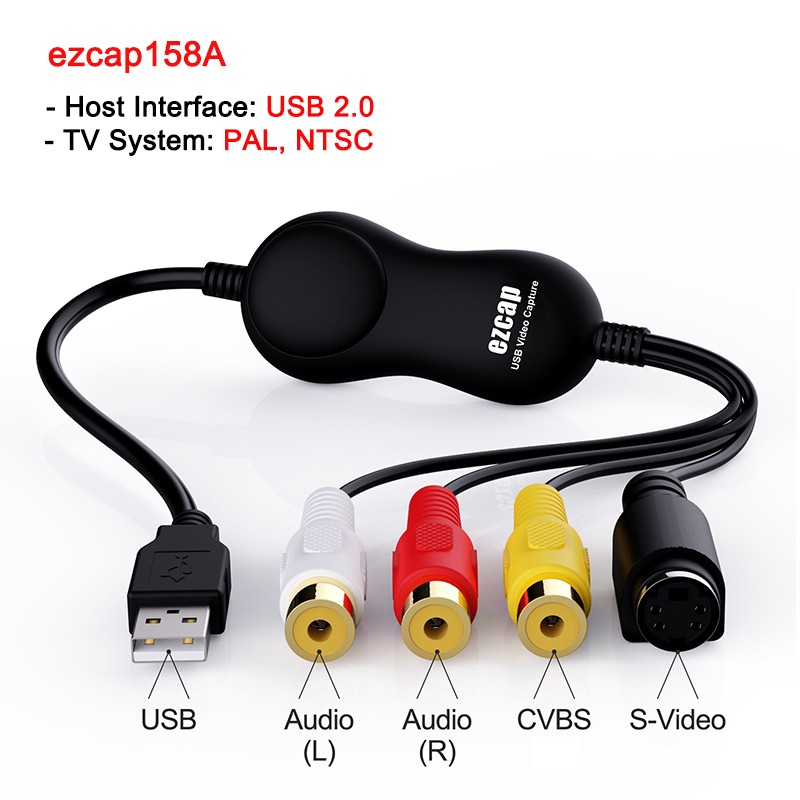
Ezcap158A: USB2.0 Port,support PAL or NTSCstandard
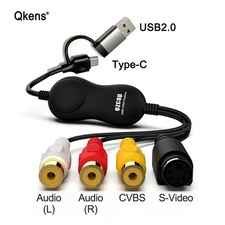
Ezcap158AP: USB2.0/Type-c Port,support PAL/NTSC or SECAM standard .
Thanks for purchasing ezcap158A/AP USB2.0 UVC Video Capture product.
Their main difference pls see above description,Following use ezcap158AP for introduction:
It works for both Windows OS and MacOS X well, it doesn't need to install any drivers,
just plug into free USB 2.0 port or Type C dada port of your computer.
It includes VHS to DVD video capture and editing software for Windows.
For Mac OS X, you can capture video by OBS software directly.
Features:
Connects VHS or Camcorder device to your computer,and turns analog video into digital video.
Includes software for Windows capturing and editing video.
Standard RCA composite video and S-Video connectivity.
Supports both of Windows and Mac OS X.
UVC solution, no need to install driver.
- Host Interface: USB 2.0 / Type C UVC
- TV System: PAL, NTSC, SECAM
- Video Input: Composite video (RCA jack), S-Video (miniDin 4pin)
- Audio Input: Stereo L/R audio (RCA L/R jack)
System Requirement for Windows:
PentiumlV 1.7GHz CPU or above
512MB RAM or above
VGA card with 32MB memory
One avallable USB 2.0 port or Type C data port
Microsoft Windows7 or above
System Requirement for MAC:
1.5 GHz Intel Core Solo or above
1GB 667 MHz DDR2 SDRAM or more
500 MB free hard drive space
One available USB 2.0 port or Type C data port
Mac OSX 10.10 or above
Package Content:
Ezcap Video Capture Card x1
Quick Start Guide x1
Without retail box and other accessories,if any need,pls contact us before purchase.
IMPORTANT:
To capture a video's sound, connect the left and right AUDIO INPUTS to the left and right
audio outputs of your playback device.
To capture video with scart output, you should buy one scart-composite converter.
All the cables are not included.
Please don't connect composite video and S-Video at the same time.
1. USB / Type-C PORT - Connect the USB port or Type-C of device to your computer
(a port on the real panel,do not use a HUB or converter etc, a third part device).
2. AUDIO INPUTS (red and white) - Use standard RCA cables to connect these left and right
audio inputs to the left and right audio outputs ofyour playback device. Be sure to match
the colors properly - red to red(right channel), white to white (left channel).
3. COMPOSITE VIDEO INPUT (yellow) - Use a standard composite video cable to connect
this input to the composite video output of yourplayback device.
4. S-VIDEO INPUT (black) - Use a standard S-Video cable to connect thisinput to the
S-Video output of your playback device.
PLS Attention :