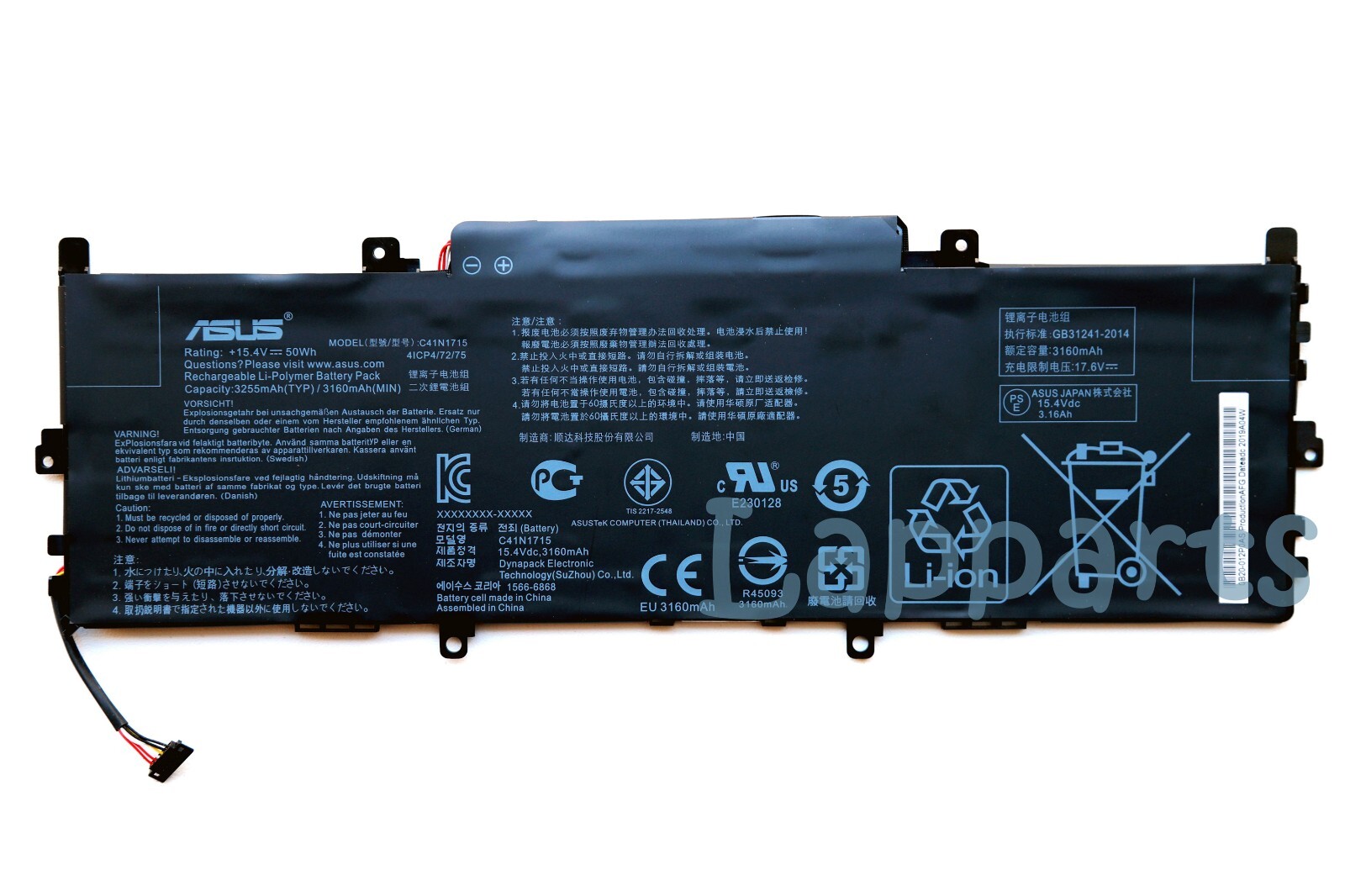
Genuine C41N1715 Battery for ASUS UX331U UX331UN UX331UN-EG015T UX331UN-EG010T
Item Specification:Condition: New and genuine
Battery Type: Li-ion
Battery Color: Black
Battery Voltage: 15.4V
Battery Capacity: 50Wh/3255mAh
Warranty: 12 MonthsReplace Part Numbers:
C41N1715, 0B200-02760000, 4ICP4/72/75
Fit Laptop Models:
For Asus
UX331UA-1E, Zenbook UX331UN-EG129T, U3100FN, ZenBook UX331UA-EG061R, UX331UN-1A, Zenbook UX331UN-EG004T, Zenbook UX331UN-C4137R, ZenBook UX331UA-EG071T, ZENBOOK UX331UN-1B, Zenbook 13 UX331UN, ZenBook 13 UX331UN-EG002T, Zenbook UX331UN-EG151T, ZenBook UX331UA-EG005T, ZenBook UX331UA-EG001T, Zenbook UX331UN-EG015T, Zenbook UX331UN-C4136T, ZenBook UX331UA-EG160T, ZenBook UX331UA-EG039T, Zenbook UX331UN-EG103T, ZenBook UX331UA-EG012T, ZENBOOK U3100UN, Zenbook 13 UX331UN-EG006T, Zenbook UX331UN-EG062T, Zenbook UX331UN-C4043T, ZenBook UX331UA-EG131T, UX331UA-1B, Zenbook UX331UN-EG008T, Zenbook UX331UN-EG113T, ZenBook UX331UA-EG018T, ZENBOOK UX331UA-1E, U3100UN, Zenbook UX331UN-EG016T, UX331FN, ZenBook UX331UA-EG101T, UX331UAL-1D, Zenbook UX331UN-EG080T, Zenbook UX331UN-C4136R, ZenBook UX331UA-EG003T, ZENBOOK UX331UN-1A, UX331UN-1E, Zenbook UX331UN-EG105T, ZenBook UX331UA-QB51-CB, UX331UN-1B, Zenbook UX331UN-EG010T, Zenbook UX331UN-C4032R, ZenBook UX331UA-EG010T, ZenBook UX331UA-EG121T, UX331UN, ZenBook 13 UX331UN-EG119T, Zenbook UX331UN-EG106T, ZenBook UX331UA-EG029T, ZENBOOK U3100FN, Zenbook 13 UX331UA-EG013T, Zenbook UX331UN-EG017T, Zenbook UX331UN-C4088T, ZenBook UX331UA-EG158T, UX331UA-1A, Zenbook UX331UN-EG009T, Zenbook UX331UN-EG134T, ZenBook UX331UA-EG028T, ZENBOOK UX331FN, Zenbook 13 UX331UN-EG008T, Zenbook UX331UN-EG011T, ZenBook UX331UA-EG156T, UX331UAL-1C, Zenbook UX331UN-EG012T, Zenbook UX331UN-WS51T, ZenBook UX331UA-EG013T, ZENBOOK UX331UAL-1D, ZenBook UX331UA-AS51, ZenBook UX331UA-DS71, Zenbook 13 UX331UA
Delivery details:1. Items will be shipped within 3 days after payment(Sunday & Holidays excluded)2. Items will be delivered to your order address only. Please confirm it is correct. Providing your phone number would be better, it is useful for couriers if your address is hard to look for or you are not there.3. The tracking number will be given for the customer to check the shipping status online.4. We are not responsible for any wrong or undeliverable addresses. We can't change the shipping address after the item has been sent out. Please verify and update your shipping address on during checkout.5. South Korea and Brazil, please fill in the tax number in the address6. US Shipping: USPS. ( 10-20 Business Days)7. International Shipping: International Registered Airmail. ( 15-25 Business Days)
Return & Warranty1. Our products have 12 months warranty.2.If you need return, please contact our customer service representative, let us know the detailed problem and send us some pictures for confirmation.3.We can't receive if buyer return by yourselves according to the address on shipping package. We won't solve such case and buyer should responsible for the consequences. Please contact with us before return the item.
About us1. We have more than 12 years of professional battery and adapter experience!Strictly test before shipment to ensure full capacity and safety without harming the computer!2. Due to different production areas and different production batches, sometimes the labels will be somewhat different.3. We recommend that the first charge is not less than 5 hours.4. The new battery cannot be charged, is there a problem with the battery?Usually not. The computer charges the battery for the first time. Due to the instability of voltage and current, the computer may stop charging the battery when the battery is half charged (sometimes more, sometimes less). If this happens, Don?t worry, just take the battery out of the computer and recharge it again. The new battery charged for the first time may require several iterations. Don?t worry, this is normal.5. When the battery is in normal operation, if the battery is discharged to 3%, it must be shut down or recharged. If the battery is discharged to 0%, the battery will be damaged and its life will be attenuated.6. Avoid falling, heating and short-circuit, avoid using the battery in an environment where the temperature is too high or too low .
Contact usWelcome to our store! Happy shopping time!We have always been trying to provide the best service and reliable products for every customer, if you are satisfied with our goods and service, please give us 5 stars to encourage us to do better and better. if you have any doubt, you can email us immediately.Working Time: Monday - Friday.