When you click on links to various merchants on this site and make a purchase, this can result in this site earning a commission. Affiliate programs and affiliations include, but are not limited to, the eBay Partner Network. When you click on links to various merchants on this site and make a purchase, this can result in this site earning a commission. Affiliate programs and affiliations include, but are not limited to, the eBay Partner Network.
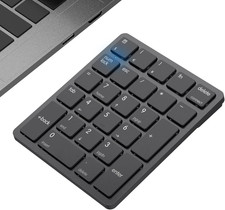
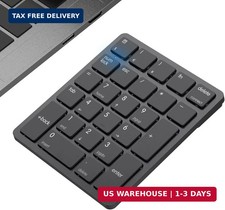
Description: Enhance your productivity with this compact and portable Bluetooth numeric keypad. Designed for fast data entry in spreadsheets, accounting, and finance work, it connects directly to your device via Bluetooth — no USB receiver or cables needed. Key Features - Bluetooth 3.0 Connection: Pairs directly with your laptop, PC, tablet, or phone — no USB receiver required, leaving your USB ports free
- Multi-System Support: Works with Windows (default), Android, and iOS
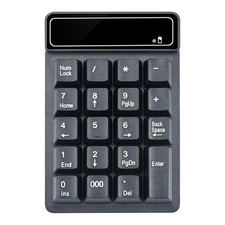
- 19 Keys with 000 Key: Full numeric layout including a triple-zero key for faster large-number entry, plus Backspace, Enter, and navigation functions
- Compact & Portable: Lightweight slim design, easy to carry in a laptop bag — ideal for travel, office, and home use
- Battery Powered: Runs on a standard battery (1.5V) with low power consumption
How to Connect (Step by Step) - Insert the battery into the keypad (remove the battery cover on the back).
- Press Enter + Num Lock together — the green light will start flashing, which means the keypad is in Bluetooth pairing mode.
- On your computer, tablet, or phone, open Bluetooth settings and turn Bluetooth ON.
- Select the keypad ("Bluetooth numeric keyboard") from the list of available devices to pair.
- Once connected, the keypad is ready to use — no drivers or software needed.
Switching Between Systems - Windows: Press Enter + / (this is the default mode)
- Android: Press Enter + *
- iOS/iPad/iPhone: Press Enter + –
Compatibility: Works with Bluetooth-enabled Windows laptops/PCs, Android tablets and phones, iPads, and iPhones. Note: your device must have Bluetooth — not compatible with computers that lack Bluetooth capability.  |
|