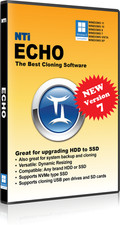
NTI Echo 7 | New Version for 2026 | the Best Cloning Software | Available in Download
- [NEW in V7] 4K-Sector Compatibility enables cloning from legacy disk types to new 4k types, and vice versa.
- [NEW in V7] Improved File/Folder Exclusion enables cloning to smaller disks, and efficient usage of the new disks.
- Versatile: One-to-One Cloning, Dynamic Resize Cloning & Partition Cloning
- Flexible: Filter Cloning & User Defined Cloning
- Powerful: Able to clone Windows, Linux, Mac, or Windows/Linux/Mac multi-OS partitions
- Easy: Perfect for upgrading your PC to a larger HDD or faster SSD
- Installed on Windows 11, 10, 8.1, 8, and 7. Does NOT support dynamic disks. Download available (instructions inside the package).
- NOTE: This is a perpetual or permanent license, you pay one-time fee only, since this is not an annual subscription.
Perfect solution for all your cloning needs
Echo is the perfect solution for upgrading your computer to either a larger hard disk drive (HDD) or to a faster solid-state drive (SSD). Echo is a smart cloning software that allows you to make an exact copy of your computer's HDD to another HDD or SSD.
NTI's design makes this once tedious upgrade task a breeze for users of any age. Echo's simplicity along with its advanced features such as Filter Cloning, User Defined Cloning, One-to-One Cloning, and Dynamic Resize Cloning makes Echo the right choice for everyone.
While installed to work on a Windows PC, Echo is able to clone Windows, Linux, and MacOS disks, when you connect them to the Windows PC. It supports cloning MacOS disks with BootCamp, and multi-OS/ multi-boot disks with a hybrid combination of Windows/Linux/MacOS partitions.
This newest version Echo V7 features cloning in Windows mode, which is more reliable (than Linux mode) for many system configurations.
Echo 7 supports NVMe SSD. It also supports cloning USB Pen, and SD/MMC/eMMC devices, as well as UAS/UASP interface. All these new features help make Echo 7 the ultimate cloning software there is on the market today!
Simply click the start button and let Echo take care of the rest. Echo will start the cloning process and copy your entire original hard drive (i.e. Operating System, Programs, Data, etc.) to your new replacement drive. After the cloning process is complete, simply swap out the drives and reboot. Windows will boot up normally from the new drive as if nothing ever happened.
Easy cloning process in Windows mode
Important Notes:
1 - Does NOT support Microsoft Surface devices.
2 - Echo is designed as a one-to-one drive cloning utility. It is not intended to work with Dynamic Disks.