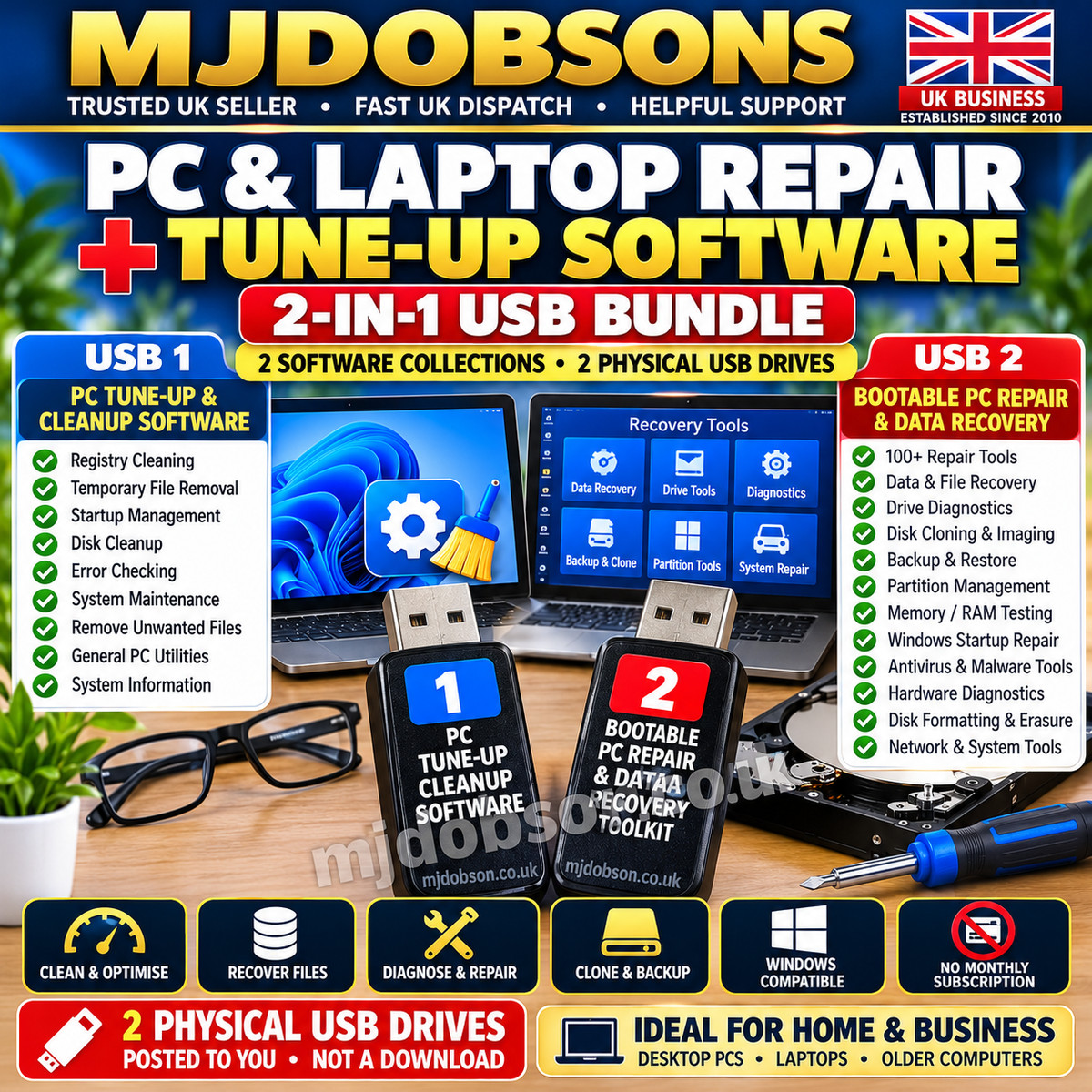
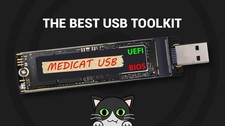
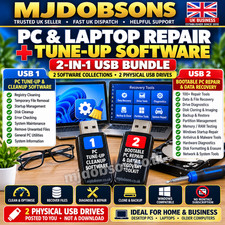
MJDOBSONS 2-in-1 PC Repair, Data Recovery and Windows Tune-Up Software Bundle. Includes PC cleanup and maintenance utilities plus a bootable USB recovery toolkit containing 100+ diagnostic, backup, disk and recovery tools. Two physical USB drives. Check PC compatibility before ordering.
PC & LAPTOPREPAIR & RECOVERY+ WINDOWS TUNE-UP SOFTWARE2-IN-1 PC MAINTENANCE & RECOVERY BUNDLE... MJDOBSONSPC REPAIR • DATA RECOVERY • SYSTEM MAINTENANCEEstablished Since 2010 • UK Business Seller • Fast UK DispatchPC & LAPTOPREPAIR & RECOVERY+ WINDOWS TUNE-UP SOFTWARE2-IN-1 PC MAINTENANCE & RECOVERY BUNDLESystem Cleanup • Data Recovery • Diagnostics
Disk Backup • PC Maintenance • TroubleshootingSUPPLIED ON 2 PHYSICAL USB DRIVESTWO USEFUL PC SOFTWARE COLLECTIONSKeep your computer maintained and have a separate recovery toolkit available when problems occur.This MJDOBSONS bundle combines:1. WINDOWS PC TUNE-UP & CLEANUP UTILITIES
A collection of tools for routine maintenance, temporary-file cleanup, startup management and system inspection.2. BOOTABLE PC REPAIR & DATA RECOVERY TOOLKIT
A bootable recovery environment containing more than 100 utilities for compatible computers, including diagnostics, file recovery, disk backup and repair tools.Two separate software collections in one convenient package.BUNDLE HIGHLIGHTS✓ Windows PC Cleanup Utilities
✓ Temporary File Removal Tools
✓ Registry Maintenance Utilities
✓ Startup Management Tools
✓ Bootable PC Repair Environment
✓ 100+ Recovery & Diagnostic Utilities
✓ Data & File Recovery Tools
✓ Hard Drive & SSD Diagnostics
✓ Disk Backup & Cloning Utilities
✓ Partition Management Tools
✓ RAM & Hardware Testing
✓ Windows Startup Troubleshooting
✓ Physical USB Delivery
✓ No Recurring Subscription Charged By MJDOBSONSSOFTWARE 1 - PC & LAPTOP TUNE-UPWINDOWS PC MAINTENANCECLEANUP • TUNE-UP • SYSTEM UTILITIESA collection of maintenance utilities intended for use with compatible Windows PCs and laptops.Useful for inspecting system clutter, reviewing startup programs and performing routine computer maintenance.PC TUNE-UP FEATURES✓ Registry Cleaning Tools
✓ Temporary File Cleanup
✓ General System Cleanup
✓ Startup Program Management
✓ Disk Cleanup Utilities
✓ Error Checking Tools
✓ Unwanted File Removal
✓ General PC Maintenance
✓ Windows System InspectionHELP MAINTAIN A SLOW OR CLUTTERED COMPUTERComputers can become cluttered with temporary files, unnecessary startup items and unused data.Depending on the included utility and computer configuration, these tools can help investigate and manage some common maintenance issues.Performance improvements are not guaranteed.A software utility cannot repair failing hardware or replace damaged components.SOFTWARE 2 - BOOTABLE PC REPAIR & RECOVERYBOOTABLE PC REPAIR TOOLKIT100+ REPAIR & RECOVERY UTILITIESA separate bootable USB recovery environment for compatible computers.Because the recovery environment runs from the USB drive, many included tools can be used even when the computer's normal Windows installation will not start.Useful for diagnostics, recovery, backup and advanced troubleshooting.100+ PC REPAIR & RECOVERY TOOLS✓ Data & File Recovery
✓ Hard Drive Diagnostics
✓ SSD / HDD Utilities
✓ Disk Cloning
✓ Disk Imaging
✓ Backup & Restore
✓ Partition Management
✓ RAM Testing
✓ Hardware Diagnostics
✓ Windows Startup Troubleshooting
✓ Boot & Partition Repair
✓ Antivirus & Malware Utilities
✓ File Management
✓ System Information
✓ Network Diagnostics
✓ Disk Formatting & ErasureWHEN WINDOWS WILL NOT STARTA bootable USB toolkit can be particularly useful when:Windows Will Not Start Normally
Startup Problems Occur
Files Need Recovering
Hard Drives Need Checking
Partitions Require Attention
Memory Testing Is Needed
Files Need Accessing Before RepairSuccessful startup and repair depend on your computer, hardware configuration and the nature of the fault.DATA & FILE RECOVERYThe toolkit includes utilities intended to assist with recovering accessible files from compatible storage devices.Depending on the problem, they may help investigate:Deleted Files
Missing Data
Damaged Partitions
Non-Booting Windows Computers
Accessing Data Before ReinstallationData recovery cannot be guaranteed.DISK BACKUP, CLONING & IMAGINGCompatible included utilities can assist with:Disk Imaging
Drive Cloning
Backup & Restore
Partition Management
Preparing For Drive Replacement
Backing Up Before Repair WorkAlways check the source and destination drives carefully before starting any cloning or restore operation.HARDWARE & DRIVE DIAGNOSTICSUse suitable included utilities to investigate:Memory / RAM Problems
Hard Drive Health
Storage Issues
Computer Hardware Information
System Configuration
Unexpected CrashesDiagnostic results are an aid to troubleshooting and do not guarantee the identification of every fault.WHY BUY BOTH SOFTWARE PACKAGES?ROUTINE MAINTENANCE + EMERGENCY RECOVERYPC TUNE-UP SOFTWARE
Use compatible utilities for routine Windows maintenance and cleanup while your computer is operating normally.BOOTABLE REPAIR TOOLKIT
Keep a separate recovery environment available for diagnostics, data access, backup and troubleshooting when Windows has problems starting.Two complementary collections for different computer maintenance situations.WINDOWS & COMPUTER COMPATIBILITYCHECK YOUR COMPUTER BEFORE BUYINGPC TUNE-UP SOFTWAREDesigned for compatible Windows computers.Individual programs may require different Windows versions, hardware specifications or system permissions.BOOTABLE PC REPAIR USBIntended primarily for compatible modern 64-bit x64 PCs and laptops.Recommended requirements:
64-bit x64 Compatible Computer
Approximately 2 GB RAM or More
Ability To Boot From USBCompatibility may also depend on BIOS/UEFI settings, Secure Boot, storage controllers and hardware drivers.Not every included utility will operate on every computer.BOOTABLE USB REQUIREMENTTo use the recovery environment, your computer must be capable of booting from USB.You may need to enter the BIOS/UEFI setup or boot menu and select the recovery drive.Some computers may require changes to boot configuration or Secure Boot settings.Basic computer troubleshooting knowledge is recommended.IMPORTANT - DATA LOSS WARNINGSOME UTILITIES CAN CHANGE, OVERWRITE OR ERASE DATA.Before using partitioning, disk cloning, formatting, registry editing or erasure tools:Back Up Important Files
Identify The Correct Drive
Read The Relevant Instructions
Check Source & Destination Disks
Understand The Possible ConsequencesIncorrect use may result in permanent data loss or an unusable Windows installation.IMPORTANT RECOVERY LIMITATIONSNo software toolkit can guarantee repair of every computer problem.Recovery may be impossible if data has been overwritten, the storage device has physical damage or the file system has been severely corrupted.Deleted files on modern SSD/NVMe drives may be unrecoverable due to features such as TRIM.A physically failing drive may require specialist data-recovery services.WHAT YOU WILL RECEIVE2 PHYSICAL USB DRIVESUSB 1
PC & Laptop Tune-Up Software Collection
Windows Cleanup & Maintenance UtilitiesUSB 2
Bootable PC Repair & Data Recovery Toolkit
100+ Recovery & Diagnostic ToolsPHYSICAL PRODUCTS POSTED TO YOUTHIS IS NOT A DIGITAL DOWNLOADNO MONTHLY SUBSCRIPTION FROM USMJDOBSONS does not charge an ongoing monthly subscription for this physical software bundle.Individual utilities remain subject to their applicable licence conditions and any software-specific requirements.SOFTWARE LICENSINGThis collection may contain third-party and open-source software.Each included application remains subject to its own licence terms.No ownership of third-party software is claimed.The physical USB media, preparation, duplication, packaging, postage and associated service form part of this supplied product.IDEAL FOR✓ Windows PC Owners
✓ Laptop Owners
✓ Home Computer Users
✓ PC Maintenance Enthusiasts
✓ Computer Repair Hobbyists
✓ Technically Experienced Users
✓ People Wanting Bootable Recovery Tools
✓ Users Managing Multiple Compatible PCsPLEASE CHECK BEFORE ORDERING✓ Your computer's make and model
✓ Your Windows version
✓ Whether your computer supports USB booting
✓ Your computer's processor architecture
✓ BIOS / UEFI compatibility
✓ Relevant hardware support
✓ Understanding of data recovery limitations
✓ Ability to use repair tools safelyNEED HELP BEFORE PURCHASING?If you are unsure whether the software bundle is suitable for your computer, please contact us through before ordering.Tell us:Your PC or laptop make and model
Your Windows version
The problem you want to investigate
Whether your computer can boot from USBWe will do our best to help you assess compatibility.WHY CHOOSE MJDOBSONS?✓ Established UK Seller Since 2010
✓ Two PC Software Collections
✓ Physical USB Products
✓ Bootable Recovery Toolkit Included
✓ Fast UK Dispatch
✓ Carefully Packaged Orders
✓ Clear Product Information
✓ Helpful Customer SupportIMPORTANT PRODUCT INFORMATIONSoftware compatibility and performance depend on the computer, operating system and individual utility.This product cannot guarantee successful data recovery, removal of malware, faster performance or repair of a particular computer fault.Always back up important files before making major system changes.Use recovery, security and account-administration utilities only on computers and accounts you own or have permission to manage.Your statutory consumer rights are unaffected.MJDOBSONSPC REPAIR • DATA RECOVERY • WINDOWS MAINTENANCEEstablished Since 2010
UK Business Seller
Fast UK Dispatch
Helpful Customer ServiceTWO SOFTWARE COLLECTIONS - ONE COMPLETE BUNDLECLEAN • MAINTAIN • DIAGNOSE • RECOVERThank you for shopping with MJDOBSONS