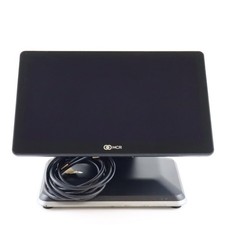
This listing is for Demo Access OnlyRealPOSYour Business Software. Your Data. Your Code.
RealPOS is a transparent point of sale and business management system built to work with WordPress. It combines sales, customers, inventory, purchasing, reporting, payments, and multi-location operations in one browser-accessible system.
Unlike closed subscription platforms, RealPOS does not hide your business operations behind encrypted files or inaccessible proprietary code. The customer receives the complete readable PHP source code and SQL database structure.
Nothing in the RealPOS PHP code is encrypted, compiled, or intentionally hidden. Your programmer can see how every page, calculation, report, and workflow operates.
You Control the Software
RealPOS is installed on your own WordPress website and uses your own database. You retain control of:
The complete RealPOS PHP source code
Your customer and vendor information
Your product and inventory records
Your invoices, quotes, payments, and purchasing history
Your reports and accounting records
Your logos, company information, and document numbering
Your user accounts and page permissions
Your data is stored in standard WordPress and MySQL database tables. It can be viewed, backed up, exported, moved, or maintained using commonly available tools.
There is no secret database format and no hidden RealPOS service required to read your information.
Completely Transparent and Customizable
Every RealPOS page is written in readable PHP. The code may be appended, changed, expanded, or adapted as your business grows.
A programmer with basic PHP skills can modify fields, calculations, page layouts, reports, permissions, and business workflows. RealPOS does not require a specially authorized developer to make changes.
This makes RealPOS especially useful for businesses that have outgrown generic point of sale software or need procedures that do not fit a one-size-fits-all system.
Possible customizations include:
Adding new reports
Adding customer or inventory fields
Changing invoice and quote layouts
Creating new pricing calculations
Adding business-specific approval steps
Connecting additional locations
Changing page permissions
Adding new purchasing procedures
Importing information from an older system
Creating specialized search and history pages
The software remains understandable and serviceable because the source code and database structure remain accessible.
Built to Work with WordPress
RealPOS uses WordPress for its secure login system, users, roles, database connection, and administrative foundation.
The primary RealPOS screens are standalone PHP pages. They load the WordPress environment while operating independently from the public website theme. A theme update does not control the layout of the RealPOS working pages.
This approach provides the familiarity and flexibility of WordPress while allowing RealPOS to behave like a dedicated business application.
Sales and Customer Management
RealPOS provides the tools needed to manage a sale from the first quote through final payment.
Sales features include:
Customer account management
Automatic customer number assignment
Billing and shipping information
Customer contacts and account notes
Quotes that can be converted into invoices
Product number lookup
Product description searching
Cost-plus price entry
Tiered customer pricing and discounts
Taxable and tax-exempt items
Service and non-inventory items
Shipping and additional charges
Cash, check, credit card, and charge account payments
Split payment transactions
Cash tendered and change calculations
Invoice status tracking
Invoice printing and emailing
Quote printing and emailing
Customer statements
Payment history
Legacy invoice history lookup
Invoices retain the product, price, tax, payment, and customer details needed to review past transactions accurately.
RealPOS FeaturesInventory and Barcode Management
RealPOS connects sales activity directly to inventory.
Inventory features include:
Product number and description searches
Product categories and category codes
Last cost, retail price, and tier pricing
Inventory quantities by location
Minimum inventory levels
Allocated inventory tracking
Inventory value reporting
Active and inactive products
Service item identification
Taxable and non-taxable settings
UPC and EAN barcode assignment
Barcode lookup
Quick barcode assignment
Product sales history
Reorder and inventory need calculations
Stale inventory reporting
Profit and pricing analysis
Barcode assignments remain linked to the product record while still allowing authorized users to remove or reassign a barcode when necessary.
Purchasing and Receiving
RealPOS follows purchasing activity from the original requisition through receiving and payment.
Purchasing features include:
Vendor records and contact information
Purchase requisitions
Open requisition tracking
Receiving against requisitions
Multiple shipments against one order
Vendor order number tracking
Received quantities and costs
Completed and submitted receiving records
Purchase payment records
Paid and unpaid status
Requisition and receiving printouts
Purchasing reports
The inventory exchange system also tracks products transferred between the two supported business locations, including draft, pending, completed, and voided transactions.
Reports and Management Tools
RealPOS provides practical reports based on the same live information used by the sales and inventory pages.
Available reporting includes:
Sales reports
Sales tax reports
Inventory reports
Inventory valuation
Products below minimum inventory
Location inventory needs
Purchasing reports
Profit and loss information
Product sales history
Stale inventory
Inventory exchange history
Daily register reports
Cashier sales totals
Cash, check, credit card, and charge totals
Starting and ending drawer amounts
Register over and short calculations
Customer statements
Profit and tier discount analysis
Reports can be filtered to help users find the specific customer, product, payment type, location, or transaction they need.
User Access and Security
RealPOS uses WordPress user accounts and roles while adding page-level controls for the business system.
Security and access features include:
Individual WordPress user accounts
Administrator and employee roles
Page permissions for each user
Default location settings by user
Optional authorized IP address restrictions
Protected business pages
Public access denial for unauthorized users
User-specific access to sensitive control of cost information
Exit controls for sensitive pages
These controls allow a business to provide employees with the pages they need without automatically giving them access to every part of the system.
Company and Location Setup
RealPOS includes a centralized Setup page for managing:
Company and location names
Two business locations
Location addresses and contact information
Separate location logos
Company names on printed documents
User accounts
User page permissions
Default user locations
Invoice numbering
Quote numbering
Requisition numbering
Customer numbering
Sales tax settings
Authorized IP addresses
Invoices, quotes, statements, and purchasing documents can display the correct identity and logo for the selected location.
WordPress Requirements
The current RealPOS installation requires:
WP Mail SMTP may be added when authenticated SMTP delivery is needed for invoices, quotes, statements, or other outgoing messages.
WordPress and third-party plugins remain subject to their respective licenses. The RealPOS PHP pages and custom database structure remain readable and accessible to the customer.
Software That Can Grow with Your Business
RealPOS was created around real business procedures instead of forcing the business to change its procedures to satisfy rigid software.
The system can continue to evolve as new products, locations, reports, payment procedures, or operational requirements are introduced.
With RealPOS, your business is not locked out of its own software. You can inspect it, understand it, back it up, move it, and have it changed.
Your software. Your data. Your business.
Why We Built RealPOS
After spending more than 40 years in the computer business, I repeatedly watched small businesses purchase complicated software systems costing as much as $100,000 upfront. Some were then charged thousands, or even tens of thousands of dollars every year, for licensing, support, updates, and proprietary equipment.
Many of these systems appeared to be intentionally complicated. Their programming was encrypted or hidden, which left the business owner completely dependent on the original software company. Even a small change could require an expensive support agreement or a specially authorized programmer.
We believed there should be a better option.
That is why we created RealPOS, an intuitive and completely transparent point of sale system for real brick and mortar stores.
RealPOS is not designed for online sales. It is designed for businesses that need registers, customers, invoices, quotes, inventory, barcodes, purchasing, receiving, vendor management, payments, statements, and meaningful business reports.
You Own the Software
When you purchase RealPOS, you receive the complete readable PHP code and database structure.
Nothing is encrypted, intentionally hidden, or locked away. You are not purchasing temporary access to software that stops working when you stop paying a monthly RealPOS subscription.
The PHP pages are open and may be examined, appended, or changed. If you want something modified in the future, any programmer with basic PHP skills can work with the system. You are not required to come back to us or hire a specially authorized RealPOS programmer.
Your business owns and controls its installed copy of RealPOS and all of the information entered into it.
Your Information Remains Private
RealPOS is installed on your own WordPress website and uses your own database. Your customers, products, prices, vendors, invoices, and financial records are not stored inside a large POS corporation’s shared business platform.
RealPOS does not transmit your POS records to us. Your information remains under your control in your own hosting account.
You can back up, export, inspect, or move your information without requiring permission from RealPOS.
One Purchase Instead of Endless Software Payments
The complete RealPOS software is available for a one time price of:
$6,999.00
There is no recurring RealPOS license payment required to continue using the software you purchased.
You will still have a few basic third-party operating expenses. Current estimated costs include:
WordPress hosting for approximately $10 per month
WP Data Access Premium for approximately $5 per month
A domain name, with some promotional registrations starting around $1 for the first year
Hosting, plugin, and domain prices are controlled by their respective providers and may change.
If you later request custom programming, new features, or outside technical support, those services would be separate. You are free to use your own PHP programmer.
No Proprietary Register Equipment Required
Many high end point of sale systems require proprietary terminals and specialized equipment. For a business using three registers, first-year costs can range from approximately $5,000 to more than $15,000. Proprietary equipment alone can sometimes cost several thousand dollars.
Software subscriptions may add another $200 to $500 or more every month, totaling approximately $2,400 to $6,000 or more each year.
RealPOS is designed to work with basic Windows computers. You do not have to purchase special RealPOS computers or proprietary register terminals.
A typical equipment setup may include:
Universal barcode scanners may cost around $300 each, depending on the model and features. Recommended Scanner: Zebra Symbol DS2278-SR Wireless.
A basic barcode label printer may cost approximately $100.
Businesses may be able to use computers and printers they already own.
See RealPOS Before You Decide
We have a working RealPOS demonstration available so you can walk through the software and see how it operates.
You can examine the sales, customer, inventory, barcode, purchasing, receiving, payment, and reporting features before purchasing the complete system.
This listing is for RealPOS demonstration. It gives you the opportunity to review the system and decide whether RealPOS is right for your business without taking a large financial risk.
We built RealPOS because business owners should not have to keep paying for access to their own software and their own information.
With RealPOS, the software is understandable, the PHP code is readable, the database is accessible, and the business remains in control.