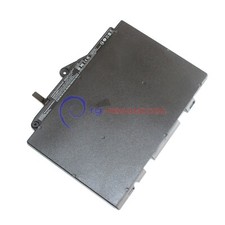
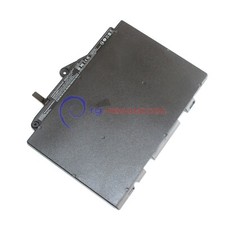
For HP EliteBook 828 G4 check carefully about your laptop model name/battery part number/battery shape and connector to make sure you purchase the correct battery.
Safety:
UL/CE-/FCC-/RoHS certifiedOverload protection
Over-current protection
Over-voltage protection
High voltage protection
Short circuit protection
Over-temperature protection
How to check your laptop model?
Method 1: Use System Information to find your laptop model
1.Press Windows + R
2. Type "msinfo32", then click OK
3.Find "System Model" in the pop-up window
Method 2: Remove Battery from Laptop to find your laptop battery part number
What do we need to pay attention to using batteries for the first time?
1.Charge the battery for more than 8 hours before first use
2.You need to turn off your laptop and disconnect the power when you install a new battery
2.Do Discharge the new battery use to 5%/7%(not to 0%) and then charge to 95%, and cycle 3-4 times
How should I do if the battery is not recognised?
1. It is recommended to update the BIOS settings
2. Reinstall, please make sure that the connector of the battery has been inserted into the system board correctly and tightly
IF "the item doesn't work"?Firstly, please send us an email to let us know
We can send you a replacement or refund
IF"Item is not received"
Firstly, please send us an email to let us know
Very few packages cannot be delivered on time due to bad weather conditions and uncontrollable factors.
(If your package delivery fails, we will refund or send you a replacement)
Tips
The battery is being used for the first time and the battery level display is inaccurate
Usually, after a few cycles of use, the battery level display will return to normal.