 When you click on links to various merchants on this site and make a purchase, this can result in this site earning a commission. Affiliate programs and affiliations include, but are not limited to, the eBay Partner Network. When you click on links to various merchants on this site and make a purchase, this can result in this site earning a commission. Affiliate programs and affiliations include, but are not limited to, the eBay Partner Network.
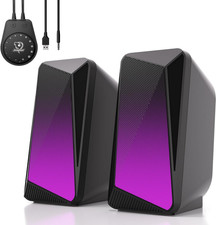
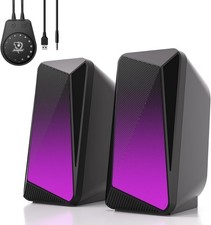
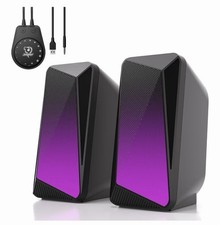
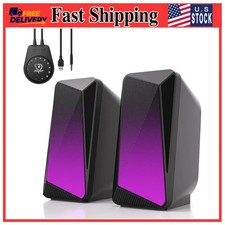
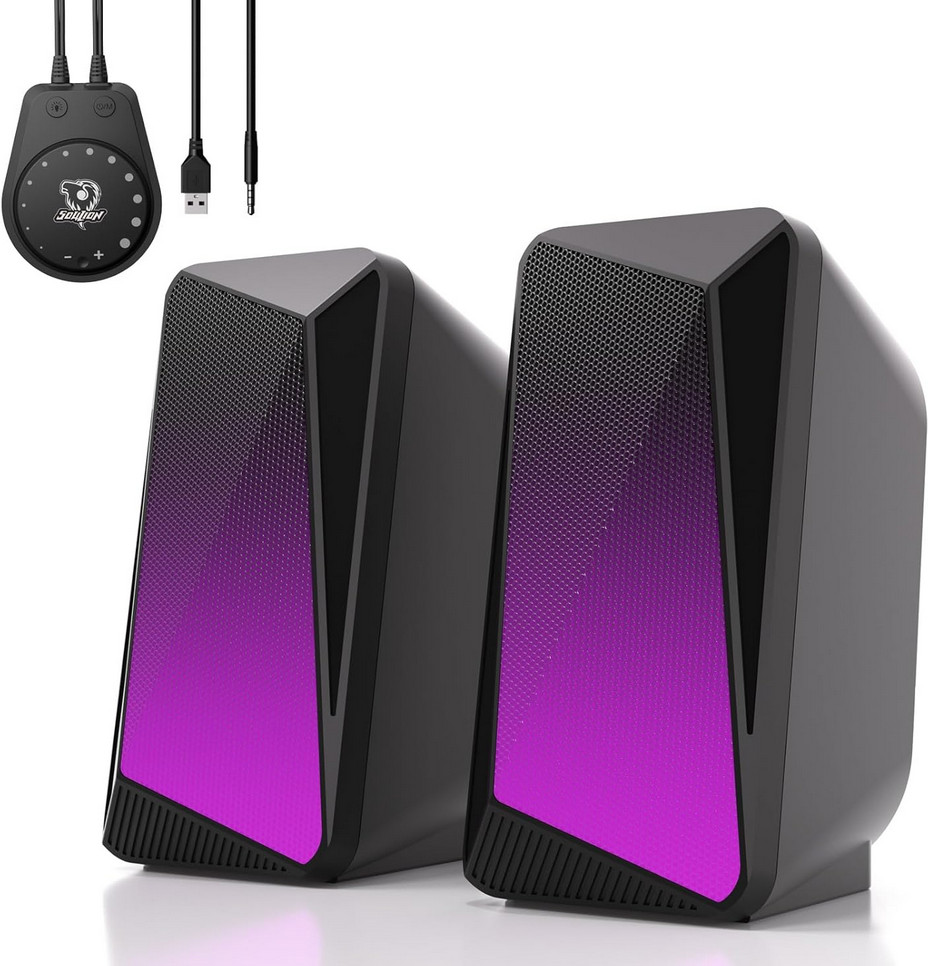
Brand SOULION Speaker Maximum Output Power 6 watts Frequency Response 150 hertz Connectivity Technology USB Audio Output Mode Surround About this item - 【Pulsing & LED Flame Lights】The 2.0-channel computer speaker features both a "Pulsing Mode" and a "Flame Lighting Mode." The lighting synchronizes with the audio rhythm—pulsing and flickering in time with the beat—to create an immersive and delightful atmosphere, whether you are enjoying music, gaming, or watching movies
- 【Convenient Control Pod】The C30 Bluetooth speaker is equipped with a large circular knob for all-in-one control. Press and hold the "M" button to switch between AUX and Bluetooth modes, long press the light button to adjust or turn off the LED lighting, and rotate the knob to adjust the volume
- 【3.5 Aux Mode】Simply connect the speaker to a USB port for power, press the "M" button to switch to AUX mode, and transmit audio via the 3.5mm jack. This computer speaker offers wide compatibility with PCs, laptops, tablets, smartphones, and other devices
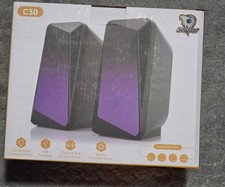
- 【Bluetooth Mode】Connect the USB cable to a power port for power supply. Press the “M” button to switch to Bluetooth mode, accompanied by a beep sound to confirm the switch. Search for and connect to “C30” on your device. To clear and reset the Bluetooth connection, long-press the light button for 3 seconds
- 【Balanced & Clear Sound】This gaming speaker can be placed on both sides of your computer, delivering rich and pristine sound through left and right channels for a more comfortable listening experience. Compared with an integrated soundbar, it offers more balanced and even audio distribution
2 Connection Methods USB Powered and 3.5mm Aux Mode - Plug & Play - Plug into the USB port for power and press the "M" key to select “Aux Mode”;
- Plug 3.5 mm jack for sound. Press the "M" key to select "Aux Mode".
Tips: For desktop computers, insert 3.5 mm jack into the back end of the host to reduce the current sound. Bluetooth Mode - Plug & Pair - Plug in the USB port and press the "M" key to select “Bluetooth Mode”;
- Search "C 30" on your smartphone/tablet and connect.
Tips: The Bluetooth connection must be within a certain range (10 meters / 33 feet) to remain stable. Mode Switch - Power On/Off
- USB Powered and 3.5mm Aux Mode
- USB Powered and Bluetooth Mode
LED Light Switch - Light On/Off
- 2 LED Lighting Modes: Pulsing Mode/Flame LED Mode
- Press and Hold for 3 Seconds to Clear Bluetooth Memory
Rotate the Knob - Turn Clockwise - Volume -
- Turn Counterclockwise - Volume +
Bottom LED light - Set the mood when listening to music/watching movies/playing games
- Insert the USB and the bottom light will stay on
 |
|