When you click on links to various merchants on this site and make a purchase, this can result in this site earning a commission. Affiliate programs and affiliations include, but are not limited to, the eBay Partner Network. When you click on links to various merchants on this site and make a purchase, this can result in this site earning a commission. Affiliate programs and affiliations include, but are not limited to, the eBay Partner Network.
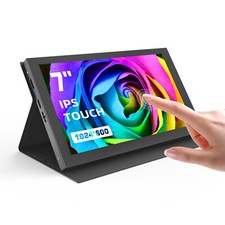
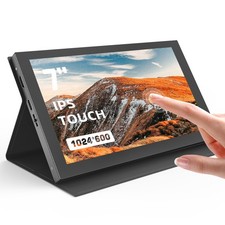
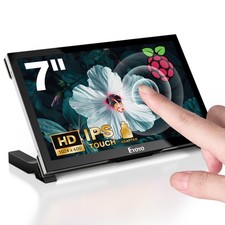
Eyoyo 7" Screen for Raspberry Pi, 1024×600 IPS Touch HDMI Monitor5-Point Touchscreen, Plug & Play, Micro-HDMI Adapter Included, Driver-Free Setup, Detachable Stand, PC Sensor Panel Ready,Compatible with Raspberry Pi 5/4B/3B+, BB Black, PC Windows 10 8 7 - BUILD YOUR NEXT PROJECT: Bring your ideas to life with a compact touchscreen for Raspberry Pi projects, smart home dashboards, robotics, DIY electronics and embedded systems. Connect through HDMI and start building
- CLEAR IPS DISPLAY: See code, dashboards and system data clearly on the 1024×600 IPS display, with 420 nits of brightness, 60Hz refresh and a 170° viewing angle for a comfortable view
- TAP, SWIPE AND TAKE CONTROL: Tap, swipe and navigate naturally with 5-point capacitive touch. No extra touch driver is needed, making it easy to interact with supported apps on Pi OS, Linux, Ubuntu, Debian, Android and Windows (Win10/Win8/Win7 system). Note: Touch functionality is not supported on iOS
- CONNECT YOUR PI 5 OR 4: Connecting your Raspberry Pi 5 or 4 is simple: use the included Micro-HDMI to HDMI adapter, then connect the display to your board through HDMI. No need to buy the adapter separately.Perfectly adapt to the Raspberry Pi. The packaging comes with the Raspberry Pi 3B/4B adapters, making the screen and the motherboard connect more convenient. Also you can use it with other mainstream development boards such as Banana Pi, BB BLACK etc.
- TURN YOUR PC INTO A SENSOR PANEL: Keep an eye on CPU temperature, GPU usage, memory and other live system data with a compact PC sensor panel. It’s a practical addition to custom PC cases and hardware monitoring setups
- MORE THAN A PROJECT DISPLAY: Connect a compatible laptop, mini PC or game console through HDMI and use the display for everyday tasks, monitoring or entertainment without taking up much desk space
- MAKE DIY PROJECT MORE INTERACTIVE: Give your Home Assistant dashboard, IoT project, robot or RetroPie setup a touchscreen you can interact with. See information and control your project from one compact display.
- PLUG IN AND GET STARTED: Connect your HDMI source and plug in the USB-A to Type-C power cable—it’s that simple. For audio, connect your headphones or external speakers through the 3.5mm jack.
- EVERYTHING YOU NEED TO START: Get the monitor, detachable bracket, HDMI cable, USB-A to Type-C cable, Micro-HDMI to HDMI adapter, and screws kits in the box
7" IPS Touch Screen – Clear, Smooth, and Precise  |
|