|
TESMART HDC203-PM24 Triple Monitor KVM Switch for Displaylink on Mac For Sale
|
 When you click on links to various merchants on this site and make a purchase, this can result in this site earning a commission. Affiliate programs and affiliations include, but are not limited to, the eBay Partner Network. When you click on links to various merchants on this site and make a purchase, this can result in this site earning a commission. Affiliate programs and affiliations include, but are not limited to, the eBay Partner Network.
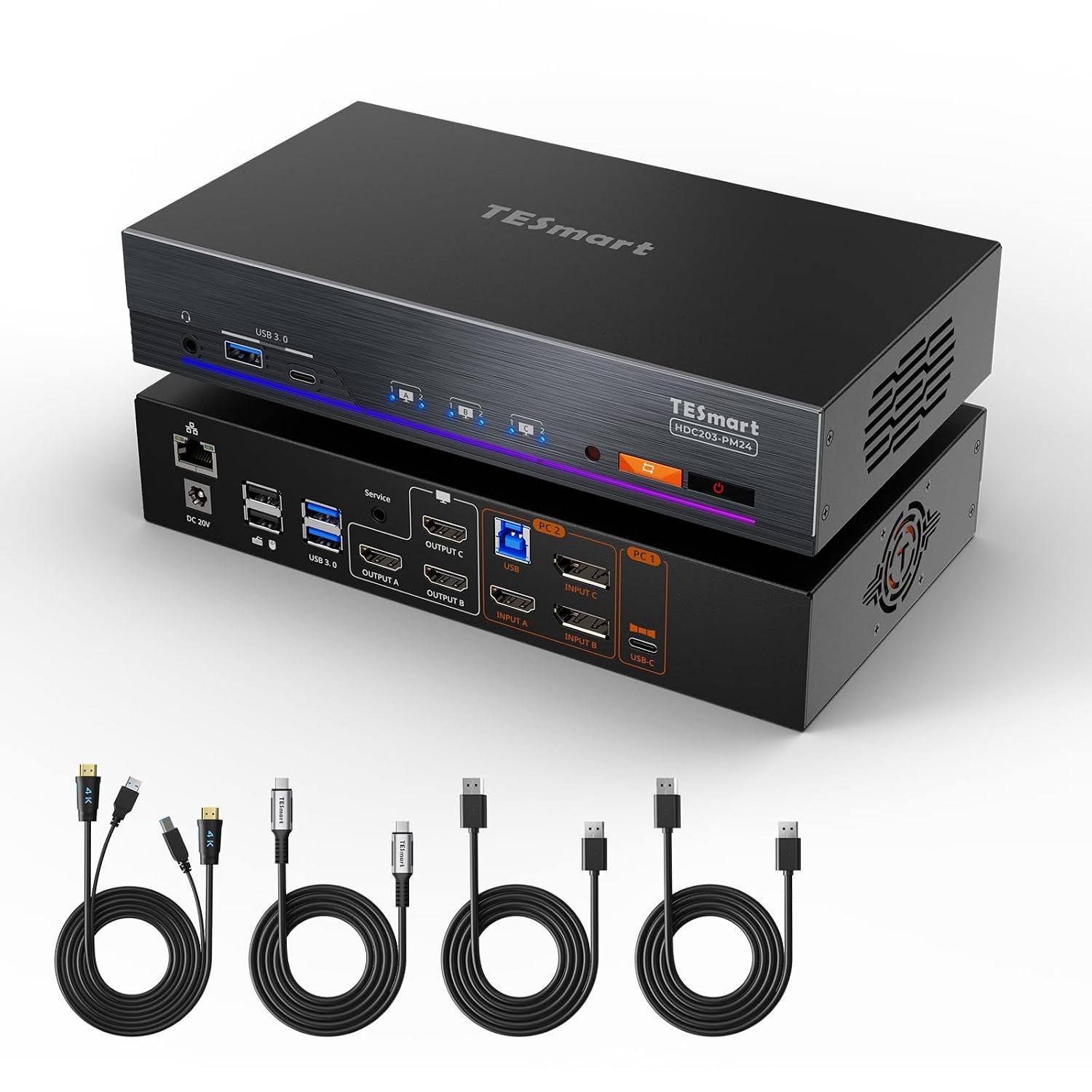
About this item - The First DisplayLink MacBook KVM Switch– Solve macOS multi-display limits: DisplayLink lets M-series MacBooks drive three independent 4K@60Hz external monitors for real workstation productivity
- Designed for desktop+USB-C laptop use (your desktop must support 2× DisplayPort and 1× HDMI). No USB-C display output is provided. For a solution compatible with the Apple Studio Display, please explore TESmart THK402-X4 or TKS202-X4.
- 100W PD for MacBook Workstations - Includes a USB-C cable for instant power on all laptops. To ensure stable operation, this USB-C KVM uses strict PD protection. Charging may temporarily pause under heavy load or power fluctuations. If this occurs, please see the Troubleshooting Guide (PDF) under “Safety Documents” on this product page for more help.
- All-in-One USB 3.0 MacBook Docking Station KVM – Integrates 4× USB 3.2 Gen 1 (5Gbps) ports, 2× USB 1.1 for keyboard/mouse, 1× Gigabit LAN port, 1× 3.5mm audio jack, and 3× HDMI outputs, providing a complete docking and switching solution in one compact device
- Ethernet performance may vary in some network environments. This has been optimized; for further guidance, please see the Troubleshooting Guide (PDF) under “Safety Documents” on this product page.
- UHD 4K@60Hz Display Quality – Delivers crisp 3840×2160@60Hz 4:4:4 visuals with HDMI 2.0 and DisplayPort 1.2 support, as well as high refresh rates for 1080P@240Hz/165Hz/144Hz/120Hz and 2560×1440@120Hz, making it ideal for designers and gamers
- KVM EDID Emulation- With EDID emulators in each input port, your computers always receive the correct display information. Unlike EDID-less KVMs that scramble icons and settings, this kvm free you from the hassle of constantly adjusting display settings
- Flexible Switching Options - Instantly toggle between your desktop and laptop using front-panel buttons, IR remote, or customizable hotkeys. Also compatible with TESmart BTC401M wired controller for convenient access when the KVM is placed under the desk
 |
|
|
|