🔥 SAVE BIG ON LINUX DISTRO MEGA PACKS 🔥
🛒 VISIT MY store LINK HERE 🛒
🚚 Ships Worldwide in Tamper Proof Packaging
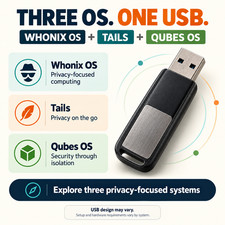
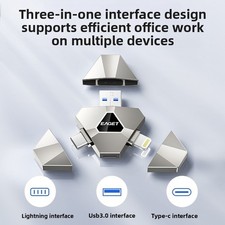
3-IN-1 LINUX PRIVACY & SECURITY USB BUNDLE
Tails Live OS + Qubes OS Installer + Whonix Virtual Machine
Explore three Linux-based open-source systems focused on privacy and security, conveniently supplied on one USB drive. Whether you want a portable live environment, a compartmentalized operating system, or a Tor-based virtual machine setup, this bundle gives you three different options.
WHAT’S INCLUDED
✅ TAILS OS - LIVE USB SYSTEM
Start Tails from the USB on a compatible computer without installing it onto the internal drive. Tails provides a portable desktop with privacy tools and routes internet connections through the Tor network.
✅ QUBES OS - INSTALLATION MEDIA
Install Qubes OS on compatible hardware to separate applications and activities into isolated compartments called “qubes.” The included image starts the installer. Installation onto a suitable drive is required before regular use.
✅ WHONIX - VIRTUALBOX PACKAGE
The included Whonix OVA file contains virtual machines designed for use with VirtualBox. Whonix separates its Tor gateway from its workstation to provide a privacy-focused computing environment.
Whonix must be imported into VirtualBox on a compatible host computer. The included OVA file does not boot directly from the USB or Ventoy menu.
HOW THIS BUNDLE WORKS
Tails: Boot from USB to use a live desktop.
Qubes OS: Boot from USB to begin installation.
Whonix: Start your existing operating system and import the included OVA file into VirtualBox.
The USB is reusable for supported live sessions, installations, and access to the included files.
OPEN-SOURCE SOFTWARE DISCLOSURE
Qubes OS, Whonix, and Tails are free and open-source software, available to download from their respective official websites. Your purchase covers the physical USB drive, preparation, testing, and packaging.
All software remains subject to its respective licenses. This product is independently prepared and is not affiliated with or endorsed by these projects.
STARTING TAILS OR THE QUBES INSTALLER
Shut down your computer and insert the USB drive.
Turn on the computer and open its boot menu. The required key varies by manufacturer, so check your computer’s documentation.
Select the USB drive from the boot-device list.
In the Ventoy menu, select Tails or the Qubes OS installer.
Follow the on-screen instructions for your selection.
SETTING UP WHONIX
Start your existing operating system.
Install a compatible version of VirtualBox.
Open VirtualBox and select File > Import Appliance.
Select the Whonix .ova file supplied on the USB and complete the import.
Start Whonix-Gateway first, followed by Whonix-Workstation, and complete the initial setup.
CHECK COMPATIBILITY BEFORE PURCHASING
These systems have different hardware requirements. Qubes OS requires specific virtualization features and suitable hardware. Whonix requires a compatible host operating system, VirtualBox, and sufficient resources to run its virtual machines.
Compatibility with every PC or Chromebook is not guaranteed. Please send your computer’s make and model before purchasing if you need help checking suitability.
Back up important files before installing Qubes OS, as installation can erase the selected destination drive.