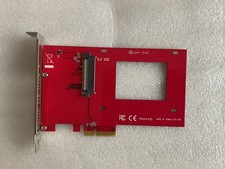
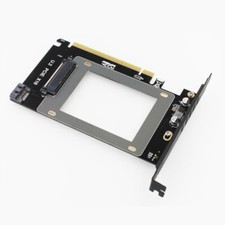
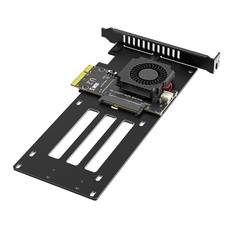
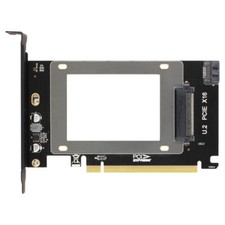
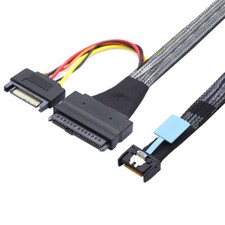
Description:This adapter card is for U.2 SSD or SATA SSD and convert it to PCI-e adapter in order to expand the drives. It directly plug to motherboard PCI-e X16 slot without speed lost.Feature:Integrated high-speed signal enhancement technique, full speed transmissionAccurate solid structure designSupport U.2 SSD or SATA SSD5A high power DC TO DC power supply moduleLong running stability and can work under wide temperaturePCI-e 3.0 X16 GEN3 design, from the underlying technology to ensure full speedNo driver required, plulg and playAdapter Size: 145 x 85 x 2mm (5.71 x 3.35 x 0.08 inch)Packing List (bulk pack):1 x PCI-e adapter card1 x Full height bracket1 x Set of screwsNote:SSD is not includedSATA SSD requires SATA cable which is not includedPlease check if the indicator light is on, and enter Disk Management after booting up to see if the device is recognized.If the device cannot be recognized, please first check the model of the machine and troubleshoot compatibility issues. (A new hard drive needs to be partitioned in Disk Management.)Please allow 0.5-1cm differences due to manual measurement.
Due to the light and screen difference, the item's color may be slightly different from the pictures.Notes for Use of U.2 SSD Adapter (PCIe 16x Interface)To avoid the issue of the adapter and hard drive not being recognized in the Windows 11 system and ensure the device functions as advertised, please pay attention to the following points before use or when encountering recognition failures:1.Ensure Secure Hardware Connection:Be sure to fully insert the adapter into the PCIe 16x slot and press it until the fixing buckle locks in place; the connection between the U.2 SSD and the adapter must be plugged in tightly, and the external power cable (if applicable) should be connected firmly without loosening.Regularly check the gold fingers of the adapter and SSD. If there is oxidation or dust accumulation, wipe them gently with an eraser before installation to prevent signal transmission obstruction.2.Configure BIOS Settings Appropriately:Enter the motherboard BIOS and confirm that the used PCIe 16x slot is enabled, and at the same time, turn on the relevant support options for NVMe/U.2 storage.Set the BIOS boot mode to UEFI and disable the CSM compatibility mode (this mode may interfere with Windows 11's recognition of the device), and ensure that the working mode of the PCIe slot is compatible with the adapter.3.Troubleshoot Compatibility and Quality Issues:If the device is still not recognized after the above operations, troubleshoot hardware faults through cross-testing (connect the SSD to another adapter/computer, or connect the adapter to another computer).
On Nov 24, 2025 at 02:18:41 PST, seller added the following information: