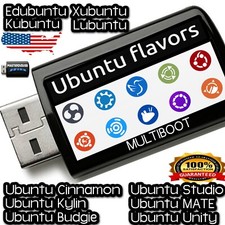
LINUX UBUNTU KYLINALL LATEST BUILDS ISOsLATEST | STANDARD
🔥CHECKOUT 24-in-1 MASTER USBWhat is LINUX UBUNTU KYLIN?
Ubuntu Kylin is an official Ubuntu flavor tailored primarily for Chinese users while remaining accessible worldwide. Ubuntu KyliKylinility of Ubuntu with the UKUI desktop environment, which offers a clean, Windows-like layout for easy navigation. Ubuntu Kylin includes built-in Chinese language support, localized applications, and popular regional software integrations. Based on Ubuntu’s long-term support releases, it provides strong security updates and hardware compatibility. The system features a user-friendly control center, customizable themes, and smooth performance on modern and older hardware. Ubuntu Kylin is suitable for students, professionals, and home users seeking a polished Linux experience.
☑️HOW TO BOOT LINUX OS FROM USB OR DVD?
✅STEPS FOR WINDOWS PC & CHROMEBOOKS
1.Turn-off your computer
2.Insert the USB/DVD into any available USB port/DVD drive.
3.Switch on your computer
4.Press the key that allows your computer to boot to an alternate device (ESC on many HPs, F12 on many Dells, F8 on many custom builds, yours may vary, see your computer's documentation)
5.At the Book-up screen, select Boot from USB Interface or Boot from DVD option, press enter.
6.Wait for OS to load, then follow on-screen links for initiate OS.
7.Wait for system to boot into Linux OS.Done!Enjoy!
✅STEP FOR APPLE MACS DEVICES
1.Turn-off your computer
2.Insert the USB into any available USB port
3.Switch on your computer
4.Press the Option keyon your keyboard to go the boot menu
5.Select EFI Book
6.Follow on-screen links for initiate OS.
7.Wait for system to boot into Linux OS. Done! Enjoy!