DevPurple - Ultimate GnuCash Pack DEVPURPLE
Premium Software Collections
ULTIMATE GNUCASH PACK
Personal and small business accounting built on double-entry bookkeeping, for Windows, Mac, and Linux, supplied on USB Drive or DVD, with the complete manual in six languages
Keep proper books on your own computer with the Ultimate GnuCash Pack. GnuCash is supplied for Windows, Mac, and Linux on one piece of media: the current stable release, a second installer for Windows 7, native builds for both Mac processor types, the source code for Linux, and the complete user documentation as twelve ready to read PDF and EPUB files. No product key, no activation, no subscription, and no device limit.
This matters, and it is the difference between this and a simple expense tracker. GnuCash uses double-entry bookkeeping, where every transaction debits one account and credits another by an equal amount. That is what keeps a set of books balanced and makes the reports mean something. A program that only tracks what you spent can give you a total. Double-entry accounting is what lets you produce a balance sheet that is actually correct.
You do not have to learn accounting to use it. GnuCash is operated like a checkbook register, so entering a transaction feels familiar, and the two sides of the entry are handled for you. The accounting principles are working underneath, which is why the numbers hold up.
Accounting That Actually Balances
- It uses real double-entry bookkeeping: Every transaction debits one account and credits another by an equal amount, so the books balance and the reports are trustworthy rather than approximate.
- It is used like a checkbook register: Entering a transaction feels familiar, and the accounting behind it is handled for you.
- That is the part most budget software leaves out. Tracking what you spent is not the same thing as keeping books, and this pack is about the latter.
Windows, Mac, And Linux In One Pack
- Windows 8, 10 and 11: the current stable release, GnuCash 5.16.
- Windows 7: GnuCash 4.14. The GnuCash download page lists this release for Microsoft Windows 7, 8 and 10.
- Windows 7, second option: GnuCash 3.11. The GnuCash home page calls version 3.11 the last version for Windows 7. The project describes this in two places and the two descriptions disagree, so both builds are included and you can try either.
- Mac with Apple Silicon: the native build for the M1, M2, M3 and M4 family, needing macOS 11 Big Sur or newer.
- Mac with an Intel processor: the native Intel build, needing macOS 10.13 High Sierra or newer.
- Linux: the official 5.16 source release, which is the supported route on Linux. GnuCash is also packaged by most distributions and published as a Flatpak on Flathub.
- Both Mac builds are native. This is not one Intel build that has to run through an emulation layer, and there is nothing extra to install on an Apple Silicon Mac.
The Complete Manual Is Included
GnuCash is unusually well documented for open source, and both of its books are on the media as finished PDF files, ready to read, with no building or converting needed:
- The GnuCash Manual: the reference, covering how each feature is used, screen by screen.
- The GnuCash Tutorial and Concepts Guide: the place to start. It explains the accounting ideas behind the program and then walks through putting them into practice with worked examples.
- The English editions also come as EPUB, for a phone, a tablet or an e-reader.
- And the same two books in German, Italian, Portuguese, Japanese and Chinese, so a household that does not work in English still has the manual in its own language.
- Twelve documents in total, on the media and readable the moment you open it, with nothing to download afterwards.
What You Can Do With It
- Keep your daily finances: Checking, savings, credit card, cash and asset accounts, all in one file.
- Track income and expenses: Use income and expense categories to see where the money actually goes.
- Follow investments: Track stocks, bonds and mutual funds individually or as a portfolio, with prices.
- Work in more than one currency: Different accounts can be held in different currencies, and movements between them stay balanced.
- Set up recurring transactions: Create scheduled transactions with control over amounts and timing, and set a reminder for when one is due. An assistant on start-up lets you postpone one without cancelling it.
- Reconcile against a bank statement: Compare what you entered against the statement, with running cleared and reconciled balances, to catch anything untracked or mistyped.
- Plan a loan: The mortgage and loan repayment assistant sets up the payments as scheduled transactions for you.
- Print checks: Print on common check stock, and design your own layout if the standard ones do not suit.
- Run a small business: Track customers and vendors, manage jobs, raise invoices, record bill payments, and set tax and billing terms.
- Handle payroll: Using receivable and payable accounts, manage payroll for employees.
- Budget: Use the built-in budgeting tool to plan ahead.
- Produce reports and graphs: The balance sheet, profit and loss, portfolio valuation and many others, with bar charts, pie charts and scatter plots. Reports can be customised in appearance and content.
- Import from other software: Quicken QIF files and OFX files import through an assistant, and a transaction matching system recognises duplicates and removes them during the import.
- Find one transaction in a large file: The transaction finder is a full query dialogue, not just a search box.
- Work in your own language: The menus and popups are translated into 61 languages, and dates and currencies follow your regional settings.
Windows 7: Both Builds, And Why
GnuCash is one of the few accounting programs that still offers a build for Windows 7, and the project describes it in two places that do not agree.
- The GnuCash download page lists GnuCash 4.14 for Microsoft Windows 7, 8 and 10.
- The GnuCash home page states that version 3.11 is the last version for Windows 7.
- Rather than pick one and hope, both builds are on the media. Start with 4.14, since the download page is the page the project points people to for choosing a version.
- If 4.14 does not start on your machine, use 3.11, which is the build the home page points to. Installing one has no effect on the other, and both are complete GnuCash releases with every feature described here.
Where Your Books Are Kept
- Your books are a single file: You choose the name and the folder when you save, so they can live anywhere you like, including a folder that is backed up or synchronised.
- Nothing leaves your computer unless you decide it should. That is the main difference between this and a cloud accounting service.
- The project also offers storing books in a SQLite, MySQL or PostgreSQL database. The project labels that option experimental, so the single file is the option we would suggest, and we would rather tell you that than let you find out later.
System Requirements
- Operating system: Windows 8, 10 or 11 for the current release, Windows 7 through 11 across the builds supplied, macOS 11 Big Sur or newer for the Apple Silicon build, macOS 10.13 High Sierra or newer for the Intel build, or Linux.
- Processor: 2 GHz or faster.
- Memory: 2 GB or more.
- Disk space: About 655 MB installed for the current stable release on Windows, or 471 MB for the 4.14 release.
- Administrator rights: Needed to run the Windows installer.
- No internet connection is needed for the application itself, or for the manual, which is included as a PDF.
What's Included
- One Physical Media: Your choice of a Premium USB Drive or DVD, pre-loaded with the complete pack
- Windows 8, 10 and 11: The official GnuCash 5.16 installer, the current stable release
- Windows 7: The official GnuCash 4.14 installer, which the GnuCash download page lists for Windows 7, 8 and 10
- Windows 7, Second Option: The official GnuCash 3.11 installer, the build the GnuCash home page calls the last version for Windows 7
- Apple Silicon Mac: The official GnuCash 5.16 disk image for the M1, M2, M3 and M4 family, needing macOS 11 Big Sur or newer
- Intel Mac: The official GnuCash 5.16 disk image, needing macOS 10.13 High Sierra or newer
- Linux Source: The official GnuCash 5.16 and 4.14 source releases
- Publisher Digest Files: The two digest files the GnuCash project published with the 4.14 and 3.11 releases, included unchanged
- Twelve Documentation Files: The Manual and the Tutorial and Concepts Guide in English as PDF and EPUB, and the same two books in German, Italian, Portuguese, Japanese and Chinese
- Setup Notes: A Read Me covering which build to pick for your version of Windows or macOS, and what to expect on the first run
Shipping & Delivery
- Fast Processing: Orders typically ship within 1-2 business days
- Tracked Shipping: Delivery confirmation included on all orders
- Secure Packaging: Your disc or drive arrives protected and ready to use
- Worldwide Shipping Available: Check listing for rates and estimated delivery times
Satisfaction Guarantee
If there is an issue with your order, contact us and we will make it right (including replacements for defective media).
Why Buy From Dev Purple? Three Systems Covered
Windows, macOS, and Linux, with the correct build supplied for each, including a native build for both Mac processor types rather than one Intel build that needs an emulation layer.
Windows 7 Covered Twice Over
Two candidate builds, with a plain explanation of why both are here, because the project describes Windows 7 support in two different ways and we would rather cover it than guess.
The Complete Manual, Not A Link
Two full books as PDF in six languages, plus EPUB for the English editions, ready to read the moment you open the media.
Genuine Releases
Every installer, disk image and source archive here is the official release from the GnuCash project, and the digest files the project publishes alongside its releases are included as well.
No Subscription
A complete accounting program with no monthly fee, no product key, and no expiry. The source code is included as well.
Dedicated Support
Contact us with any questions before or after your purchase. We are here to help.
Compliance
This listing complies with 's software policy. This is a lawful compilation of redistributable software. No paid, commercial, or copyrighted software is included. Every program fits one of these categories:
- GPL licensed: GnuCash is released under the GNU General Public License, and that license explicitly grants anyone the right to copy, distribute, and redistribute the software in any medium, provided the license terms are preserved. This is a core feature of copyleft licensing. The GnuCash project also publishes the source code for every release, and that source code is included on the media.
- Genuine releases, unmodified: Every file on the media is the official release as published by the GnuCash project, unchanged. Nothing has been patched, cracked, or rebuilt.
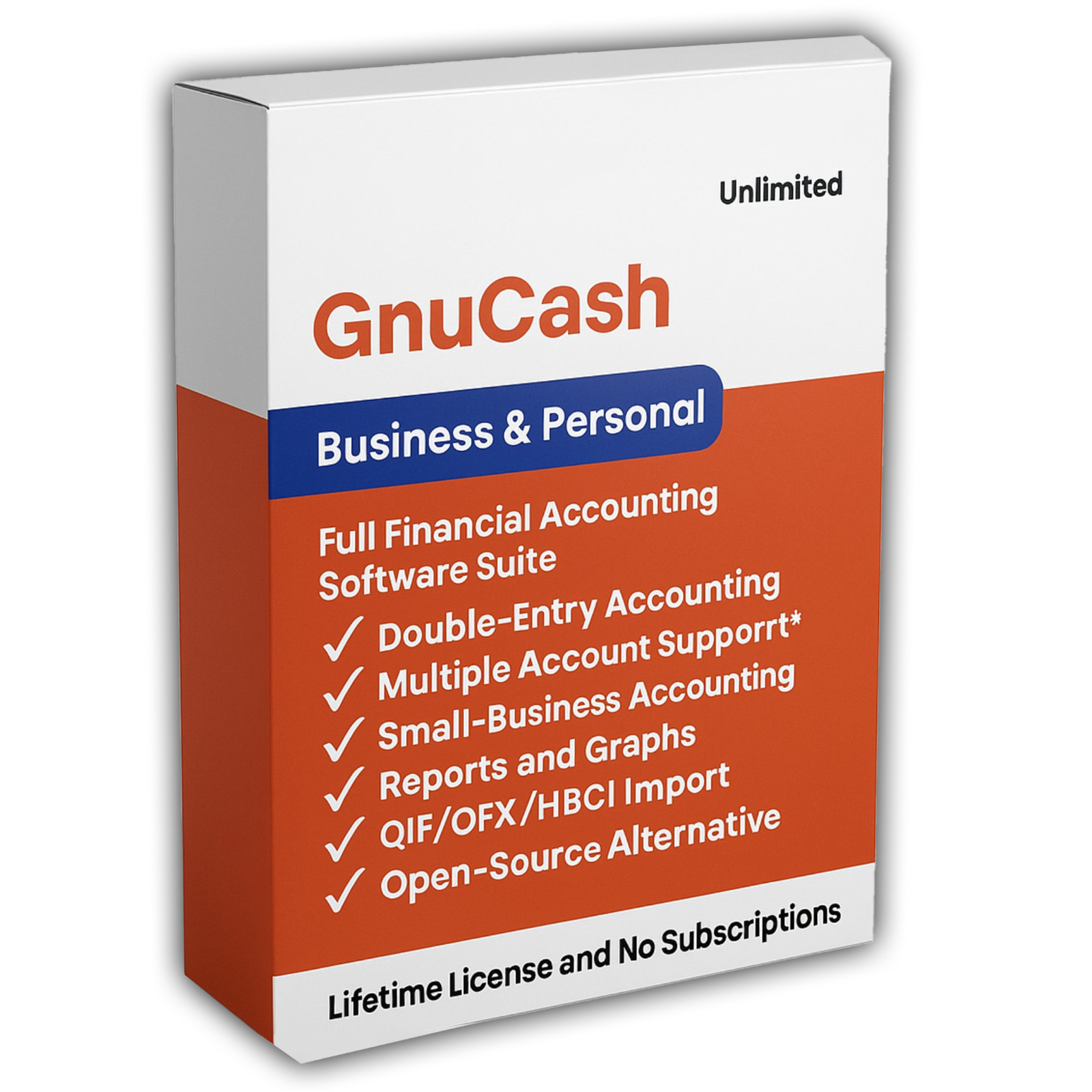
The GnuCash name is used here to refer to GnuCash itself. This pack is an independent compilation and is not endorsed by or affiliated with the GnuCash project. The software box shown in any product images is a display image only and is not included. You receive the media only.
's Verified Rights Owner (VeRO) program targets listings that infringe intellectual property. This listing does not fall into that category because GnuCash's license already authorizes the copying and redistribution being done here. Buyers receive only the rights the original license grants.
Frequently Asked Questions
How is this item delivered?
This is a physical item (USB drive or DVD) that will be shipped to you. Choose your format when you order.
Which Windows build should I install?
On Windows 8, 10 or 11, use GnuCash 5.16, the current stable release. On Windows 7, start with GnuCash 4.14, which the GnuCash download page lists for Windows 7, 8 and 10. If 4.14 does not start, use GnuCash 3.11, the build the GnuCash home page calls the last version for Windows 7.
Does this work on a Mac?
Yes, and there are two native builds so you get the right one for your machine. Gnucash-Arm is for Apple Silicon, the M1, M2, M3 and M4 family, and needs macOS 11 Big Sur or newer. Gnucash-Intel is for Intel Macs and needs macOS 10.13 High Sierra or newer. To check which you have, open the Apple menu, choose About This Mac, and look at the line marked Chip or Processor.
Is the manual included?
Yes, and this is one of the reasons to choose this pack. Both GnuCash books are on the media as finished PDF files, ready to read: the GnuCash Manual, which is the reference, and the Tutorial and Concepts Guide, which teaches the accounting ideas behind the program. The English editions also come as EPUB, and both books are included in German, Italian, Portuguese, Japanese and Chinese as well. That is twelve documents in total.
What is the difference between this and a budgeting app?
A budgeting app tracks what you spent. GnuCash uses double-entry bookkeeping, where every transaction debits one account and credits another by an equal amount, so the books balance and the reports are correct rather than approximate. It is operated like a checkbook register, so you do not need to know accounting to use it.
Can I import my data from Quicken or from my bank?
Yes. GnuCash imports Quicken QIF files and OFX files through an assistant, and a transaction matching system recognises duplicate entries and removes them during the import. If you are moving from other financial software, that is the route to take.
Where are my books saved?
GnuCash saves your books to a single file, and you choose the name and the folder when you save. They can live anywhere you like, including a folder that is backed up or synchronised. The project also offers storing books inside a SQLite, MySQL or PostgreSQL database, which the project labels experimental, so the single file is the option we would suggest.
Does it work with stocks and multiple currencies?
Yes. You can track stocks, bonds and mutual funds individually or as a portfolio, with prices, and different accounts can be held in different currencies with movements between them staying balanced. One note the GnuCash project publishes: online quotes are not built into the installer and come through a separate Perl module called Finance::Quote, which the project asks you to install yourself. Entering prices by hand works without it.
Does this software need a product key or activation?
No. GnuCash is released under the GNU General Public License, so there is no product key, no activation step, no registration, and no account. Install it and start keeping books.
Is this a portable program?
No, and we would rather say so plainly. The Windows releases are standard setup programs that install in the normal way. They create a Start menu entry and an uninstaller, and they remove themselves cleanly. Administrator rights are needed to install.
Do I need to copy the pack to my computer first?
For DVD orders, copy the pack folder to your computer (for example, your Desktop) first, then run the installer from there. DVDs have much slower read speeds than USB drives, and a DVD install run directly from the disc will be slow.
Important Notes
- This is a PHYSICAL ITEM (USB DRIVE OR DVD) that will be shipped to you. Choose your format when you order.
- Windows, macOS, and Linux are all covered, with a native build supplied for both Mac processor types.
- Two Windows 7 candidates are included, because the GnuCash project describes Windows 7 support in two different ways. The Read Me explains which to try first.
- Every file is the official release, unmodified, taken from the GnuCash project's own download pages.
- Online quotes need a separate Perl module. GnuCash retrieves investment prices through Finance::Quote, which the GnuCash project asks you to install separately.
- GnuCash installs in the normal way. It is not a portable application, and administrator rights are needed.
- Contact us with any questions before or after your purchase.
Thanks for Shopping with DevPurple!
Your premium software collection is here.
© 2026 DevPurple. All rights reserved.