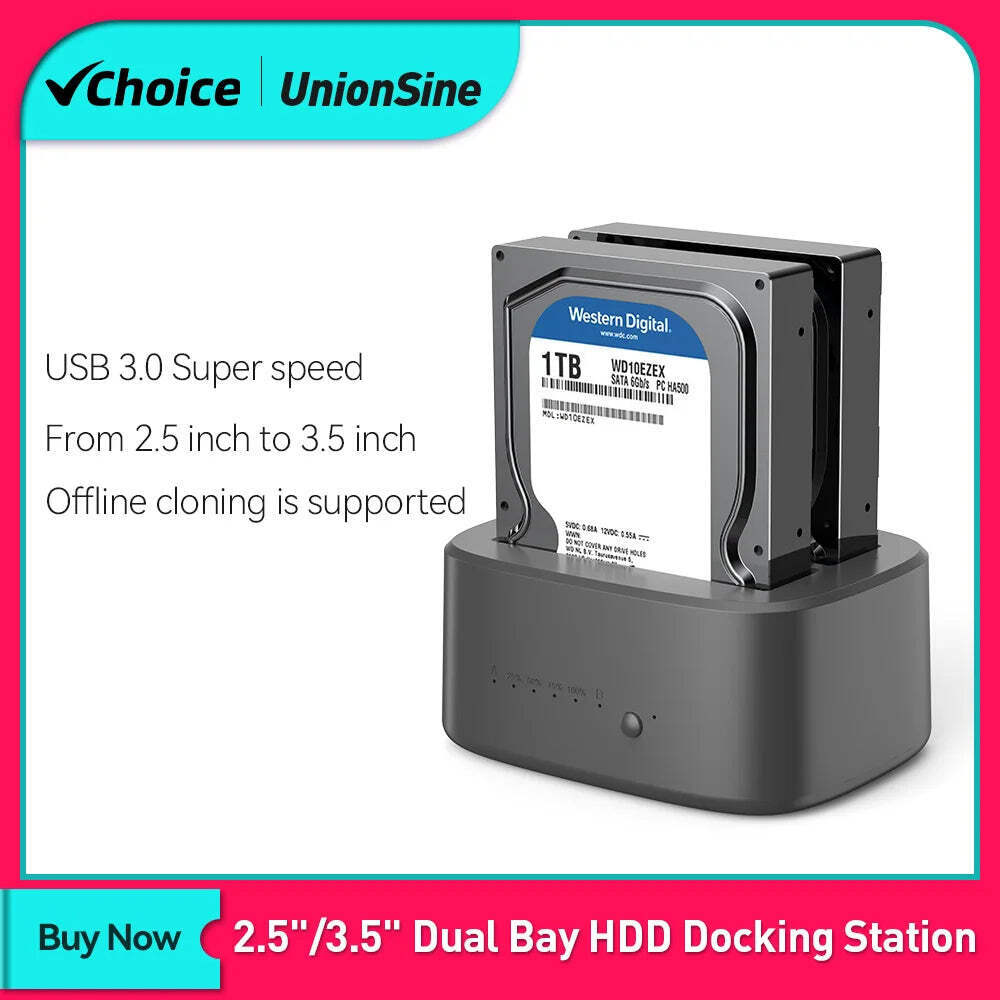
UnionSine Dual Bay HDD Docking Station with Offline Clone SATA to USB 3.0 HDD Clone Docking Station for 2.5/3.5'' SSD HDD CaseSPECIFICATIONSBrand Name: UnionSineOrigin: Mainland ChinaHign-concerned Chemical: NoneCase Material: PlasticPlug Type: EU PlugSupporting Hard Drive Capacity: 16TB * 2External Interface: USBInternal Interface: SATAModel Number: US-Z2Package: YesSize: 2.5"Size: 3.5"Choice: yes • Dual Bay Design :The UnionSine Dual Bay HDD Docking Station allows you to connect two hard drives or SSDs simultaneously, making it easy to backup and transfer data. • Offline Clone Functionality :With the offline clone feature, you can create a backup of your hard drive without the need for additional software or tools. • USB 3.0 Connectivity :The USB 3.0 interface provides fast data transfer speeds, making it easy to move large files quickly. • SATA Internal Interface :The SATA internal interface ensures compatibility with a wide range of hard drives and SSDs, making it a versatile option for any computer user. Product Description(Color:2-Bay) UnionSine Dual-bay hard drive docking stationThis docking station compatible with 2.5 inch or 3.5 inch HDD/SSD up to 16TB per bay, provide a more convenient way of transmitting data between your hard drive and computer through an available USB port. Superspeed USB 3.0 and SATA III Data transfer rate can reach up to 5Gbps, 20% faster than traditional USB 3.0 with UASP Transfer Protocol; UASP functionality requires UASP capable host controller and operating system. Offline clone function ----Make sure that the USB cable is disconnected from your computer.1.Insert one hard drive in the Source bay, other drive in the target bay(The capacity of Target drive must be equal or bigger than Source drive.)2.Push the PC / CLONE switch on the back of the hard drive to the CLONE side.3. Connect power supply and press the POWER switch.4. Then press the START Button on the back.5. A Blue LED will flash on 20% indicating that the cloning process has begun.6. The cloning process is complete when ALL the lights turn solid Blue (20%-100%).7. Finally press the POWER switch and eject your drives.Notes:1.Please backup files in the target hard drive before cloning. Any files in target hard drive will be overwritten when offline cloning occurs, If the Target Disk Data is Still Useful, Please Use your Computer to Make a Backup First.2.To avoid data loss, do not remove or insert hard drives when one drive is working in the docking station.3.Make sure the USB cable is disconnected when using offline clone function Attention HDD/SSD is not includedPlease power off the docking station before removing Features *ON/OFF power switch*LED light indicates the working status*12V3A power adapter ensures enough power for devices*Plug and play, hot-swapping, no drivers or applications needed*Compatible with most major systems in market such as Windows, Linux and Mac OS*Widely Used be connected to PC/TV/PS4/Router Thanks for choosing UnionSine. For our hard drive enclosure, it does not include the hard drive. Please check the information carefully before you place the order. Any problem please feel free to contact us, we will try our best to help you. Wish you a good day! UnionSine Dual Bay HDD Docking Station with Offline Clone SATA to USB 3.0 HDD Clone Docking Station for 2.5/3.5'' SSD HDD Case SPECIFICATIONS
Brand Name: UnionSine
Origin: Mainland China
Hign-concerned Chemical: None
Case Material: Plastic
Plug Type: EU Plug
Supporting Hard Drive Capacity: 16TB * 2
External Interface: USB
Internal Interface: SATA
Model Number: US-Z2
Package: Yes
Size: 2.5"
Size: 3.5"
Choice: yes
• Offline Clone Functionality :With the offline clone feature, you can create a backup of your hard drive without the need for additional software or tools.
• SATA Internal Interface :The SATA internal interface ensures compatibility with a wide range of hard drives and SSDs, making it a versatile option for any computer user.
This docking station compatible with 2.5 inch or 3.5 inch HDD/SSD up to 16TB per bay, provide a more convenient way of transmitting data between your hard drive and computer through an available USB port.
Offline clone function
----Make sure that the USB cable is disconnected from your computer.1.Insert one hard drive in the Source bay, other drive in the target bay(The capacity of Target drive must be equal or bigger than Source drive.)2.Push the PC / CLONE switch on the back of the hard drive to the CLONE side.3. Connect power supply and press the POWER switch.4. Then press the START Button on the back.5. A Blue LED will flash on 20% indicating that the cloning process has begun.6. The cloning process is complete when ALL the lights turn solid Blue (20%-100%).7. Finally press the POWER switch and eject your drives.Notes:
1.Please backup files in the target hard drive before cloning. Any files in target hard drive will be overwritten when offline cloning occurs, If the Target Disk Data is Still Useful, Please Use your Computer to Make a Backup First.
2.To avoid data loss, do not remove or insert hard drives when one drive is working in the docking station.
3.Make sure the USB cable is disconnected when using offline clone function
Please power off the docking station before removing
*LED light indicates the working status
*12V3A power adapter ensures enough power for devices
*Plug and play, hot-swapping, no drivers or applications needed
*Compatible with most major systems in market such as Windows, Linux and Mac OS
*Widely Uséd be connected to PC/TV/PS4/Router
Thanks for choosing UnionSine.
For our hard drive enclosure, it does not include the hard drive.
Please check the information carefully before you place the order.
Any problem please feel free to contact us, we will try our best to help you.
Wish you a good day!
Shipping info
Click the Shipping & Payments tab above the listing description for more info
Click the Shipping & Payments tab above the listing description for more info!
Additional delivery notes
PICK UP OPTION
Sorry, our items are NOT available for pick-up.
PAYMENT
Immediate payment is required upon selecting "Buy It Now" or upon checking out through the cart.
We accept payment via U.S. PayPal accounts and all Major Credit Cards, Debit Cards & Google Pay.
We are legally required to collect sales tax in those states and localities where we maintain a physical presence (nexus).
The applicable amount of sales tax charged to an order will be calculated based on the shipment destination's state and local sales tax laws.
Thank you for shopping with us on !
Additional Information
No additional information at this time
Ask seller a question
You might also like Front Dashboard Air Conditioning Ac Vent Grille Cover Panel For Mercedes Benz E Front Central Air Conditioner Ac Vent Grille Outlet Assembly For BMW 5 Series F1 Car Dashboard Multimedia Radio CD Player Audio Volume Rotary Switch Knob Cap For 4 Colors Interior Car Door Armrest Panel Plastic Door Handle Cover Trim Replacem Contact
To contact our Customer Service Team, simply click the button here and our Customer Service team will be happy to assist.
Ask seller a question
© My Store
Shipping & Payments
Click the Shipping & Payments tab above the listing description for more info
Payment
Accepted Payment Methods
Immediate payment is required upon selecting "Buy It Now" or upon checking out through the cart.
We accept payment via U.S. PayPal accounts and all Major Credit Cards, Debit Cards & Google Pay.
We are legally required to collect sales tax in those states and localities where we maintain a physical presence (nexus).
The applicable amount of sales tax charged to an order will be calculated based on the shipment destination's state and local sales tax laws.
Thank you for shopping with us on !
Returns
Returns are accepted
Items must be returned within 30 days of the sale ending
Buyer will pay for return shipping.
integration by