WAVLINK Docking Station Comparison | 15-in-1 Triple 4K & 5K Universal Docks WAVLINK Universal DisplayLink Docking Stations — Model Comparison
15-in-1 triple-display USB-C docks and a 5K ultra-HD universal dock, built for M1 / M2 / M3 Mac, Windows, Chrome OS and Ubuntu laptops. Compare the key specs below, then match a dock to the way you actually work.
Comparison Table 1 — Display & PerformanceDisplay & PerformanceFeatureWAVLINK WL-UG69DK13
15-in-1 Triple 4K DockWAVLINK WL-UG63PD13
15-in-1 4K + Dual 2K DockWavlink USB-C 5K Universal Dock
Ultra HD Multiple Display DockVideo Output Ports3× HDMI + 2× DP3× HDMI + 2× DP2× HDMI + 2× DPChipsetDisplayLink DL-6950DisplayLink DL-6350DisplayLink DL6950 + VL813Single Display (Max)4K@60Hz (3840×2160)4K@60Hz (3840×2160)5K@60Hz (5120×2880)Dual Display (Max)4K@60Hz + 4K@60Hz4K@60Hz + 2K@60Hz (2560×1600)Dual 4K@60Hz (4096×2160)Triple Display (Max)4K@60Hz × 34K@60Hz + 2K@60Hz × 2—Display ModesExtend / Mirror / Rotation / ClamshellExtend / Mirror / Rotation / ClamshellExtend / MirrorAudio Channel4-pole TRRS phone jack4-pole TRRS phone jack5.1 channel surround sound via Display & HDMIMac M1 / M2 / M3
Triple Monitor✓ Up to 3 external monitors with unique content✓ Up to 3 external monitors with unique content—Comparison Table 2 — Ports, Power & CompatibilityPorts · Power · CompatibilityFeatureWAVLINK WL-UG69DK13WAVLINK WL-UG63PD13Wavlink USB-C 5K Universal DockUSB-A Ports3× USB-A 5Gbps3× USB-A 5Gbps6× USB 3.0 (5Gbps)USB-C Ports2× USB-C 10Gbps
(one supports BC 1.2 fast charging)2× USB-C 10Gbps1× USB-C (Host)Card ReaderSD / TF, up to 104MB/sSD / TF, up to 104MB/s—EthernetGigabit RJ45 10/100/1000MbpsGigabit RJ45 10/100/1000MbpsGigabit RJ-45Audio2-in-1 Audio & Mic (TRRS 4-pole)2-in-1 Audio & Mic (TRRS 4-pole)Separate Earphone & Microphone JackPower SupplyDC 20V/2A 40W adapter —
powers the dock and all connected peripheralsDC 20V/5A 100W adapter —
supports up to 65W laptop chargingDC 20V/2A certified power adapterHost CableUSB-C to USB-C with E-mark, 100cmUSB-C to USB-C with E-mark, 100cmUSB 3.0 C-to-C + USB 3.0 A-to-C cableDriverDisplayLink driver required
(download from displaylink.com)DisplayLink driver required
(download from displaylink.com)Latest DisplayLink driver
(download from displaylink.com)Operating SystemsWindows 11/10/8.1/8/7/XP/Vista · Mac OS 10.14–14.x and latest · Chrome OS · Ubuntu 20.04–24.04 · Android 5.0+ · Harmony OSWindows 11/10/8.1/8/7/XP/Vista · Mac OS 10.14–14.x and latest · Chrome OS · Ubuntu 20.04–24.04 · Android 5.0+ · Harmony OSWindows 10 / 8.1 / 8 / 7 / XP · Mac OS · AndroidHousing / WeightABS Plastic · 570gABS Plastic · 570gABS PlasticExtra DesignKensington lock · non-slip pads · ventilation holes · ON/OFF button · Blue LEDKensington lock · non-slip pads · ventilation holes · ON/OFF button · Blue LEDLED indicator · ON/OFF switchWhich One Should You Buy? Best for Triple 4KWAVLINK WL-UG69DK13 — 15-in-1 Triple 4K Dock
Choose this if your priority is three simultaneous 4K@60Hz displays. The DisplayLink DL-6950 chipset drives triple 4K output, and the 40W DC adapter keeps every connected peripheral running smoothly during long data-transfer or display sessions. Ideal for video editing, trading desks, and multi-window productivity setups.
Best All-RounderWAVLINK WL-UG63PD13 — 15-in-1 4K + Dual 2K Dock
Choose this if you want one cable for everything — including laptop charging. The 100W adapter delivers up to 65W to your laptop while running three displays (4K + dual 2K@60Hz) and all your USB peripherals. Perfect for office hot-desking, travel, and Mac M1/M2/M3 users who want a clutter-free desk.
Best Ultra-HD DetailWavlink USB-C 5K Universal Dock
Choose this if you need maximum pixel density — 5K@60Hz on a single monitor or dual 4K@60Hz, plus 6 USB 3.0 ports, 5.1 channel surround sound, and both USB-C and USB-A host cables in the box. A great fit for photographers, designers, CAD and medical imaging work.
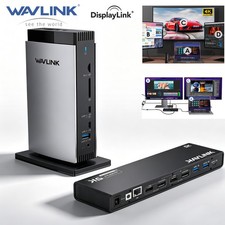
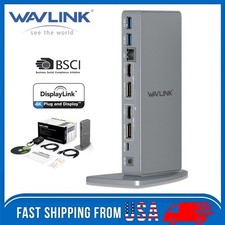
WAVLINK Universal DisplayLink Docking Station — Triple 4K, 15-in-1 with 3 HDMI, 2 DP, RJ45, Audio/Mic, SD/TF, 5 USB PortsModel: WL-UG69DK13💼 15 Ports Expand Your Options
All through a single USB C-C connection, the dock easily turns your laptop's Type-C port into 3 HDMI ports, 2 DisplayPort, a host USB-C port, 2 USB-C ports, 3 USB-A ports, an RJ45 ethernet port, SD/TF card slots, and a 4-pole phone jack. A perfect solution for your home or office workstation.
🌟 Attention: HDMI (Alt. Mode) requires your laptop's Type-C port to support video output.
💻 Boost Productivity with Multitasking
Connect triple 4K monitors with ease! Experience exceptional 4K@60Hz output on the HDMI (Alt. Mode) port for tasks like video editing and gaming. The DisplayLink-6950 chipset enables dual 4K@60Hz displays on the DISPLAY 1/2 (HDMI/DP) ports, perfect for expanding display options on M1/M2/M3 Macs. Great for web browsing and productivity applications; not recommended for gaming-intensive use.
🔋 Adequate 40W DC In Power
This docking station includes a 40W DC input power adapter which ensures there's enough power to run all connected peripherals efficiently during data transfer or display usage, keeping your workstation operational without depleting your laptop's power reserve.
🚀 Super-Speed Transfer & Stable Network
Enjoy quick file transfers with 3 USB-A 5Gbps and 2 USB-C 10Gbps ports, perfect for connecting external hard drives and USB devices. The SD/TF card slots offer fast transfer speeds of up to 104MB/s, ideal for photographers, designers, and filmmakers to store their work effortlessly. Stay securely connected with the gigabit RJ45 ethernet port, providing stable wired network performance.
🌐 Wide Compatibility
Perfect for laptops with a full-function Type-C port or Thunderbolt 3/4 port. Support Windows 11/10/8.1/8/7/XP/Vista, Mac OS 10.14–14.x and latest, Chrome OS, Ubuntu, Android and Harmony OS.
*Does not support plug and play; the installation of the latest DisplayLink driver is required.
Enhanced DisplayLink Chipset
The DL-6950 chipset ensures universal compatibility with various operating systems, ideal for multitasking across multiple displays and expanding workspace.
Tailored for M1/M2/M3 Macs
The dock enables your MacBook to connect up to 3 external monitors simultaneously with unique content. Enhance workspace and boost productivity with ease.
Diverse Display Modes
Extend or mirror content from your Windows or Mac OS laptop onto external 4K monitors with the universal dock. Also supports rotation and clamshell modes. (*Mac OS 12.x or later required.)
Transfer Files in Seconds
Utilize the 3 USB-A 5Gbps and 2 USB-C 10Gbps ports for lightning-fast file transfers, enabling swift and efficient data transmission within seconds.
Photography Hub
Capture your moments and transfer them swiftly with the docking station's 104MB/s SD/TF card reader. Seamlessly edit and store your memories for a lifetime.
High-Speed Ethernet Port
Enjoy stable and fast wired networks with the RJ45 Gigabit Ethernet port, supporting 1000/100/10Mbps speeds for seamless connectivity to networks.
2-In-1 Audio & Mic
Easily connect headphones or a microphone to the integrated TRRS 4-pole phone jack for seamless listening, speaking, or recording tasks.
Considerate Designs
- 🔝 Non-slip rubber pads prevent sliding for added stability.
- 🔝 Supports Kensington lock for securing devices and data.
- 🔝 Optimal ventilation holes ensure efficient performance.
- 🔝 ON/OFF button for quick operation control.
- 🔝 Power LED indicates device status instantly.
How to Download and Install the Latest DisplayLink Driver
- 1. Access the URL: displaylink.com
- 2. Find the corresponding driver of your system
- 3. Download and install the driver
- 4. Start use after easy setting
Multiple Display Resolution (Max. Resolution)
- ① Single Display
Under DP1.2 Source: HDMI (Alt. Mode) 3840×2160@30Hz; Display1/2 (HDMI/DP) 3840×2160@60Hz
Under DP1.4 Source: HDMI (Alt. Mode) 3840×2160@60Hz; Display1/2 (HDMI/DP) 3840×2160@60Hz - ② Dual Display
a. HDMI (Alt. Mode) + Display1/2 (HDMI/DP):
Under DP1.2 Source: 3840×2160@30Hz + 3840×2160@60Hz
Under DP1.4 Source: 3840×2160@60Hz + 3840×2160@60Hz
b. Display1 (HDMI/DP) + Display2 (HDMI/DP):
Under DP1.2/1.4 Source: 3840×2160@60Hz + 3840×2160@60Hz - ③ Triple Display
HDMI (Alt. Mode) + Display1 (HDMI/DP) + Display2 (HDMI/DP):
Under DP1.2 Source: 3840×2160@30Hz + 3840×2160@60Hz + 3840×2160@60Hz
Under DP1.4 Source: 3840×2160@60Hz + 3840×2160@60Hz + Systems- Windows 11 / 10 / 8.1 / 8 / 7 / XP / Vista
- Mac OS 10.14–14.x and latest
- Android 5.0 or later with USB OTG cable
- Ubuntu 20.04, 22.04, 23.04, 24.04
- Chrome OS and Harmony OS
Specification- Model: WL-UG69DK13
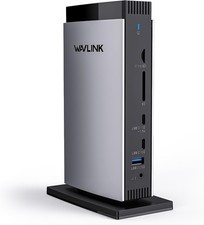
- Front Panel: 1× TF Card Slot, 1× SD Card Slot, 2× USB-C 10Gbps, 1× USB-A 5Gbps, 1× 4-Pole Phone Jack
- Rear Panel: 1× RJ45 (10/100/1000Mbps), 1× Display 1 (HDMI/DP), 1× Display 2 (HDMI/DP), 1× 4K HDMI (Alt. Mode), 2× USB-A 5Gbps, 1× USB-C (Host), 1× DC IN (20V/2A, 40W)
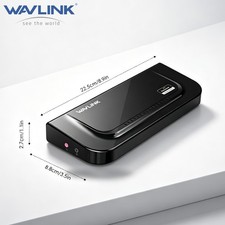
- Unit Size: 12.2 × 6.6 × 18.5cm / 4.8 × 2.6 × 7.3in (W×D×H)
- USB-C to C Cable Length: 100cm / 39.4in
- Unit Weight: 570g / 20.1oz
- Housing Material: ABS Plastic
- Power LED: Blue
Features- Working with USB-C, Thunderbolt & USB-A laptops.
- One USB-C upstream port is provided for connection to the host, ensuring compatibility with USB-C, Thunderbolt, or USB-A ports (when using a USB-C to USB-A adapter).
- One Alt Mode HDMI, two HDMI ports and two DisplayPort support up to 4K@60Hz video output, allowing you to connect multiple screens.
- Two USB-C ports with transfer speeds up to 10Gbps; one of them provides BC 1.2 fast charging.
- Three USB-A ports with transfer speeds up to 5Gbps; backward compatible with USB 2.0.
- RJ-45 Gigabit Ethernet port supports stable and high-speed network connections and is backward compatible with 10/100Mbps Ethernet networks.
- SD / Micro SD Slot supports integrated SD V3.0 Card Reader transferring rate at the speed of 104MB/s, ideal for copying any photos.
- Integrated TRRS 4-pole Phone Jack for audio speaker out and mic in.
Warm Tips- 1. Do not support Linux, Unix, iOS and iPad OS.
- 2. Does not support plug and play; driver installation is required. Please visit the website "displaylink.com" to download the latest driver.
- 3. Please confirm that the Type-C port of your laptop supports video output, or the docking station's HDMI (Alt. Mode) port may not work.
- 4. Android devices support mirror mode ONLY with the resolution up to 1080P.
- 5. Windows / Mac OS (12.x or above)-based devices support rotation and clamshell modes.
- 6. The DP and HDMI in the same video stream (Display 1/2) CANNOT be used simultaneously.
- 7. Does not support playback of HDCP copyright protected content from Blu-ray / Netflix / Prime / iTunes / Hulu, and other platforms.
- 8. The DISPLAY 1/2 ports are suitable for office work, handling spreadsheets, documents or browsing the web. Not suitable for gaming or other high-intensity tasks.
- 9. For Mac users, it is necessary to grant permission to the DisplayLink Manager to record your screen.
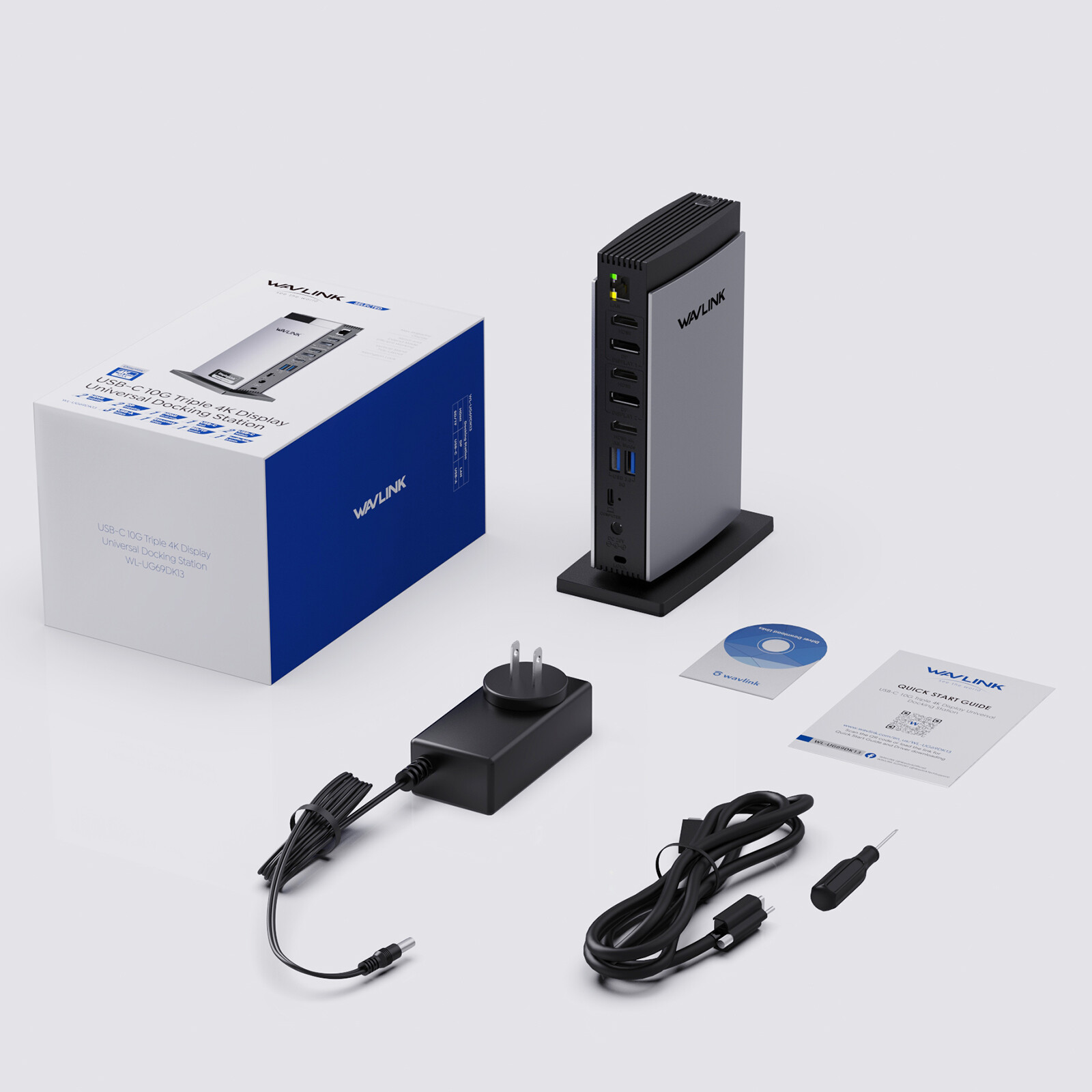
In the Box- 1× USB-C 10G Triple 4K Display Universal Docking Station
- 1× USB-C to USB-C Cable with E-mark
- 1× DC 20V/2A 40W Power Adapter
- 1× Cable Holder
- 1× Screwdriver
- 1× Quick Start Guide
WAVLINK Universal DisplayLink Docking Station — 4K + Dual 2K, 15-in-1 with 3 HDMI, 2 DP, RJ45, Audio/Mic, SD/TF, 5 USB Ports, 100W AC Power SupplyModel: WL-UG63PD13💼 15 Ports Expand Your OptionsAll through a single USB C-C connection, the dock easily turns your laptop's Type-C port into 3 HDMI ports, 2 DisplayPort, a host USB-C port, 2 USB-C ports, 3 USB-A ports, an RJ45 ethernet port, SD/TF card slots, and a 4-pole phone jack. A perfect solution for your home or office workstation.
🌟 Attention: HDMI (Alt. Mode) requires your laptop's Type-C port to support video output.
💻 Boost Productivity with MultitaskingConnect triple monitors with ease! Experience exceptional 4K@60Hz output on the HDMI (Alt. Mode) port for tasks like video editing and gaming. The DisplayLink-6350 chipset enables dual 2K@60Hz displays on the DISPLAY 1/2 (HDMI/DP) ports, perfect for expanding display options on M1/M2/M3 Macs. Great for web browsing and productivity applications; not recommended for gaming-intensive use.
🔋 Sufficient 65W Power SupplyComes with a powerful 100W power adapter, the host USB-C charges your laptop with max. 65W to keep it running all day, as well as powering your connected peripherals while displaying or transferring data. Worry-free about any low battery situation.
*Please make sure that your host's Type-C port supports power delivery.
🚀 Super-Speed Transfer & Stable NetworkEnjoy quick file transfers with 3 USB-A 5Gbps and 2 USB-C 10Gbps ports, perfect for connecting external hard drives and USB devices. The SD/TF card slots offer fast transfer speeds of up to 104MB/s, ideal for photographers, designers, and filmmakers to store their work effortlessly. Stay securely connected with the gigabit RJ45 ethernet port, providing stable wired network performance.
🌐 Wide CompatibilityPerfect for laptops with a full-function Type-C port or Thunderbolt 3/4 port. Support Windows 11/10/8.1/8/7/XP/Vista, Mac OS 10.14–14.x and latest, Chrome OS, Ubuntu, Android and Harmony OS.
*Does not support plug and play; the installation of the latest DisplayLink driver is required.
Enhanced DisplayLink ChipsetThe DL-6350 chipset ensures universal compatibility with various operating systems, ideal for multitasking across multiple displays and expanding workspace.
Tailored for M1/M2/M3 MacsThe dock enables your MacBook to connect up to 3 external monitors simultaneously with unique content. Enhance workspace and boost productivity with ease.
Diverse Display ModesExtend or mirror content from your Windows or Mac OS laptop onto external 4K or 2K monitors with the universal dock. Also supports rotation and clamshell modes. (*Mac OS 12.x or later required.)
Swift Charge SolutionExperience peak performance with the powered USB hub's 65W laptop charging capability, backed by our efficient 100W adapter for seamless power delivery.
Transfer Files in SecondsUtilize the 3 USB-A 5Gbps and 2 USB-C 10Gbps ports for lightning-fast file transfers, enabling swift and efficient data transmission within seconds.
Photography HubCapture your moments and transfer them swiftly with the docking station's 104MB/s SD/TF card reader. Seamlessly edit and store your memories for a lifetime.
High-Speed Ethernet PortEnjoy stable and fast wired networks with the RJ45 Gigabit Ethernet port, supporting 1000/100/10Mbps speeds for seamless connectivity to networks.
2-In-1 Audio & MicEasily connect headphones or a microphone to the integrated TRRS 4-pole phone jack for seamless listening, speaking, or recording tasks.
Considerate Designs- 🔝 Non-slip rubber pads prevent sliding for added stability.
- 🔝 Supports Kensington lock for securing devices and data.
- 🔝 Optimal ventilation holes ensure efficient performance.
- 🔝 ON/OFF button for quick operation control.
- 🔝 Power LED indicates device status instantly.
How to Download and Install the Latest DisplayLink Driver- 1. Access the URL: displaylink.com
- 2. Find the corresponding driver of your system
- 3. Download and install the driver
- 4. Start use after easy setting
Multiple Display Resolution (Max. Resolution)- ① Single Display
Under DP1.2 Source: HDMI (Alt. Mode) 3840×2160@30Hz; Display1/2 (HDMI/DP) 2560×1600@60Hz
Under DP1.4 Source: HDMI (Alt. Mode) 3840×2160@60Hz; Display1/2 (HDMI/DP) 2560×1600@60Hz - ② Dual Display
a. HDMI (Alt. Mode) + Display1/2 (HDMI/DP):
Under DP1.2 Source: 3840×2160@30Hz + 2560×1600@60Hz
Under DP1.4 Source: 3840×2160@60Hz + 2560×1600@60Hz
b. Display1 (HDMI/DP) + Display2 (HDMI/DP):
Under DP1.2/1.4 Source: 2560×1600@60Hz + 2560×1600@60Hz - ③ Triple Display
HDMI (Alt. Mode) + Display1 (HDMI/DP) + Display2 (HDMI/DP):
Under DP1.2 Source: 3840×2160@30Hz + 2560×1600@60Hz + 2560×1600@60Hz
Under DP1.4 Source: 3840×2160@60Hz + 2560×1600@60Hz + Systems- Windows 11 / 10 / 8.1 / 8 / 7 / XP / Vista
- Mac OS 10.14–14.x and latest
- Android 5.0 or later with USB OTG cable
- Ubuntu 20.04, 22.04, 23.04, 24.04
- Chrome OS and Harmony OS
Specification- Model: WL-UG63PD13
- Front Panel: 1× TF Card Slot, 1× SD Card Slot, 2× USB-C 10Gbps, 1× USB-A 5Gbps, 1× 4-Pole Phone Jack
- Rear Panel: 1× RJ45 (10/100/1000Mbps), 1× Display 1 (HDMI/DP), 1× Display 2 (HDMI/DP), 1× 4K HDMI (Alt. Mode), 2× USB-A 5Gbps, 1× USB-C (Host, PD65W), 1× DC IN (20V/5A, 100W)
- Unit Size: 12.2 × 6.6 × 18.5cm / 4.8 × 2.6 × 7.3in (W×D×H)
- USB-C to C Cable Length: 100cm / 39.4in
- Power Adapter Cable Length (plug end): 150cm / 59in
- Power Adapter Cable Length (round port end): 120cm / 47in
- Unit Weight: 570g / 20.1oz
- Housing Material: ABS Plastic
- Power LED: Blue
Warm Tips- 1. Do not support Linux, Unix, iOS and iPad OS.
- 2. Does not support plug and play; driver installation is required. Please visit the website "displaylink.com" to download the latest driver.
- 3. Please confirm that the Type-C port of your laptop supports charging and video output, or the docking station's host charging function and HDMI (Alt. Mode) port may not work.
- 4. Android devices support mirror mode ONLY with the resolution up to 1080P.
- 5. Windows / Mac OS (12.x or above)-based devices support rotation and clamshell modes.
- 6. The DP and HDMI in the same video stream (Display 1/2) CANNOT be used simultaneously.
- 7. Does not support playback of HDCP copyright protected content from Blu-ray / Netflix / Prime / iTunes / Hulu, and other platforms.
- 8. The DISPLAY 1/2 ports are suitable for office work, handling spreadsheets, documents or browsing the web. Not suitable for gaming or other high-intensity tasks.
- 9. For Mac users, it is necessary to grant permission to the DisplayLink Manager to record your screen.
In the Box- 1× USB-C 10G Triple Display Universal Docking Station
- 1× USB-C to USB-C Cable with E-mark
- 1× DC 20V/5A 100W Power Adapter
- 1× Cable Holder
- 1× Screwdriver
- 1× Quick Start Guide
Wavlink USB-C 5K Laptop Universal Docking Station — Ultra HD Multiple Display Dock with 2× HDMI and DisplayPort, Gigabit Ethernet, Type-C, 6× USB 3.0, Audio, MicSupports Windows & Mac OSFeatures- USB-C Dual-Monitor Docking Station for Laptops.
- Via HDMI and/or DisplayPort supports resolution up to 5K (5120×2880 @ 60Hz); supports Dual 4K Ultra HD video (4096×2160 @ 60Hz).
- Supports extend and mirror mode. 5.1 channel surround-sound through Display and HDMI Port.
- Provides you with high resolution picture quality, expandable up to 6 displays, also includes an audio input/output and Gigabit Ethernet port!
- Universal docking station is suitable for use with Windows 10, 8.1, 8, 7, & legacy XP systems, Mac OS, Android. Download the latest driver from the Certified DisplayLink website.
Wavlink Brings Technology to LifeThe new USB Type-C connector works seamlessly with this Ultra HD 4K Universal Docking Station. It can connect to any host with Standard A or Type C connectors, providing a fully backward-compatible and future-proof docking station. Allow you to connect up to two additional monitors and eleven accessories through a single USB cable. Including the latest drivers for compatibility with Windows 10/8.1/7 or Apple Mac OS.
USB-C Connectivity, Better PerformanceUSB-C is a new technology and has many different capabilities, so it's extremely important to learn what your host device can deliver in order to select the correct docking station for your system. USB Type-C connectivity is also the latest and extremely reliable technology for video performance. As a result, it will provide a crisp and clear display for you.
Designed Perfectly for YouWith a single cable, the dock can free up space on your desk and in your workspace with the added ability to mount behind a monitor or on your desk. Great for presentations, the sleek Dock enables fast, efficient connectivity to multiple displays and all your various peripherals (like a mouse, keyboard or flash drive) through one convenient cable.
5K@60Hz Output14.7 million pixels give you an amazing feast of vision, showing every detail clearly as if you were personally on the scene. It also helps to improve operational efficiency on images and video editing.
Dual 4K@60HzFeaturing the DisplayPort and HDMI port, Wavlink Docking Station gives you the flexibility to connect your displays as needed. It supports dual monitors or a single high resolution 4K monitor. It will greatly help you facilitate high-resolution works, graphically intensive images, video editing, CAD drawings, medical imagery and more.
SuperSpeed USB 3.0SuperSpeed USB 3.0 provides up to 5Gbps data transfer speeds, which is 10 times faster than USB 2.0. The WAVLINK Universal Dock features 6× USB 3.0 ports, allowing for SuperSpeed data transfer between peripherals.
Blazing-Fast Gigabit EthernetWired network connections are faster and more reliable than any Wi-Fi. The dock helps you tap into the full performance of wired network connections with a built-in Gigabit Ethernet port.
Your Choice of SoundWith separate microphone input and amplified audio output, you can enjoy crystal-clear conference calls or any other project benefits from having your voice heard. You'll be amazed at the immersive music it gives you.
System Requirements- Windows 7 (32-bit and 64-bit editions)
- Windows 8 (32-bit and 64-bit editions)
- Windows 8.1 Update 2014 (32-bit and 64-bit editions)
- Windows 10 TH (32-bit and 64-bit editions builds up to 10586)
- Windows 10 Anniversary Update (32-bit and 64-bit editions, tested on build up to 14393)
- Windows XP SP2 and Vista are supported by older versions of the DisplayLink software
- DisplayLink USB Graphics Software for Mac OS X: El Capitan 10.11, Yosemite 10.10, Mavericks 10.9, Mountain Lion 10.8, Sierra 10.12, Lion 10.7, Snow Leopard 10.6
Specification- Voltage: 100~240V
- Operating Temperature: 0°C~40°C
- Storage Temperature: -10~70°C
- Ports: Type-C, 2× DP, 2× HDMI, 6× USB3.0, Earphone and Microphone Jack, RJ-45 Jack, LED, ON/OFF Switch
- Chipset: DL6950 + VL813
- Processor: Core i7
- Power Adapter: 20V/2A
- (Full-Screen Video Playback) RAM: 4GB
What's in the Package?- 1× Wavlink USB C Universal Dock Station
- 1× DC20V Certified Power Adapter
- 1× USB 3.0 C to C Cable
- 1× USB 3.0 A to C Cable
- 1× CD Driver
- 1× Instruction Manual
NoteHDMI and DP ports in the area of Display1 or Display2: if they are connected to the monitor at the same time, DP will have the priority.