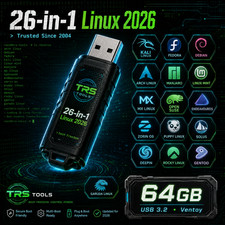
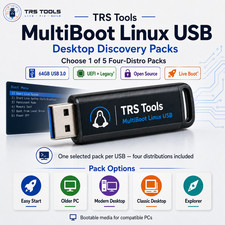
openSUSE Bootable USB Drive Listing openSUSE Offline Installation USB Drive
Premium, Bootable Flash Drive • Pre-Flashed & Ready to Install
Save time and data. Install openSUSE easily without downloading gigabytes of installation files.
Why Choose Our Installation Media?
- Official Images: Written directly from fresh, official openSUSE release mirrors.
- SHA-256 Verified: Every ISO image is fully cryptographic-checksum verified before flashing to ensure absolute integrity, privacy, and flawless performance.
- Plug & Play: Properly formatted and flashed to act as a universal boot device.
Choose the Right Version For Your Needs
Please select your preferred openSUSE flavor when completing your order:
Rolling Release
openSUSE Tumbleweed
Best For: Developers, power users, enthusiasts, and modern desktop systems.
Tumbleweed updates continuously. You will always have the absolute latest stable versions of software packages and Linux kernels without ever needing a major system upgrade again.
Regular Release
openSUSE Leap
Best For: Production environments, enterprise workstations, home servers, and rock-solid predictability.
Leap utilizes a traditional release cycle sharing its core binaries with SUSE Linux Enterprise (SLE). It prioritizes stability and heavily tested packages.
Quick Installation Guide
- Power Off: Completely shut down your target computer.
- Insert Drive: Plug the openSUSE bootable USB drive into an available USB port.
- Open Boot Menu: Power on the system and immediately press your motherboard's Boot Menu key repeatedly (typically F12, F11, F8, or Esc).
- Select USB: Choose the flash drive from the boot choices listed on your screen.
- Launch Setup: Select "Installation" from the openSUSE bootloader interface.
- Complete Steps: Follow the on-screen graphical installation wizard to configure your language, disk partitions, and user desktop environment.
Important Terms & Disclaimers
- Physical Media Only: This item is a physical, bootable USB drive shipped to your address. This is not a digital download or an activation license key.
- Hardware Compatibility: Due to variations in computer configurations, hardware compatibility is not guaranteed. Please verify your PC hardware works with the Linux kernel prior to purchase.
- Boot Support: Ensure your computer supports booting directly from USB storage drives and that Secure Boot or UEFI/Legacy options are correctly configured in your BIOS settings.
- Supply & Appearance: USB drive capacity, brand, physical shape, and casing colors may vary depending on active supplier availability. The drive will always meet or exceed the storage capacity required for a clean installation.