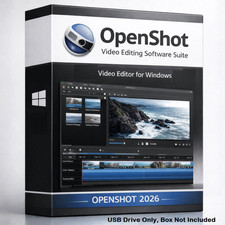
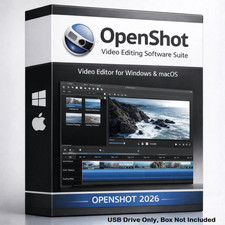
TRS Tools Prepared Physical Media OpenShot Video Editor Resources CD Prepared Physical CD Media with Setup Guide & Support Notes Prepared CD Media Setup Guide Included Support Notes Included Windows • Linux • Mac Reference Professional Prepared CD from TRS Tools
This listing is for a TRS Tools prepared physical CD-R disc containing organized OpenShot Video Editor related resources, setup notes, compatibility reference information, and helpful getting-started guidance.
The value provided is the physical CD media, preparation, organization, labeling, testing, setup guide, support notes, and convenience. This is ideal for users who prefer prepared physical media instead of searching, gathering, and organizing resources on their own.
What You Receive Physical CD-R Media
Prepared and labeled TRS Tools CD media. Setup Guide Included
Clear getting-started notes for easier use. Support Notes Included
Helpful reference notes for common user questions. Compatibility Reference
Windows, Linux, and macOS-compatible system reference where supported. Why Buy From TRS Tools?
TRS Tools prepares physical media for customers who want a cleaner, organized starting point with readable notes, practical guidance, and a more convenient experience.
I have 30 years of experience in Information Technology, including computer setup, troubleshooting, maintenance, documentation, and end-user support.
Great For
- Home users learning basic video editing workflows
- Students, hobbyists, and computer users who prefer physical media
- Users who want organized setup notes and compatibility guidance
- Systems with a working CD/DVD drive
- Technicians or support users who keep reference media available
Compatibility Notes
- A working CD/DVD drive is required.
- Internet access may be needed for updates, dependencies, current releases, or platform-specific files.
- Compatibility depends on your computer, operating system version, hardware, security settings, and available updates.
- This disc is not represented as publisher-issued media.
- No activation key, product key, paid license, subscription, or proprietary software ownership is included.
How to Use This CD
- Insert the TRS Tools prepared CD into your computer's CD/DVD drive.
- Open the disc using File Explorer, Finder, or your Linux file manager.
- Read the included setup guide before using any resources.
- Review the compatibility reference for your system.
- Follow the support notes for your operating system.
- Check current publisher information when updates or newer versions are needed.
How to Boot Linux from USB
This OpenShot item is supplied on CD media and is not sold as a Linux boot USB. These general steps are provided as a helpful reference for customers using their own separate Linux USB media.
- Insert your Linux USB drive into the computer.
- Restart the computer.
- Open the boot menu during startup. Common keys include F12, F11, F10, ESC, or DEL depending on the computer brand.
- Select the USB drive from the boot menu.
- Choose the live session or supported startup option shown by your Linux media.
- Allow Linux to load and check display, sound, Wi-Fi, keyboard, mouse, and storage access.
- Use your Linux system's supported software manager or package method to add or update video editing tools as needed.
Important Purchase Notice
This item does not include a paid software license, activation key, product key, subscription, or proprietary software ownership. Open-source resources remain subject to their original license terms.
TRS Tools is an independent seller and is not affiliated with, sponsored by, or endorsed by OpenShot Studios or any referenced software publisher. Names are used only to identify compatibility and resource type.
Frequently Asked Questions 1. Is this a software license?
No. This listing is for prepared physical CD media, organization, setup notes, support notes, and compatibility reference information.
2. Is a product key or activation code included?
No. No product key, activation code, paid license, subscription, or proprietary software ownership is included.
3. Is this publisher-issued OpenShot media?
No. TRS Tools is an independent seller. This is prepared physical media made for convenience and reference.
4. Will this work on every computer?
No. Compatibility depends on your hardware, operating system, updates, permissions, security settings, and CD/DVD drive.
5. Do I need internet access?
Internet access may be needed for updates, current downloads, dependencies, or system-specific requirements.
6. What support is included?
Seller support is limited to physical media readability and basic guidance for accessing the included notes. Full system setup or compatibility troubleshooting is not guaranteed.
7. What exactly am I paying for?
You are paying for the prepared physical CD media, organization, labeling, testing, setup guide, support notes, and TRS Tools preparation service.
TRS Tools Prepared Physical Media • Setup Guidance • Support Notes • IT Experience You Can Trust No license, activation key, product key, subscription, or publisher-issued media is included.