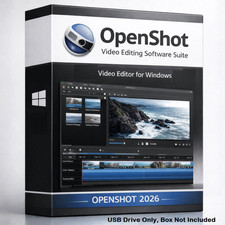
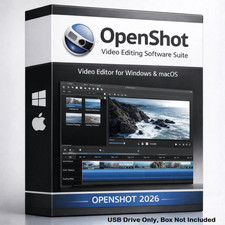
OpenShot Video Editor Prepared USB Media
Organized video editing resources, setup guidance, compatibility notes, and support-focused documentation from TRS Tools.
Prepared for Convenience
This TRS Tools prepared USB media is designed for users who want an easier way to access OpenShot video editor resources, setup notes, compatibility guidance, and helpful getting-started information on physical media.
The value of this item is the prepared physical USB media, organized file structure, setup guide, support notes, compatibility reference, and TRS Tools support-focused presentation. This item does not sell software ownership, a license key, activation, subscription, account access, or paid software.
Prepared Physical USB Media • Setup Guide Included • Support Notes Included • Compatibility Reference Included What You Receive
- 1 prepared TRS Tools USB flash drive
- Organized OpenShot video editor resource files where applicable
- Setup guide for basic installation and first-use reference
- Compatibility notes for supported system use
- Helpful support notes for common setup questions
- Reference information for users who want a simple video editing workflow
Why Buyers Choose TRS Tools
- Prepared physical USB media for convenient access
- Organized file layout for a cleaner first-use experience
- Helpful setup notes written for everyday users
- Support-focused presentation backed by 30 years of Information Technology experience
- Useful for basic video editing, learning, hobby projects, and general creative work
- Clear compatibility and licensing notes included for responsible use
Common Video Editing Uses
- Trimming and arranging video clips
- Combining clips into simple video projects
- Adding titles, transitions, and basic effects where supported
- Creating hobby, family, school, church, or small business video projects
- Learning entry-level video editing concepts
- Keeping a prepared physical media copy with setup notes
Compatibility Notes
Compatibility may vary by computer, operating system, hardware, graphics support, available storage, and software version. Video editing can require more system resources than basic office or utility software, especially when working with larger or higher-resolution video files.
A 64-bit operating system, multi-core processor, at least 4 GB RAM, and available storage space are recommended as a practical minimum starting point. Additional RAM, processor speed, graphics capability, and storage space may improve the editing experience depending on your project size and media files.
Important Resource & License Notice
This item is prepared physical media containing publicly available, open-source, community-licensed, or redistributable resources where applicable. Users are responsible for reviewing and following the applicable software licenses.
No license, activation key, subscription, account, paid software ownership, premium version, or proprietary software license is included with this item.
Independent Seller Disclaimer
TRS Tools is an independent seller and is not affiliated with, endorsed by, sponsored by, or certified by OpenShot, OpenShot Studios, the referenced software publishers, or any project owners. Software names are used only to identify the resources or compatibility.
TRS Tools Experience
TRS Tools is built around a support-focused presentation backed by 30 years of Information Technology experience. The goal is to provide prepared physical media, organized resources, practical setup notes, and clear compatibility information for everyday users.
Setup Overview
- Insert the prepared TRS Tools USB media into a compatible computer.
- Open the included setup guide and review the compatibility notes.
- Locate the organized setup resources on the USB media.
- Run the appropriate installer or setup file where applicable.
- Follow the on-screen instructions from the software installer.
- Review the included support notes for common first-use guidance.
- Check the software publisher or project website for updates, license details, and current documentation.
Frequently Asked Questions 1. Is this official OpenShot media?
No. This is independently prepared TRS Tools physical USB media. TRS Tools is not affiliated with, endorsed by, sponsored by, or certified by OpenShot or its project owners.
2. Does this include a license key or activation code?
No. No license key, activation code, subscription, account, paid software ownership, or proprietary license is included.
3. What am I purchasing?
You are purchasing prepared physical USB media, organized files, setup notes, compatibility reference information, and TRS Tools support-focused presentation.
4. Can this be used for video editing?
OpenShot is commonly used for video editing tasks such as trimming clips, arranging projects, adding titles, and working with basic effects where supported. Results and performance may vary by computer and project size.
5. Will this work on every computer?
No compatibility is guaranteed. Compatibility may vary by operating system, hardware, available storage, graphics support, software version, and system configuration.
6. Does this include paid plugins, stock media, templates, or commercial add-ons?
No. This item does not include paid plugins, commercial templates, copyrighted media files, stock assets, paid fonts, premium add-ons, or unauthorized third-party content.
7. Can I get updates?
Users should check the applicable software publisher or project website for current versions, updates, documentation, and license information.
Prepared, Organized, and Ready to Use
TRS Tools prepares physical media with organization, setup guidance, and practical support notes to make the first-use process easier. This listing is designed for buyers who value convenience, documentation, and a clean physical media presentation.
TRS Tools • Prepared Physical USB Media • Setup Guide Included • Support Notes Included